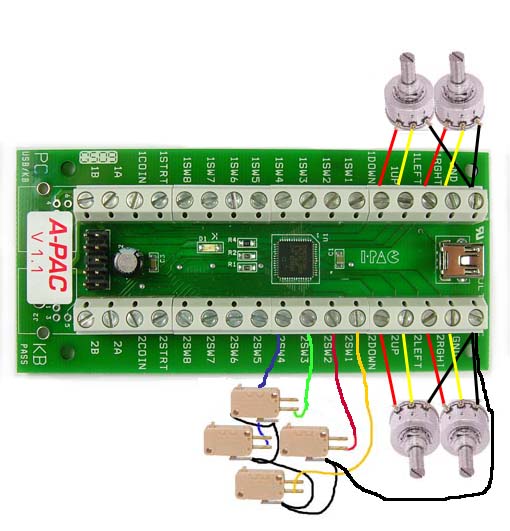
Don't know why ya seem to have so many issues with stuff these days, not like I'm new to Mame cabs and setting stuff up but I've just bought 2 A-pac boards for the driving machines to add extra Analogue input and extra buttons, originally I was going to use a different option i already got and probably be wishing I had
Not much info on the Ulitmarc site about these A-Pac but assuming they were same as I-Pac with Analogue Joystick as well as Switch, basic connection info and not even what the Default shift keys do, plugged in first one and connected 3 switches, Test, Service and coin mech switch to Coin 1, other reason I bought these is so things work in mame like coin input and shift keys so you can enter and exit games
So I test in mame and switch on Coin 1 doesn't work, mame was always 5 on keyboard and if you look up default for ultimarc stuff you have Start 1 as shift and button 1 for coins also and Coin 1 and Coin 2 should be 5 and 6 but clearly on this it's not but no mention on website test in windows game input and the 3 buttons all work and it works when you assign Coin1 in mame which is button 10 in test,
Doesn't say what input 1A and 1B is for on website and I can't remember a lot as not used one Ipac or Jpac for years
usual nonsense from internet
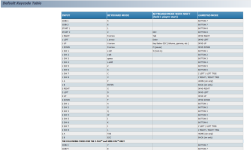
So it says coin 1 is 5 and coin 2 is 6 here
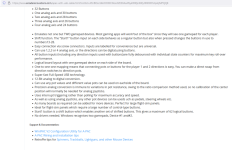
Best you have on Website is this
Using with MAME
To use this device with MAME,all you need to do is enable joystick support in MAME.INI. The play buttons and joysticks are then automatically assigned in MAME because this device is seen as two gamepads which MAME expects. You may need to assign COIN and START buttons. If you start with a digital (switch) joystick and then re-wire to analog stick, there is no need to change any settings.
FAQs
I Mean it's either setup already or it's not, Why Maybe... what use is that?
So buying it to try and make it easier in mame and other emulators was waste of time if they ain't same as other products and you have to assign Coin and Start anyway not that they make it clear what coin 1 and 2 is actually set for, will the Shift Keys even do like I-Pac does who knows and can't programme it either
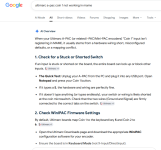
So is the A-Pac even designed as Arcade I/O or a flippin Game Pad one, it says on google make sure it's set for Keyboard Output not Dinput or Xinput which you can change on I-Pac but again no info on A-Pac, baffled at this to be honest and conclusion is its Gamepad only setup? not switchable
Downloaded WinIPAC V2 Utils that this site says is for A-Pac and... well it doesn't even work just says no board connected so not for A-Pac then
Not much info on the Ulitmarc site about these A-Pac but assuming they were same as I-Pac with Analogue Joystick as well as Switch, basic connection info and not even what the Default shift keys do, plugged in first one and connected 3 switches, Test, Service and coin mech switch to Coin 1, other reason I bought these is so things work in mame like coin input and shift keys so you can enter and exit games
So I test in mame and switch on Coin 1 doesn't work, mame was always 5 on keyboard and if you look up default for ultimarc stuff you have Start 1 as shift and button 1 for coins also and Coin 1 and Coin 2 should be 5 and 6 but clearly on this it's not but no mention on website
test in windows game input and the 3 buttons all work and it works when you assign Coin1 in mame which is button 10 in test,Doesn't say what input 1A and 1B is for on website and I can't remember a lot as not used one Ipac or Jpac for years
usual nonsense from internet
So it says coin 1 is 5 and coin 2 is 6 here
Best you have on Website is this
Using with MAME
To use this device with MAME,all you need to do is enable joystick support in MAME.INI. The play buttons and joysticks are then automatically assigned in MAME because this device is seen as two gamepads which MAME expects. You may need to assign COIN and START buttons. If you start with a digital (switch) joystick and then re-wire to analog stick, there is no need to change any settings.
FAQs
I Mean it's either setup already or it's not, Why Maybe... what use is that?
So buying it to try and make it easier in mame and other emulators was waste of time if they ain't same as other products and you have to assign Coin and Start anyway
not that they make it clear what coin 1 and 2 is actually set for, will the Shift Keys even do like I-Pac does who knows and can't programme it eitherSo is the A-Pac even designed as Arcade I/O or a flippin Game Pad one, it says on google make sure it's set for Keyboard Output not Dinput or Xinput which you can change on I-Pac but again no info on A-Pac, baffled at this to be honest and conclusion is its Gamepad only setup? not switchable
Downloaded WinIPAC V2 Utils that this site says is for A-Pac and... well it doesn't even work just says no board connected so not for A-Pac then
Last edited: