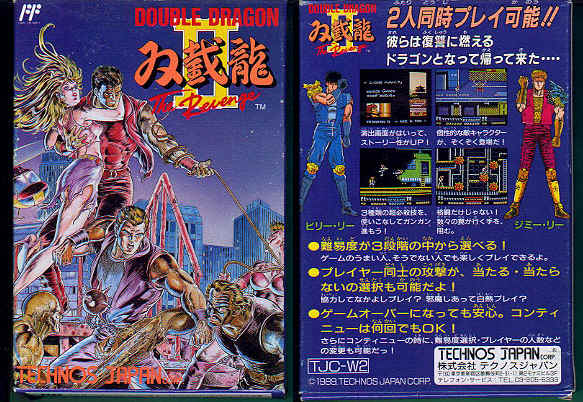
Double Dragon II - The Revenge - Fixing the Controls
Introduction:
...a game ruined by its 'exotic' controls? most people have the opinion that the control system ruined this game. the controls in the original double dragon were perfectly good. the original had quite a lot of slowdown though; it was good to see this problem was addressed in the sequel. the sequel has a lot going for it.. nice varied graphics, animation, enemies, sounds.. lots of weapons/things to throw, fast exciting gameplay.. even the popular elbow move from the original game. but the controls.. did anyone ever bother to give this game more than a few minutes play? i didn't. in a game where you have to think fast; with the current controls, it just seems like all of your attention is spent on those annoying controls instead of enjoying the game.. instead of having FUN. i'm not a coder so unfortunately i don't know how feasible it would be to 'fix' the exotic control system. anyway that said, even if it is just for the record, below is how i think the game control system could be greatly improved:
Number of buttons the game uses - three:
(1) left attack (2) jump (3) right attack
Detailed description of how the control system could be improved (summarised at the end of this document):
1. Punch
By Default, you punch left if facing left and pressing (1)
you punch right if facing right and pressing (3)
if you are facing left and have an enemy in a headlock/kneeing them to the head, button (2) or (3) throws them backwards over your shoulder
if you are facing right and have an enemy in a headlock/kneeing them to the head, button (2) or (1) throws them backwards over your shoulder
New Control Method: press button (1) to punch in the direction you are currently facing
when you have an enemy in a headlock/kneeing them to the head, button (2) to throw them backwards over your shoulder
2. Use/swing a weapon, throw wooden box, etc
By Default, if holding a weapon/wooden box, etc:
you use/swing/throw a weapon left by pressing button (1) (it doesn't matter which direction you are currently facing)
you use/swing/throw a weapon right by pressing button (3) (it doesn't matter which direction you are currently facing)
New Control Method: press button (1) to use/swing/throw a weapon you are holding (in the direction you are currently facing)
3. Backwards Kick (a kick in the opposite direction you are facing)
(note: backwards kick is not available if you are holding a weapon or a wooden box etc)
By Default, you kick backwards if facing left and pressing (3)
you kick backwards if facing right and pressing (1)
New Control Method: press button (3) for a backwards kick (regardless of which direction you are facing)
4. Elbow (backwards)
By Default, you elbow (backwards) if facing left and pressing(2) and (3) at the same time
you elbow (backwards) if facing right and pressing(2) and (1) at the same time
New Control Method: press buttons (1) and (2) at the same time to elbow (regardless of which direction you are facing)
5. 'classic' jump kick
By Default, (note: it doesn't matter which direction you are facing before the jump)
you 'classic' jump kick left by pressing (2)followed by pressing (1) at certain points* of your jump .. (*note: see 'super spin' jump kick below)
you 'classic' jump kick right by pressing (2)followed by pressing (3) at certain points* of your jump .. (*note: see 'super spin' jump kick below)
New Control Method: for the 'classic' jump kick, press button(2) and then press button (1) at ANY point after you have started the jump (ie. i recommend that the 'super spin' jump kick should no longer interfere with the 'classic' jump kick) ---- the resulting direction of your 'classic' jump kick (left, or right), will be the direction that the player is facing when he jumps
6. 'super spin' jump kick
By Default, you 'super spin' jump kick by pressing (2), and then(1) around a "certain height" of the jump. when you land you will be facing left
you 'super spin' jump kick by pressing (2), and then(3) around a "certain height" of the jump. when you land you will be facing right
New Control Method: for a 'super spin' jump kick, press button(2), and then button (3) at the required "certain height" of the jump. note: when you land, i recommend the player should be returned to facing the same direction he was originally facing before the jump. i also recommend that the timing of the 'super spin' jump kick remains the same as default (ie. the 'super spin' jump kick should only occur if the player is hitting button (3) at the correct (required) "certain height" of the jump... (because alternatively, allowing the player to initiate the 'super spin' jump kick at ANY point of the jump would make this 'special move' too cheap/easy, and appear (visually) unrealistic/hacky)
7. 'single spin' jump kick
By Default, you 'single spin' jump kick left if facing left and pressing (2) and (1) at the same time
you 'single spin' jump kick right if facing right and pressing (2) and (3) at the same time
New Control Method: press buttons (2) and (3) at the same time for a 'single spin' jump kick in the direction you are currently facing
SUMMARY OF THE NEW CONTROL SYSTEM:
Punch (forwards in the direction you are currently facing) (1)
- Throw an enemy (who you have caught in a headlock) over your shoulder (2)
Use/swing a weapon (or throw a wooden box etc) in the direction you are currently facing (1)
backwards kick (only available if you are not holding a weapon or a wooden box etc) (3)
elbow (backwards) press buttons (1) and (2) at the same time
'classic' jump kick press button (2) to jump, and then button(1) to kick during your jump (the resulting 'classic' jump kick will be in the direction you were facing when you initiated the jump)
'super spin' jump kick press button (2) and then button (3)at the correct "certain height", for the 'super spin' jump kick (when you land, you should be returned to facing the same way you were facing before the jump)
'single spin' jump kick press buttons (2) and (3) at the same time for a 'single spin' jump kick in the direction you are currently facing
Some final thoughts...
If anyone has any comments please do voice them (eg. things you don't like or disagree on, something i missed or didn't consider, suggestions/changes/corrections). needless to say some final tweaks could be applied to this new control system during implementation/testing/etc (obviously it would be a good idea to play through the entire game with this new control system to determine if any unforeseen problems etc may arise later on).
Introduction:
...a game ruined by its 'exotic' controls?
most people have the opinion that the control system ruined this game. the controls in the original double dragon were perfectly good. the original had quite a lot of slowdown though; it was good to see this problem was addressed in the sequel. the sequel has a lot going for it.. nice varied graphics, animation, enemies, sounds.. lots of weapons/things to throw, fast exciting gameplay.. even the popular elbow move from the original game. but the controls.. did anyone ever bother to give this game more than a few minutes play? i didn't. in a game where you have to think fast; with the current controls, it just seems like all of your attention is spent on those annoying controls instead of enjoying the game.. instead of having FUN. i'm not a coder so unfortunately i don't know how feasible it would be to 'fix' the exotic control system. anyway that said, even if it is just for the record, below is how i think the game control system could be greatly improved:Number of buttons the game uses - three:
(1) left attack (2) jump (3) right attack
Detailed description of how the control system could be improved (summarised at the end of this document):
1. Punch
By Default, you punch left if facing left and pressing (1)
you punch right if facing right and pressing (3)
if you are facing left and have an enemy in a headlock/kneeing them to the head, button (2) or (3) throws them backwards over your shoulder
if you are facing right and have an enemy in a headlock/kneeing them to the head, button (2) or (1) throws them backwards over your shoulder
New Control Method: press button (1) to punch in the direction you are currently facing
when you have an enemy in a headlock/kneeing them to the head, button (2) to throw them backwards over your shoulder
2. Use/swing a weapon, throw wooden box, etc
By Default, if holding a weapon/wooden box, etc:
you use/swing/throw a weapon left by pressing button (1) (it doesn't matter which direction you are currently facing)
you use/swing/throw a weapon right by pressing button (3) (it doesn't matter which direction you are currently facing)
New Control Method: press button (1) to use/swing/throw a weapon you are holding (in the direction you are currently facing)
3. Backwards Kick (a kick in the opposite direction you are facing)
(note: backwards kick is not available if you are holding a weapon or a wooden box etc)
By Default, you kick backwards if facing left and pressing (3)
you kick backwards if facing right and pressing (1)
New Control Method: press button (3) for a backwards kick (regardless of which direction you are facing)
4. Elbow (backwards)
By Default, you elbow (backwards) if facing left and pressing(2) and (3) at the same time
you elbow (backwards) if facing right and pressing(2) and (1) at the same time
New Control Method: press buttons (1) and (2) at the same time to elbow (regardless of which direction you are facing)
5. 'classic' jump kick
By Default, (note: it doesn't matter which direction you are facing before the jump)
you 'classic' jump kick left by pressing (2)followed by pressing (1) at certain points* of your jump .. (*note: see 'super spin' jump kick below)
you 'classic' jump kick right by pressing (2)followed by pressing (3) at certain points* of your jump .. (*note: see 'super spin' jump kick below)
New Control Method: for the 'classic' jump kick, press button(2) and then press button (1) at ANY point after you have started the jump (ie. i recommend that the 'super spin' jump kick should no longer interfere with the 'classic' jump kick) ---- the resulting direction of your 'classic' jump kick (left, or right), will be the direction that the player is facing when he jumps
6. 'super spin' jump kick
By Default, you 'super spin' jump kick by pressing (2), and then(1) around a "certain height" of the jump. when you land you will be facing left
you 'super spin' jump kick by pressing (2), and then(3) around a "certain height" of the jump. when you land you will be facing right
New Control Method: for a 'super spin' jump kick, press button(2), and then button (3) at the required "certain height" of the jump. note: when you land, i recommend the player should be returned to facing the same direction he was originally facing before the jump. i also recommend that the timing of the 'super spin' jump kick remains the same as default (ie. the 'super spin' jump kick should only occur if the player is hitting button (3) at the correct (required) "certain height" of the jump... (because alternatively, allowing the player to initiate the 'super spin' jump kick at ANY point of the jump would make this 'special move' too cheap/easy, and appear (visually) unrealistic/hacky)
7. 'single spin' jump kick
By Default, you 'single spin' jump kick left if facing left and pressing (2) and (1) at the same time
you 'single spin' jump kick right if facing right and pressing (2) and (3) at the same time
New Control Method: press buttons (2) and (3) at the same time for a 'single spin' jump kick in the direction you are currently facing
SUMMARY OF THE NEW CONTROL SYSTEM:
Punch (forwards in the direction you are currently facing) (1)
- Throw an enemy (who you have caught in a headlock) over your shoulder (2)
Use/swing a weapon (or throw a wooden box etc) in the direction you are currently facing (1)
backwards kick (only available if you are not holding a weapon or a wooden box etc) (3)
elbow (backwards) press buttons (1) and (2) at the same time
'classic' jump kick press button (2) to jump, and then button(1) to kick during your jump (the resulting 'classic' jump kick will be in the direction you were facing when you initiated the jump)
'super spin' jump kick press button (2) and then button (3)at the correct "certain height", for the 'super spin' jump kick (when you land, you should be returned to facing the same way you were facing before the jump)
'single spin' jump kick press buttons (2) and (3) at the same time for a 'single spin' jump kick in the direction you are currently facing
Some final thoughts...
If anyone has any comments please do voice them (eg. things you don't like or disagree on, something i missed or didn't consider, suggestions/changes/corrections). needless to say some final tweaks could be applied to this new control system during implementation/testing/etc (obviously it would be a good idea to play through the entire game with this new control system to determine if any unforeseen problems etc may arise later on).