Groovy MaME Linux deleted tab all fixed !!!

Venom

Active member
Feedback
15 (100%)
Credits
727CR
f**ked up big time today !

Managed to install a button to stop the kids messing my setup  up, so can alter volume without opening the cabinet, using the slider in mame.?

http://www.ukvac.com/forum/topic383565_post1191036.html#1191036

Then when trying to remap the tab (config) key in mame, while I was there.... I deleted it by mistake. Now I cant get back into mame config by pressing tab or any buttons :(

If this was windows would take me 2 minutes to delete the default config, then remap my extra buttons again.

Can some one try and help me out please ?

Its Groovy arcade splash screen running Groovymame Linux I believe. Its a 2human setup, I'l pm him too.

I have managed to  use my controls to exit Attract mode and get to some weird filemanager, just cant work out where the deafault cfg is or how I would rename  or try and edit it.

Filemanager.jpg


Venom2021-05-16 18:38:00
 

Venom

Active member
Feedback
15 (100%)
Credits
727CR
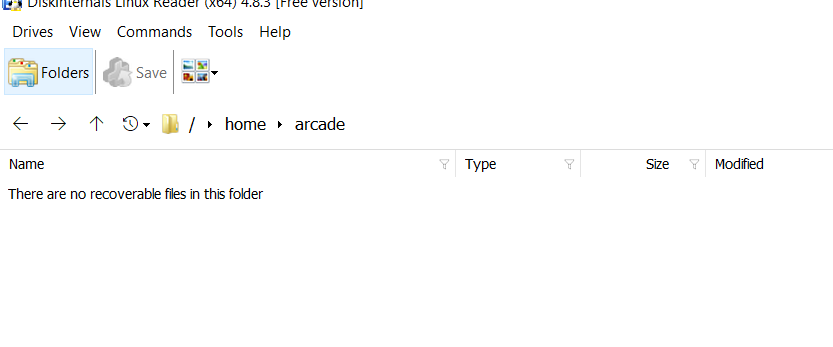
I have tried using a Windows pc running linux reader but that simply does not show the same files as you see when doing it from the USB stick in the arcade set up !

Readonly.PNG
 

Venom

Active member
Feedback
15 (100%)
Credits
727CR
Right here we go.

This is on my 2huwman cabinet runny groovy mame linux rather than windows ...

So like normal mame the trick is to delete or edit the default.cfg.

My issue was finding it ""

So from the Attract mode front end

I user "player 2" button to exit attract mode

Dos screen comes up with "Main Menu"

Press the following ...

2 setup

5 front end

2 LXDE desktop

Confirm the switch

5 Return to menu

10 Return to menu

1 start Front end

A nice gui desktop will appear.

Click Start System tools, select Filemanager PCMANFM (something like that !)

Browse HOME, ARCADE, CFG

Once you are their you can copy paste or delete the default.cfg.

I chose to edit mind and changed this

<port type="UI_CONFIGURE">

<newseq type="standard">

Then had word NONE

to

<port type="UI_CONFIGURE">

<newseq type="standard">

KEYCODE_5

This means when you press "5" the gui will appear !!

oddly in my cabinet there are two buttons one sends an f2 the other sends a 5. I just use 1 and 2 to insert coins and dont use the 5 for coins now.

I have tried to save a copy of the file to a usb so will show my settings at the end.

Pooman you may want to delete your file.

****DANGER DANGER *****

Follow slowly !

Must now LOGOUT do not reboot

This then give you the main menu again

Choose 5 and select to boot from attract mode.

Click 5 then Click 10 to get to main menu . Click 1 Start front end.

My default.cfg

<port type="UI_CONFIGURE">

<newseq type="standard">

KEYCODE_5

to

<?xml version="1.0"?>

<!-- This file is autogenerated; comments and unknown tags will be stripped -->

<mameconfig version="10">

<system name="default">

<input>

<port type="P2_BUTTON5">

<newseq type="standard">

KEYCODE_I

</newseq>

</port>

<port type="P2_BUTTON6">

<newseq type="standard">

KEYCODE_K

</newseq>

</port>

<port type="COIN1">

<newseq type="standard">

KEYCODE_1

</newseq>

</port>

<port type="COIN2">

<newseq type="standard">

KEYCODE_2

</newseq>

</port>

<port type="UI_ON_SCREEN_DISPLAY">

<newseq type="standard">

KEYCODE_L

</newseq>

</port>

<port type="UI_CONFIGURE">

<newseq type="standard">

KEYCODE_5

</newseq>

</port>

<port type="UI_PAUSE">

<newseq type="standard">

KEYCODE_SPACE KEYCODE_LALT KEYCODE_1 OR KEYCODE_P

</newseq>

</port>

<port type="UI_UP">

<newseq type="standard">

KEYCODE_UP

</newseq>

</port>

<port type="UI_SELECT">

<newseq type="standard">

KEYCODE_LCONTROL OR KEYCODE_ENTER

</newseq>

</port>

<port type="UI_CANCEL">

<newseq type="standard">

KEYCODE_LEFT KEYCODE_1 OR KEYCODE_ESC

</newseq>

</port>

</input>

</system>

</mameconfig>

Good luck !
 
Top