

Happy to have received this MK2 main board. Board was dead on boot.

The program ROMs were shot so those were replaced first. After replacing the program ROMs the board would boot to a distorted looking booting pattern and then would instantly reset (not the usual boot pattern - a wash of horizontal coloured lines followed by the chip test screen). The horizontal lines were distorted and it wouldn't reach the chip test screen.
I had my suspicions aimed at the PLCC chip at UF5 so I removed it and discovered this.

I've made a little tool which is simply a wire (a long leg off a clipped capacitor pin) with a minute turn up on it. I slide the tool beneath the pin and gently flick/pull it back into position. I've fixed a few MK2 boards in this way (the pins can get pushed in around the corners of the PLCC socket).
After coaxing the pin terminal outwards it now looks like this.

I plug the PCB in and the board now boots and goes to the chip test screen but I get a bad chip error on UJ20, the board displays the board revision, board serial number and CMOS error screen (dead battery) and the board resets. I remove the UJ20 chip and I see this.

So I patch a new leg onto it.

The socket terminal that the pin of the chip was connected too was also badly corroded. The pin is highly orange corroded and is still stuck in the socket terminal and it wasn't going to come out (top right third terminal from the right). I'm a stickler for a thorough job though - so the socket was removed and replaced also. I could have just shoved the chip back in and hoped for the best.

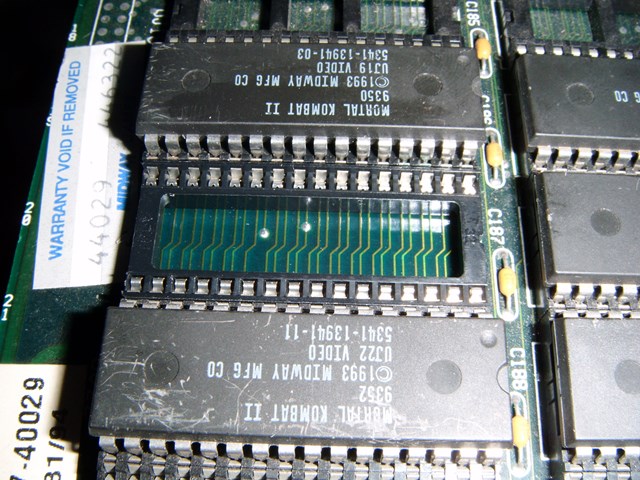
The PCB is now fully repaired and working and also has a repaired soundboard to go with it.
jonhughes2020-11-14 09:40:43
The program ROMs were shot so those were replaced first. After replacing the program ROMs the board would boot to a distorted looking booting pattern and then would instantly reset (not the usual boot pattern - a wash of horizontal coloured lines followed by the chip test screen). The horizontal lines were distorted and it wouldn't reach the chip test screen.
I had my suspicions aimed at the PLCC chip at UF5 so I removed it and discovered this.
I've made a little tool which is simply a wire (a long leg off a clipped capacitor pin) with a minute turn up on it. I slide the tool beneath the pin and gently flick/pull it back into position. I've fixed a few MK2 boards in this way (the pins can get pushed in around the corners of the PLCC socket).
After coaxing the pin terminal outwards it now looks like this.
I plug the PCB in and the board now boots and goes to the chip test screen but I get a bad chip error on UJ20, the board displays the board revision, board serial number and CMOS error screen (dead battery) and the board resets. I remove the UJ20 chip and I see this.
So I patch a new leg onto it.
The socket terminal that the pin of the chip was connected too was also badly corroded. The pin is highly orange corroded and is still stuck in the socket terminal and it wasn't going to come out (top right third terminal from the right). I'm a stickler for a thorough job though - so the socket was removed and replaced also. I could have just shoved the chip back in and hoped for the best.
The PCB is now fully repaired and working and also has a repaired soundboard to go with it.
jonhughes2020-11-14 09:40:43

