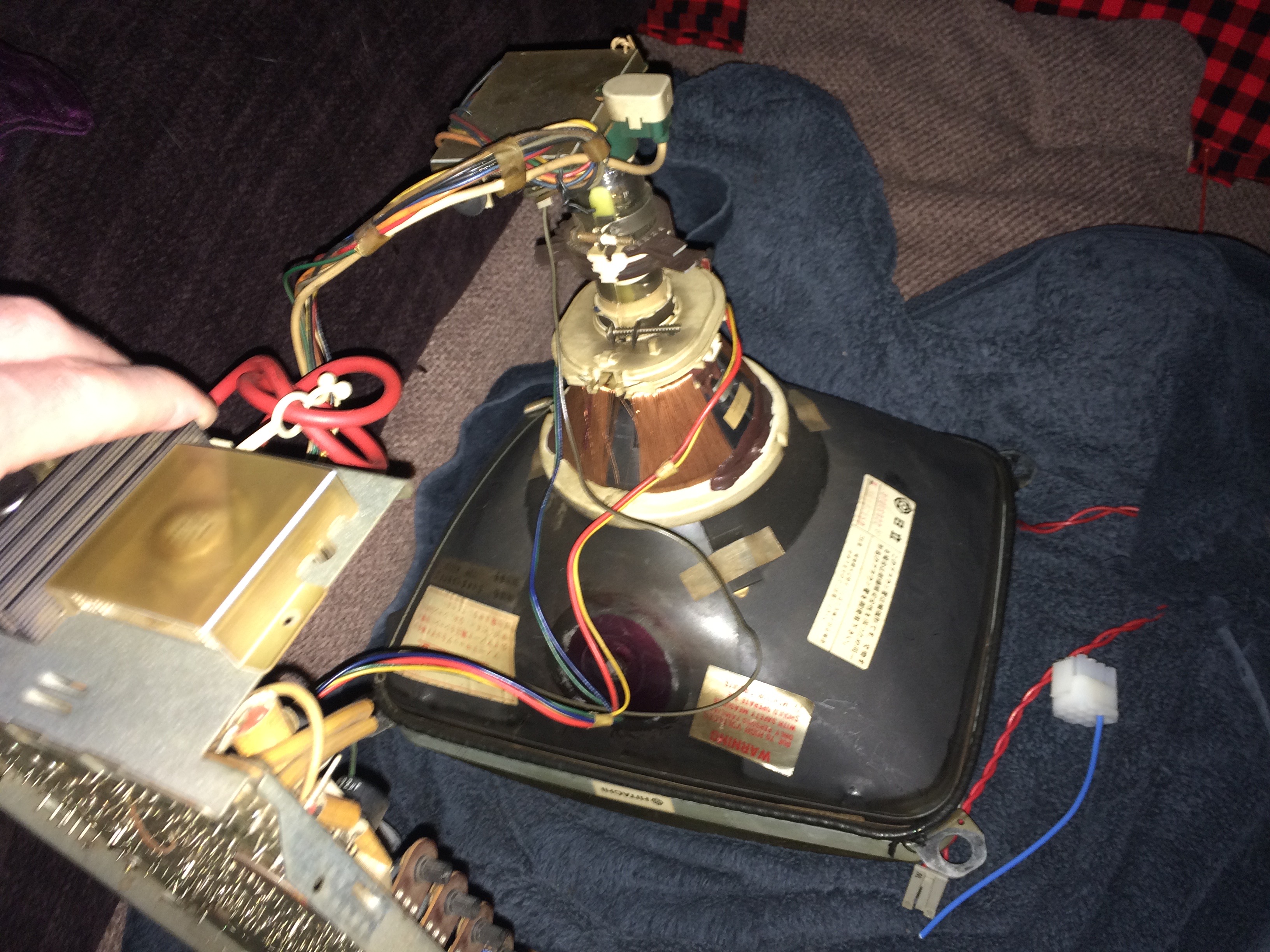
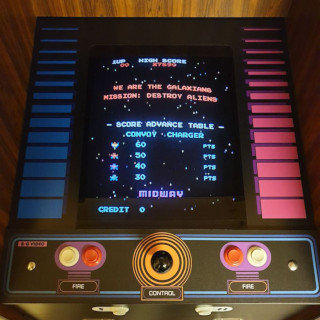
Which way round is power connected to Hitachi crt?

jww

User
vacBacker
Feedback
4 (100%)
Credits
46CR
Hello,

I'm trying to make a cable that connects into my small Hitachi crt monitor - for my Taito Field Goal cab.

Things are going well, I've got the plug, the pins and have identified which are the red,green,blue,sync and ground pins.

Just power to go.

The monitor takes 120V from the transformer, but where it connects on the chassis, I cant work out which is + and which is -

Does it matter which way round I connect the 2x 120V cables to the monitor (via the plug) ?

Can anyone help - advice would be appreciated as this has me stumped and I don't want to blow it all up now :)

Here's some pictures:

Edge of monitor chassis showing the monitors plug. (My new plug /cable will plug into this one)
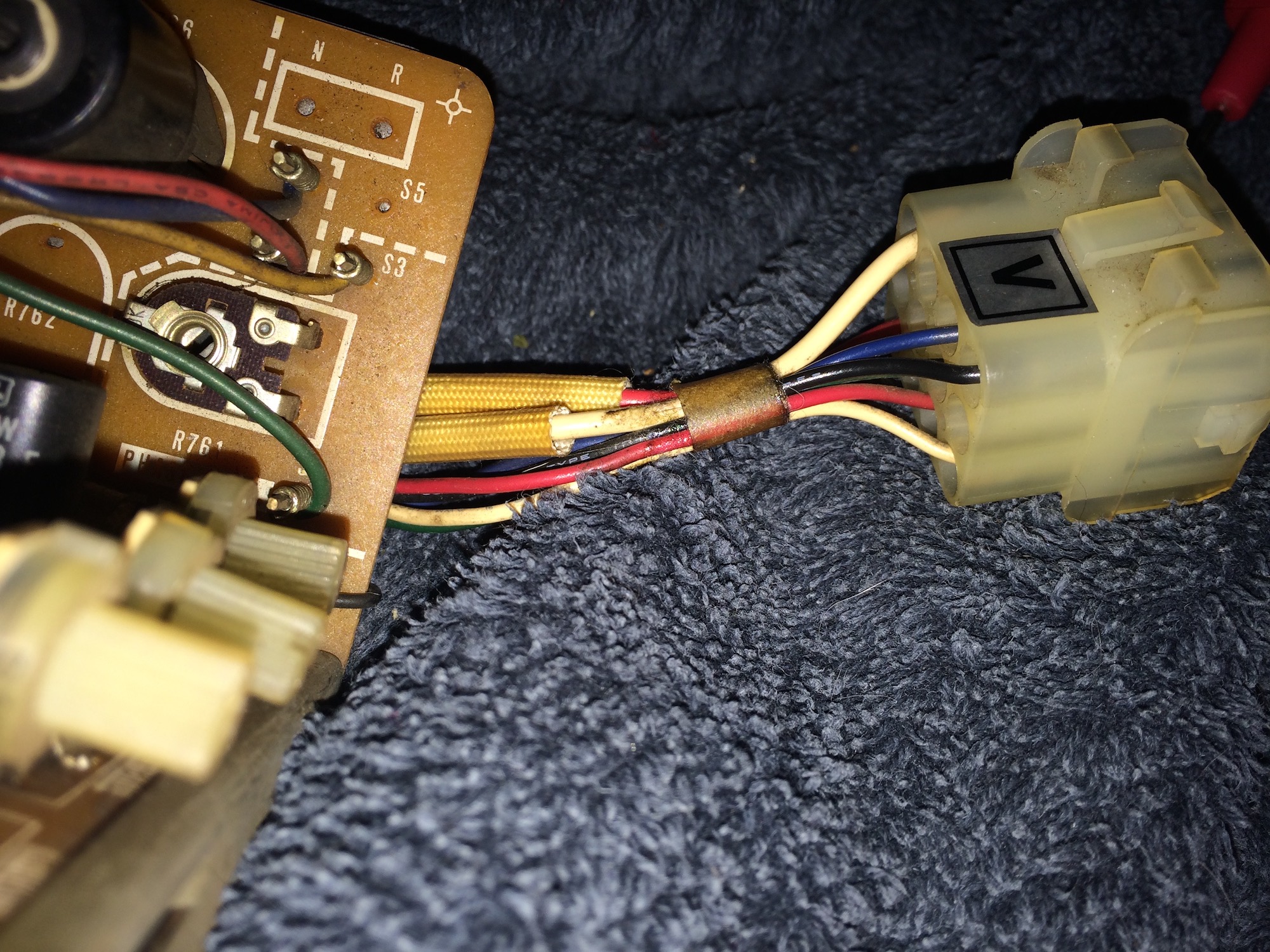
IMG_2355.jpg


The 2 power cables connect to the monitor chassis in the photo below, the dirty white braided cover cables (inside the cable covers: 1 is red, 1 is white):

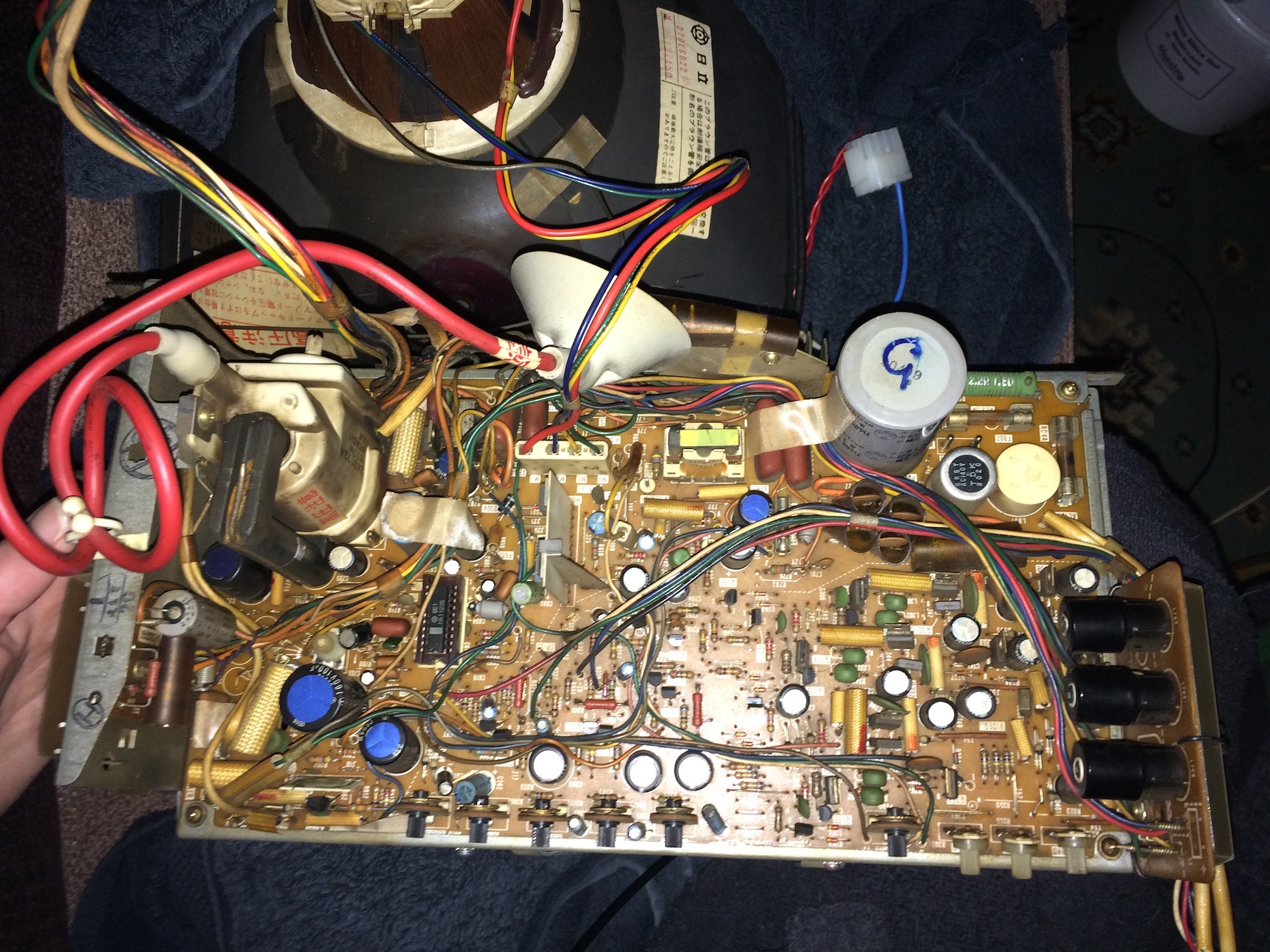
IMG_2359.jpg


IMG_2360.jpg


IMG_2364.jpg


IMG_2366.jpg


IMG_2367.jpg


IMG_2368.jpg


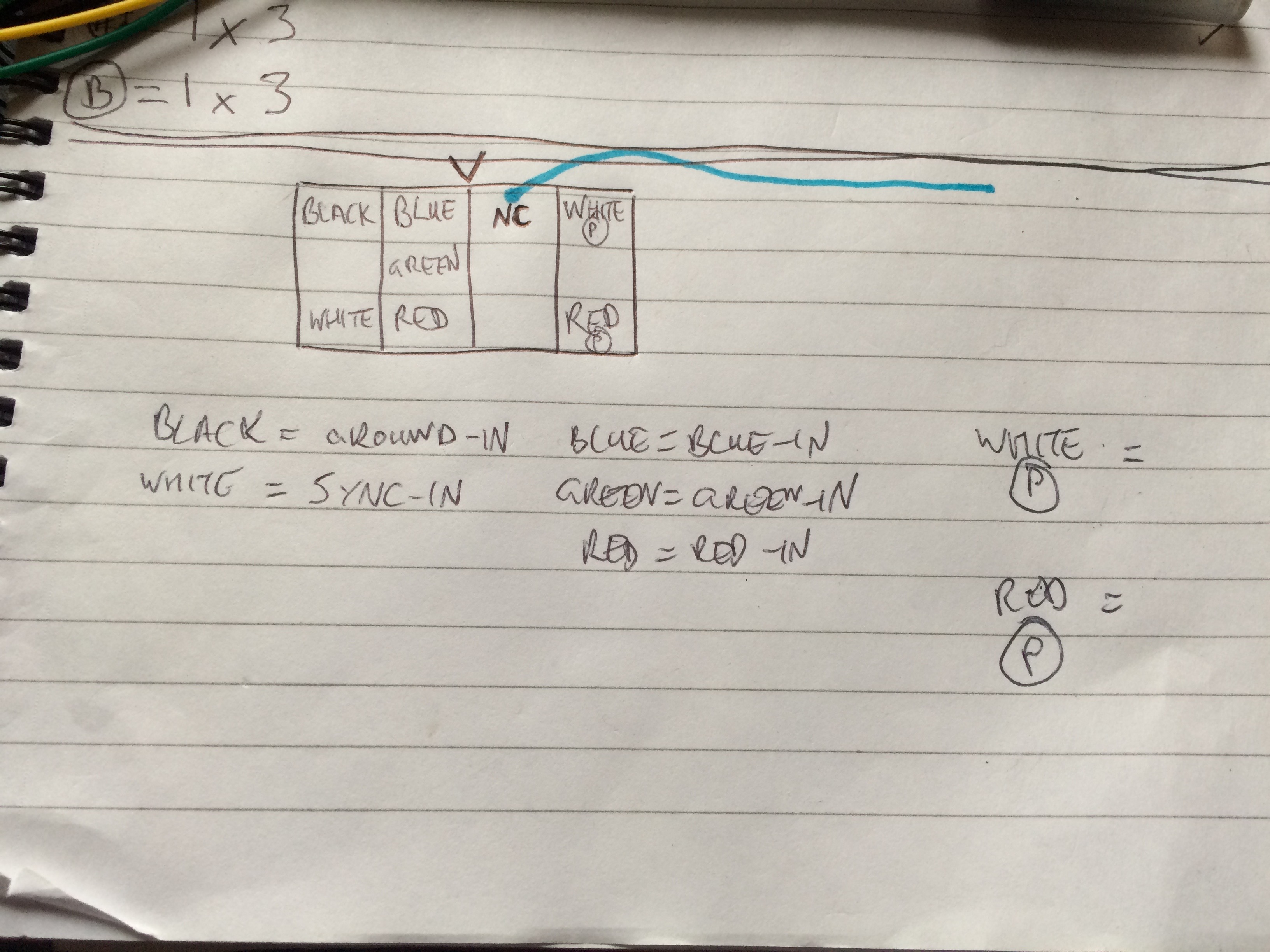
I made this diagram while using multimeter to continuity test where each pin went, as if you're looking into the plug that comes from the monitor:

IMG_2373.jpg


Cheers,

Johnny
 

obcd

Active member
Credits
3,830CR
It's 120V AC so there is no + and - . It doesn't matter how the wires are connected as long as they provide the proper AC voltage. It's however important that you use an isolation transformer for the 120V. Only rather modern monitor chassis work without one.
 
  • Like
Reactions: jww

tb2000

Active member
Feedback
4 (100%)
Credits
3,169CR
Usually the ISO transformer will still have 120v and 0v labeled so I normally just put the 120v line through whichever wire is connected to the fuse on the chassis.
 
  • Like
Reactions: jww

jww

User
vacBacker
Feedback
4 (100%)
Credits
46CR
Thank you obcd and tb2000 - very much appreciated.

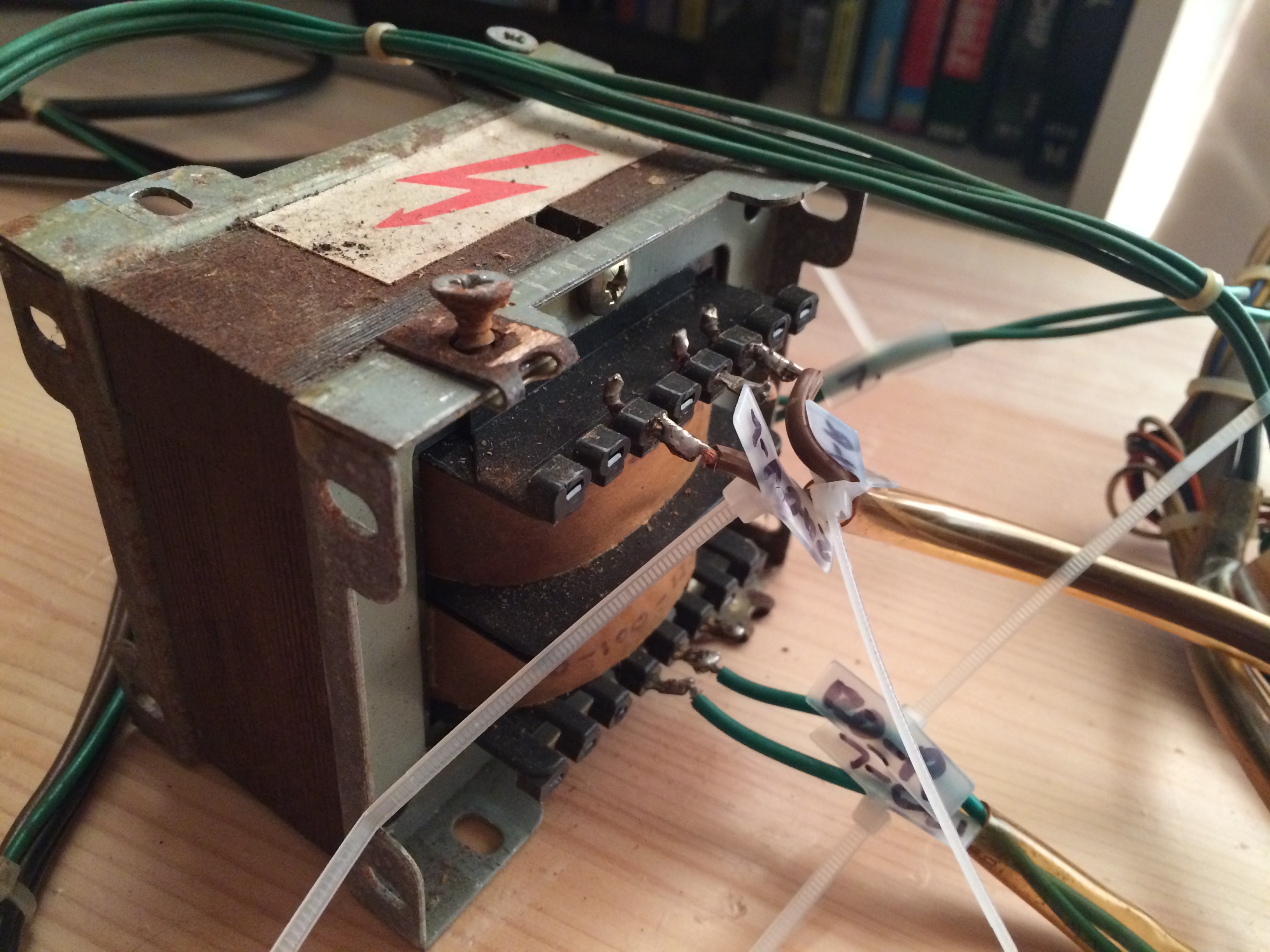
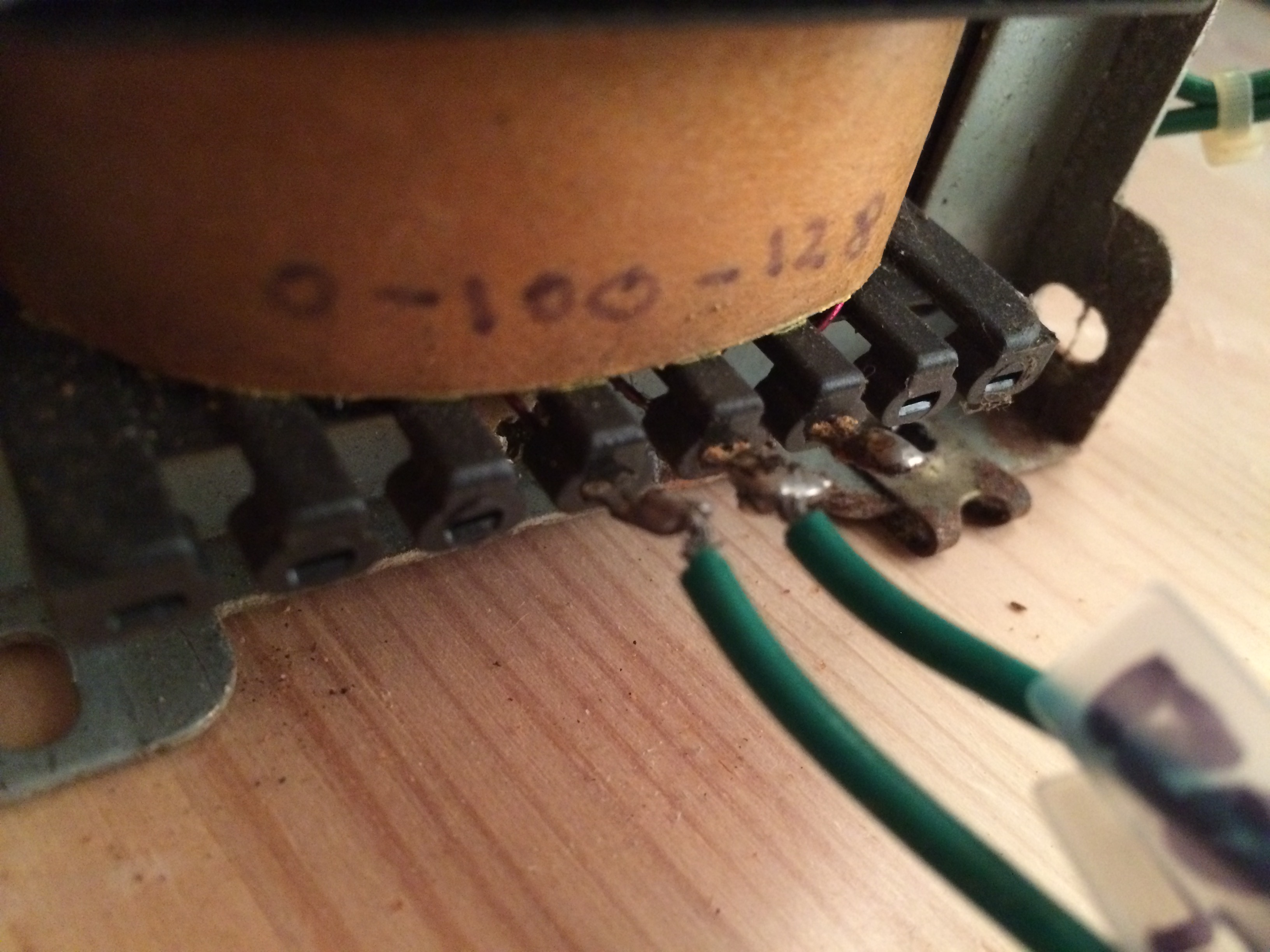
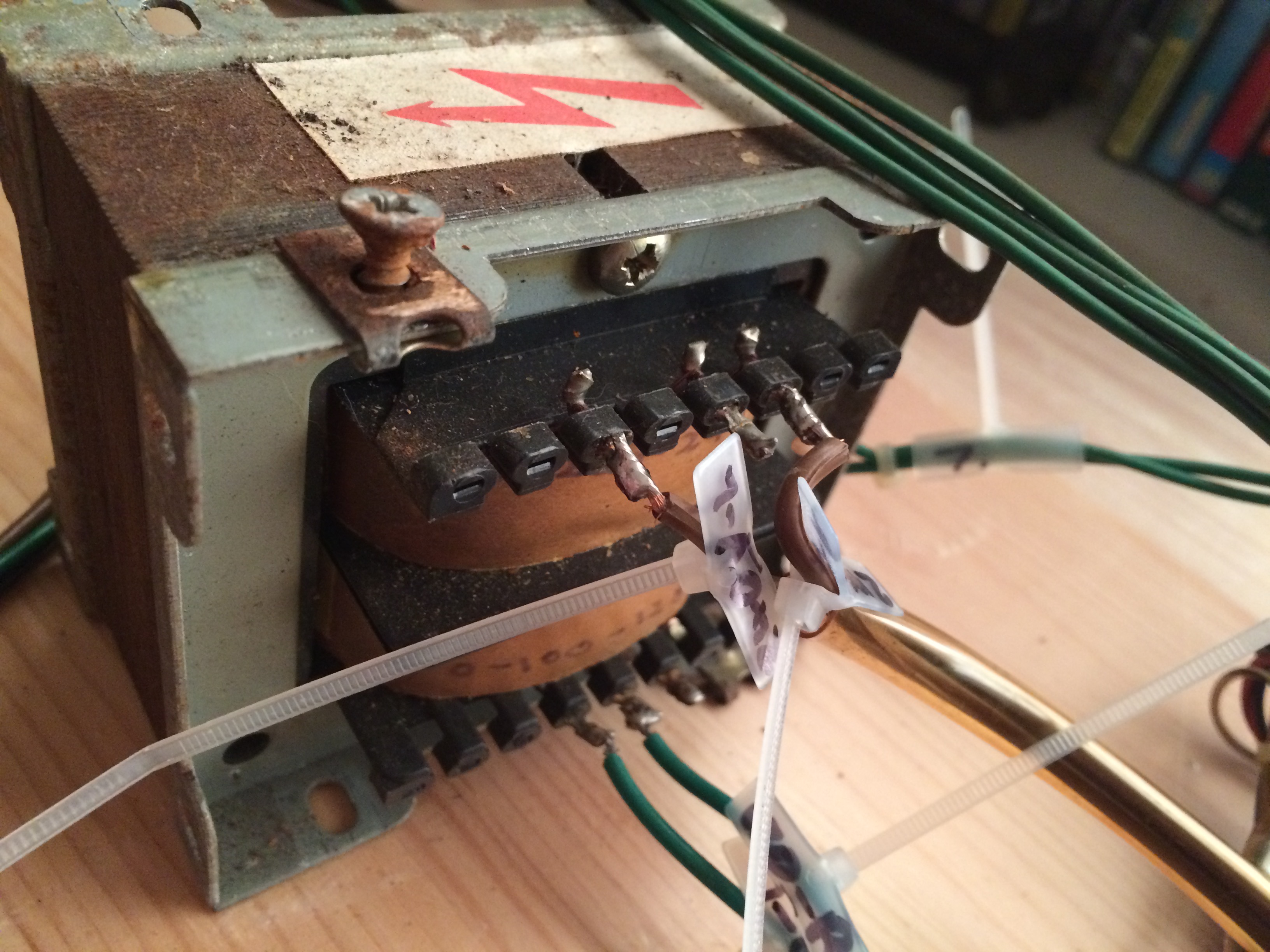
I'm using the transformer that came with the cab and have tested it using my multimeter with nothing connected to verify it's receiving mains and outputting the lower voltage for the monitor.

Here's some pix out of interest (Top row of transformer = 240V mains, bottom row = lower voltage for monitor):

NB: These are pictures of the transformer and original wiring as I originally got it.

IMG_2236.jpg


IMG_2240.jpg


IMG_2242.jpg


Thanks once again for helping me - I really appreciate it.

Will post back to this thread once I've finished the wiring and can finally test the monitor. Hopefully can get that done tomorrow.

(And there will be separate resto thread for this cab once I've finished too).

Have a great rest of your weekends.

Cheers,

Johnny
 

jww

User
vacBacker
Feedback
4 (100%)
Credits
46CR
Hello, here's a bit of an update re: my progress testing this monitor out, some random thoughts and possibly a random question or two.

Tube is Hitachi, from what I can work out the chassis is Taito (or Toei) CM-R14 C14C-5090.

I finished wiring up the monitor cables (Red, green, blue, sync, ground) and 120V from loom/isolation-transformer to monitor now and can hear the monitor come on when I switch on the cab without a game pcb connected.

I haven't connected all of the loom to the cab yet, just the monitor and the +5,+12,GND from the psu. (My test pcb, football champ doesn't need -5V)

Next day I tested again but could not hear the monitor coming on at all. While using my multimeter to test 120V from isolation-transformer to the monitor plug (monitor-side), as I pushed in my probe I heard the monitor come on. Aha, right, so I've got a loose connection in my newly made plug (loom-side). On closer inspection, it seems that my new pins for the new 4x3 mate-n-lok plug are shorter that the ones in the original loom plug - which likely explains the intermittent connection.

For now I've removed my new 4x3 molex plug and plugged in the pins from the plug, from my loom (r,g,b,sync,gnd) and transformer (120V) into the monitor plug directly. This makes very solid connections and I've continuity tested from jamma connector and transformer to the monitor side of the monitor plug and all is good. I will try to get new longer pins for the molex at a later point, for now I'm testing with these wires pushed on to the monitor plug - if that makes sense.

Now I can hear the monitor turning on when I switch on the cab everytime - great.

Testing with the trusty Football champ pcb gives no video output. (confirmed working pcb in other cab several times during todays testing).

I tried disconnecting the loom pins and connecting them to my amstrad cpc6128 monitor to see if the problem was my monitor - but got same (no) output on the amstrad monitor. NB: I do not know if this would work anyhow, but read that it might be possible to use an amstrad monitor as a pcb test monitor because it accepts r,g,b,sync,gnd - so this may have been a bum test.

Measured psu output voltages at the pcb and noticed that +5 was +5.5V in this Taito cab. Measured psu back in my other/working cab and it's at +5.0V, so turned down the psu in this Taito cab to match it (5.0V) but still no output on the screen.

NB: psu in taito cab is now making fizzing sounds (quiet-ish) that i've turned +5 down.

I have continuity tested all 3x fuses on the monitor chassis - and verified that the amps on each fuse match what the pcb says it should be - all were fine.

Ideas / Random thoughts

##################

Q1: Is it possible to test a monitor by just connecting up only the monitor and game board power cables? or should I connect up everything else ? (speaker, service switch, player1+2 controls etc). To explain, I haven't connected the rest of the loom up as I need to do a bit of work to make a couple of control panels and some soldering to get the service switch in etc, so all those loom wires are currently not connected. Sorry if this is a stupid question. (sorry if any of my questions are stupid too for that matter!)

2. I should try swapping the psu from one of my other cabs into this cab. While I have tested the +5,+12,-5 outputs on this psu with my meter, it is making a quiet fizzing sound - which is a little worrying. Will try swapping this out soon.

3. I haven't adjusted the screen volts yet - I am always a bit scared about touching this one - plus in this cab, it's totally at the bottom of the cab, meaning having to put your arm right into the cab. I probably should turn it up to see if I can make the screen output anything?

4. The jamma loom I'm using I bought from ebay. It is missing a cable for -5V, which is not the end of the world - and I've verified that I don't need it for football champ to work, but is a bit annoying.

I've also noticed that video ground on the jamma connector side is unconnected. The ground wire provided by the loom for the monitor (it's same length as the r,g,b,sync cables) is connected to ground (1,2) on the jamma-connector, not video-ground (there's no cable there). There's also no gound cables at 27/28 and possibly others that I haven't got to yet.

The cables for the monitor (r,g,b,sync,gnd) are very very thin. I don't know if this is important but am mentioning it, as the more I look at this loom, it feels thinner than the ones in my other cabs - so am wondering if I just got a bad loom possibly.

###

There you go, that's my current progress and things. Tomorrow I'll try swapping the psu out as that's an easy test.

Any thoughts gratefully appreciated. If it would help I can take photos/do tests, please just ask.

Cheers,

Johnny
 

minwah

Active member
Feedback
3 (100%)
Credits
238CR
As the PCB is working it must be a problem with either:

1) PSU

2) Loom / wiring

3) Monitor

You should get a picture on an Amstrad monitor (CTM644 presumably?), so if that isn't working, I'd suspect the PSU or wiring. Seems unlikely the PSU is to blame if the voltages test ok, but I'd do as you suggest and try one from a working cabinet to be sure. If no difference then that just leaves the loom - seems the likely candidate to me.

I wouldn't worry that the R/G/B/sync/video GND wires are thin, as long as the 5v/12v/main GND cables are a decent gauge. I'm not sure if it matters that your video gnd isn't connected at the jamma connector (is it tied to the other GND pins anyway?), but you could unsolder the video gnd wire on the connector and solder it to video gnd pin instead.

You don't need to connect the speaker / controls / services switches etc to test it, just the PSU & monitor connections. If they are wired at the jamma connector though, don't let the other ends touch each other or any part of the pcb's etc (you wouldn't want eg 12v going into your control inputs).

Good luck!
 
  • Like
Reactions: jww

jww

User
vacBacker
Feedback
4 (100%)
Credits
46CR
Hello minwah,

That's awesome - thank you kindly for your help and advice I appreciate it.

I'll have another look at this on Friday evening all being well and will report back.

Just to answer some of your questions:

* Yes, amstrad ctm644 from my trust 6128. I will admit that my connection to this monitor was not the best at the time of testing, but I'll be ordering a din socket, so I can make up a quick test lead for future use given some spare time.

* video ground on the new loom has nothing attached to the pin at the edge connector. I did do a bad job of explaining this, sorry! The cable left for videoground from my new loom (same length as other video cables from the edge connector, unlike the others) is connected to normal ground - which I found weird. The new loom came like this (r,g,b,sync,gnd all being same length and together - but when I tested, found that the video ground just goes to normal ground.

Thanks so much again for your advice, I am completely freed me up to continuing testing (safely) and I'm very grateful.

Cheers

Johnny
 

minwah

Active member
Feedback
3 (100%)
Credits
238CR
jww said:
* Yes, amstrad ctm644 from my trust 6128. I will admit that my connection to this monitor was not the best at the time of testing, but I'll be ordering a din socket, so I can make up a quick test lead for future use given some spare time.

I have a CPC6128 & the same monitor. It should be good for testing the board.

* video ground on the new loom has nothing attached to the pin at the edge connector. I did do a bad job of explaining this, sorry! The cable left for videoground from my new loom (same length as other video cables from the edge connector, unlike the others) is connected to normal ground - which I found weird. The new loom came like this (r,g,b,sync,gnd all being same length and together - but when I tested, found that the video ground just goes to normal ground.

I understand what you mean. I think it should be ok as I expect all the grounds are tied together (try a continuity test between video gnd pin and normal gnd pin on connector while powered off). If you wanted, you could remove the video gnd wire from the jamma connector (where it is connected to normal gnd), and connect it to the video gnd pin on the jamma connector instead.

minwah2018-12-06 10:40:17
 
  • Like
Reactions: jww

jww

User
vacBacker
Feedback
4 (100%)
Credits
46CR
Final update:

(sorry for any crap technical descriptions)

I replaced the loom with a 2nd hand one I picked up from ebay. Really lucked out with it as while it was old, it was very long and had much better feeling wires as well as more of them connected to the edge connector compared to my original one. It didn't take long to remove/fix some prior 'operator? fixes' I'd spotted to make them proper and end up with a very tidy new loom.

Next while I await some new pins + molex connectors to arrive (to make new monitor <-> loom connections), I used some temporary wago connectors to hook the monitor to my replacement loom.

Totally forgot to take a picture as was a bit surprised to see Football Champ appear on the screen as soon as I turned the cab on!

I got the monitor working - wooo
smiley1.gif


It's all a bit wobbly picture but that's fine, it was only a 5 second test. Now I know for sure that my monitor works, I can remove my temporary monitor <-> loom connectors and will solder in proper the new connectors/pins when they arrive.

Finally I can finish dressing the cabling in the cab and get adjusting the monitor. Possibly it will need a service, but I'll look into that once all the cabling is done.

Thank you once again everyone who has helped advise me, I really apprecaite it and am super happy
smiley32.gif


Will create a resto thread once it's done.

Cheers,

Johnny
 

edmaul

Newbie
Credits
6CR
Hello,

I'm trying to make a cable that connects into my small Hitachi crt monitor - for my Taito Field Goal cab.

Things are going well, I've got the plug, the pins and have identified which are the red,green,blue,sync and ground pins.

Just power to go.

The monitor takes 120V from the transformer, but where it connects on the chassis, I cant work out which is + and which is -

Does it matter which way round I connect the 2x 120V cables to the monitor (via the plug) ?

Can anyone help - advice would be appreciated as this has me stumped and I don't want to blow it all up now :)

Here's some pictures:

Edge of monitor chassis showing the monitors plug. (My new plug /cable will plug into this one)

IMG_2355.jpg


The 2 power cables connect to the monitor chassis in the photo below, the dirty white braided cover cables (inside the cable covers: 1 is red, 1 is white):
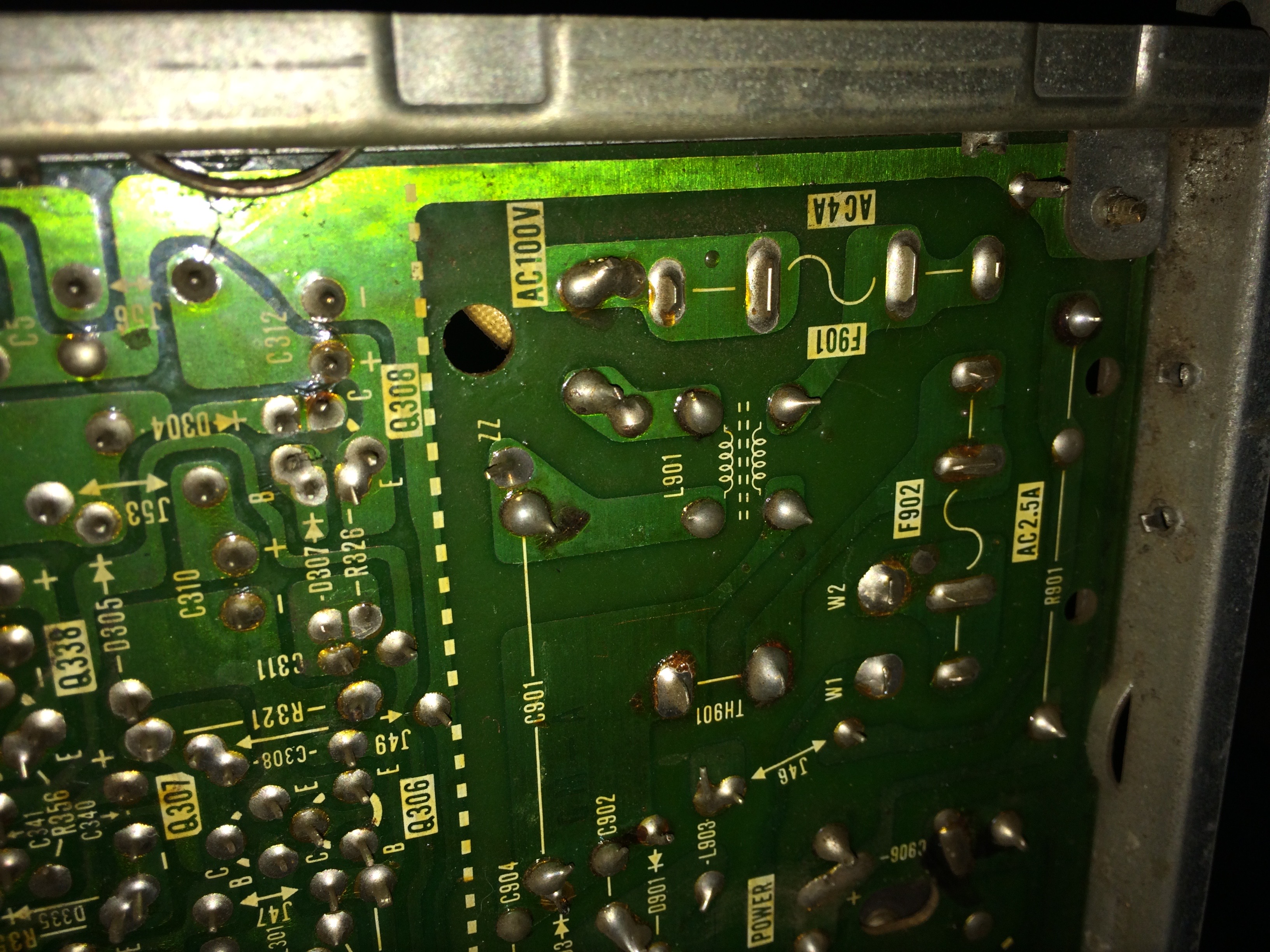
IMG_2359.jpg


IMG_2360.jpg


IMG_2364.jpg


IMG_2366.jpg


IMG_2367.jpg


IMG_2368.jpg


I made this diagram while using multimeter to continuity test where each pin went, as if you're looking into the plug that comes from the monitor:
IMG_2373.jpg


Cheers,

Johnny
I knew this is old, but you wouldn’t happen to have a picture of that video and power connector from the pin view would you? I need to know if they’re male or female pins and which direction the connector is supposed to be based on the wires
 
Top