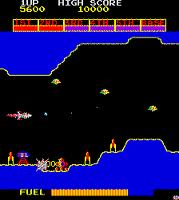
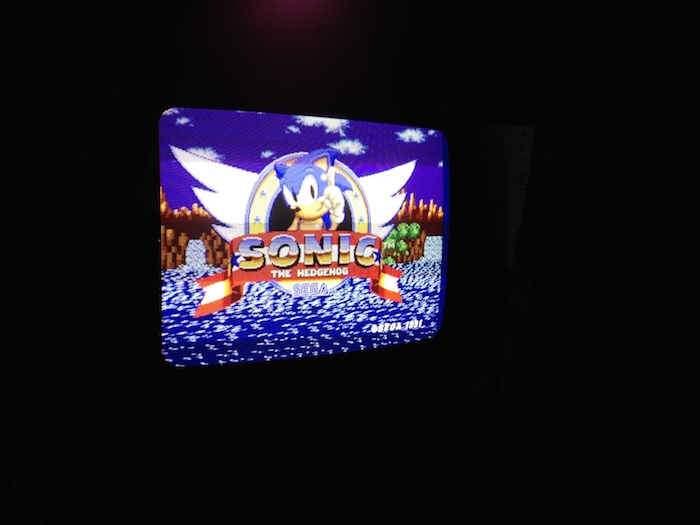
10 top monitor not steady: 'heart-beating'

Nes4life

Active member
vacBacker
Feedback
11 (100%)
Credits
1,117CR
Got an issue with the 10" top monitor from my Sega Mega-Tech. Originally sold to me as 'not working', I found it just wasn't plugged in (needed a crazy star shaped security bit with a central hole to open the top panel).

Anyway, after a long time playing with the pots (20mins) I got a semi-stable image but it still rolls slightly and it looks like it's heart-beating. It's an odd concept but take a look at the video just below.

I've discharged it (hooray!), removed the annode-cap, unplugged and removed it, and gently taken off the neck board. Are there any easy things I can do / check / replace before I end up booking the board in with a resident monitor expert?

Cheers all!

Direct link: http://youtu.be/rHxHgvHiDRc

Embedded:


Some pics of the board:

top_mon_1.JPG


top_mon_2.JPG


top_mon_3.JPG


top_mon_4.JPG


top_mon_5.JPG


top_mon_6.JPG


top_mon_7.JPG
 

RGP

Meeter & Greeter
Feedback
5 (100%)
Credits
2,039CR
Can you plug the feed for the top monitor into either the bottom monitor or another to rule out the pcb first?

The pulsing side could easily be power supply section (B+) as it could be the sync circuit or the pcb.

Rule out the simplest part first if you can.
 

Nes4life

Active member
vacBacker
Feedback
11 (100%)
Credits
1,117CR
Thanks guys! I'll try a few of the easys before I press on with desoldering anything.
I'll definitely try putting the feed into the bottom monitor. If that's ok I'll swap the remote board. If it's still broke then I'll inspect the sync circuit.
 

guddler

Busting vectors like it's 1982!
vacBacker
Feedback
10 (100%)
Credits
4,055CR
Another easy thing to check is that black slide-switch behind the power socket. OK, so unless someones been messing then its unlikely to be the problem but it switches between negative and positive sync so it could cause a picture that is impossible to stop rolling.

1st things 1st, plug the PCB into the bottom monitor.
 

Nes4life

Active member
vacBacker
Feedback
11 (100%)
Credits
1,117CR
guddler said:
Another easy thing to check is that black slide-switch behind the power socket

You know, I did slide it but it didn't seem to do anything! Would you expect an obvious visual change if you change it?
 

guddler

Busting vectors like it's 1982!
vacBacker
Feedback
10 (100%)
Credits
4,055CR
If the PCB and Monitor sync are working correctly then yes, I would expect you to see something. It probably wouldn't magically be correctly in sync, but in one position you should be able to get a picture to sync properly and in another position you wouldn't.

If you can't sync the picture properly whichever way you set that switch then it's pointing to an invalid input sync signal or a faulty sync circuit on the monitor. And which of those can be determined by moving the input down to the lower monitor.
 

guddler

Busting vectors like it's 1982!
vacBacker
Feedback
10 (100%)
Credits
4,055CR
Sounds like it. Is the picture from the big screen stable when displayed on the top one? Bear in mind you have been twiddling the sync on the top monitor (i assume) now so it will need adjustment.

Just to prove categorically that the top monitor is OK and it is indeed the secondary monitor output on the PCB. I don't think you've explicitly said that the main screen's picture is OK but it sounds from what you're saying that it is...

guddler2014-06-14 17:52:46
 

Nes4life

Active member
vacBacker
Feedback
11 (100%)
Credits
1,117CR
guddler said:
Is the picture from the big screen stable when displayed on the top one?

Yes - the top monitor is stable with the bottom's feed and the bottom is unstable with the top's feed... therefore it's PCB related - the top's sync is faulty on the PCB side.

top_mon_8.JPG


I'm taking this PCB to Arc-aid in Cambridge on the 12th July so maybe someone can help me track this issue down - unless you guys know what I should check for on the Sega Mega-Tech board. The board already has a sound issue and an issue with 2 buttons on P1 triggering off at the same time. I've got a replacement board but that's even worse as it doesn't even fire up!
 

guddler

Busting vectors like it's 1982!
vacBacker
Feedback
10 (100%)
Credits
4,055CR
PCB sync issues are usually pretty trivial provided there are no custom chips involved. I (or someone else) would have to have a nose at the schematics but you normally find that you can trace the composite sync signal back to a logic chip that combines and maybe inverts the separate horizontal and vertical signals and to be honest, from the fact that you could get an almost stable picture but couldn't quite get it right then it seems to me that is probably what the problem is.

But like I say, that's provided the sync isn't coming out of some custom or other. Here I'm very much generalising on how "old school" video signals work without any knowledge of Sega Mega-Tech boards specifically.
 

Nes4life

Active member
vacBacker
Feedback
11 (100%)
Credits
1,117CR
Thanks guddler. I'll get the schematics and trace the sync signal back. Hopefully this'll be one issue down soon.

Do you know where or how I can make a Mega-tech to Jamma edge converter? I'm guessing I'll need to get both my boards hooked up to a test rig at some point in the future. Is there a standard kit you can solder wires to etc to map the pins?
 

guddler

Busting vectors like it's 1982!
vacBacker
Feedback
10 (100%)
Credits
4,055CR
I was going to comment "nice simple loom then
smiley36.gif
" but yeah, fair point, you'd not need to make it all up so not too bad at all.
 
Top