Midway arcade machine help

musashi

User
Credits
13CR
Hi all, apologies if my post is not in the correct area but I did try posting in Technical - Plan B but access denied.
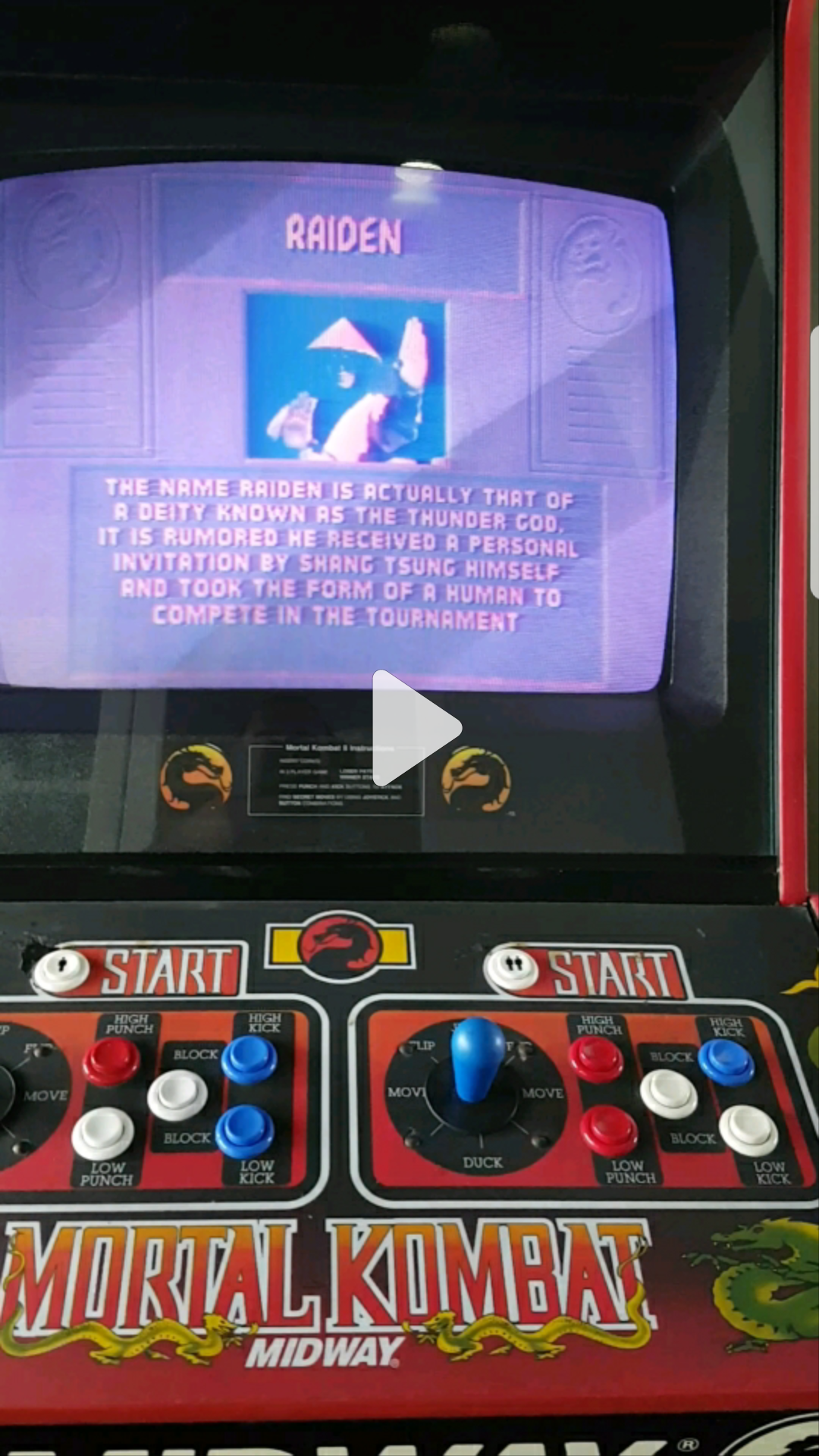
Looking for advice on how to get a MK One screen into full colour? currently screen is appearing in a pale red.

One of the components may need replacing granted but my diagnostic skills are zero to none existent im afraid..

I do have a short vid clip of the issue but not sure how to upload it, photobucket? any idea of max size?

Thanks v much.
 

andrewsm

Active member
Feedback
1 (100%)
Credits
485CR
If its a colour monitor in it, turn everything off and carefully check all connectors to and from the PCB and monitor first. Maybe its a bad connection. If not then more likely a monitor fault or PCB mate
 

musashi

User
Credits
13CR
Cheers I have turned it all off and unplugged the pcb but no joy.. it is a colour monitor and the intro music doesnt come on either? only at the character select stage does the mk theme come on and during game play its absolutely fine.. was kinda hoping it was an easy fix.
Its my project for now, will put some pics up as soon as I figure out how to.

The side art on this one is one of the best in the series, good ol jhonny cage!
 

andrewsm

Active member
Feedback
1 (100%)
Credits
485CR
The intro music maybe de activated in the demo mode or attract screen. This is usually a dipswitch on the board but before you start trying things, I would recommend getting the switch settings first and then giving it a shot. Think the colour issue is more a priority first
 

musashi

User
Credits
13CR
Mortal Kombat from the 1990's
smiley17.gif
 

musashi

User
Credits
13CR
I have downloaded the kit book for this game but there is no mention of screen colouring issues in the diagnostic.. here is my current list of issues:

Screen colouring - pink/red constantly

Sound - thanks for the advice will try locating that dipswitch

Operating buttons/joystick - sticking / not all working as they should

Decals - could do with replacing as sun burnt and scuffed in some places

Coin op / bottom of cabinet - bad spray job needs updaing

Call it ocd but I like things to be as perfect as possible lol
 

AaronBoone

Active member
vacBacker
Feedback
3 (100%)
Credits
165CR
If you have a look at the manual here it shows you how to access the settings for the attract mode sound (it's page 1-14) - by default it's set to off apparently so you should be able to sort that pretty easily. As far as the dodgy colour goes, could be a transistor on the neckboard or a jiggered pot (although it could be lots of other things too) - get some photos up when you have a chance. Has it just started doing it or has it been like it a while?
 

musashi

User
Credits
13CR
nice one! will give that a go! photobucket doesn'f offer "get link" anymore from mobile app. can anyone point me in the right direction for posting vids/pics on here?
 

bones

Active member
Feedback
15 (100%)
Credits
1,627CR
Hi, my mk1 done this, thought I'd lost the green, I lifted and resetted all the socketed chips and all was good. I'd say try a different game to prove whether it's the monitor or pcb. If it is the pcb that's at fault try lifting the socketed chips (not all the way out) and re-seating them, check you have a good +5volt on the board as this boardset does draw a bit of power. One final thing to check is the 3volt battery but do not remove it I'm not sure if it's 1 of those 'suicide' ones that designed to lose code when it dies, mines down to 1.5volt but alls still working fine. If your 1 is dead then do another post to see if you can find out the implications of this from someone clever who is aware of the dead battery society. Good luck I hope it's just your monitor, bones
 

musashi

User
Credits
13CR
thanks bones for the advice, I am no where near a "techie" to be able to do or understand your advice im afraid :( I wouldn't be comfortable disconnecting anything without knowing which exact component/switch to do.
Was just looking at this clip and making me want to get it up and running again..

https://www.youtube.com/watch?v=Igo_kdHHiz8
 

musashi

User
Credits
13CR
Screenshot_20170518-151025.png


This is the current colour of the screen, I do have other pcb's I can try on it to find out if its a pcb issue or a monitor issue thanks for that advice guys. If anyone knows where I should be checking with a pic of what component it/them look like please reply thanks :)

Screenshot_20170518-150736.png
 
Top