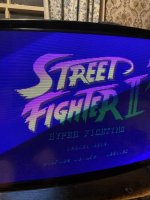
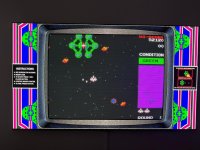
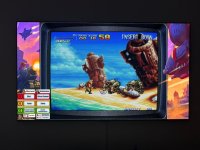
Nice one ..Same with mame/groovymame. Enable scanlines on 15k games on the naomi sanwa 31k monitor and it looks the exact same as on a dedicated 15k cga monitor.
Another one to try is to run a 24k ega mid res game on the 31k vga. It will have black bars top on bottom at first but if you stretch out the vertical height with the remote board it looks the same as a dedicated ega 24k monitor.
Yeah, maybe it is the larger screen, something to ponder.mame/groovymame doesn't seem to render 480i as 480i but rather as 480p (640x480 vga 31k)
Good case in point is your jbmame build for rave racer link. I've 2x WG D9200 CRT's in the twin driving cab that can do all the resolutions but the real PCB's are flickery 480i at 15k compared to the PC emulated 480p. The emulated version looks far better.
Maybe you see scanlines on the rear projector with 480i sources simply because it's such a big screen and 480i will have smaller scanlines than 240p sources?
#
# DIRECT3D POST-PROCESSING OPTIONS
#
shadow_mask_tile_mode 0
shadow_mask_alpha 0.25
shadow_mask_texture shadow-mask.png
shadow_mask_x_count 12
shadow_mask_y_count 6
shadow_mask_usize 0.5
shadow_mask_vsize 0.5
shadow_mask_uoffset 0.0
shadow_mask_voffset 0.0
distortion 0.1
cubic_distortion 0.0
distort_corner 0.0
round_corner 0.05
smooth_border 0.05
reflection 0.0
vignetting 0.1
scanline_alpha 0.50
scanline_size 1.0
scanline_height 1.0
scanline_variation 1.0
scanline_bright_scale 2.0
scanline_bright_offset 0.0
scanline_jitter 0.0
defocus 0.6,0.0
converge_x 0.0,0.0,0.0
converge_y 0.0,0.0,0.0
radial_converge_x 0.0,0.0,0.0
radial_converge_y 0.0,0.0,0.0
red_ratio 1.00,0.00,0.00
grn_ratio -0.00,1.00,0.00
blu_ratio -0.00,0.00,1.10
saturation 1.20
offset -0.13,-0.13,-0.11
scale 1.00,1.00,1.00
power 1.00,1.00,1.00
floor 0.025,0.025,0.025
phosphor_life 0.20,0.20,0.20
#
# NTSC POST-PROCESSING OPTIONS
#
yiq_enable 0
#
# BLOOM POST-PROCESSING OPTIONS
#
bloom_blend_mode 0
bloom_scale 0.25
bloom_overdrive 1.00,1.00,1.00
bloom_lvl0_weight 1.00
bloom_lvl1_weight 0.64
bloom_lvl2_weight 0.32
bloom_lvl3_weight 0.16
bloom_lvl4_weight 0.08
bloom_lvl5_weight 0.06
bloom_lvl6_weight 0.04
bloom_lvl7_weight 0.02
bloom_lvl8_weight 0.01

that does look bloody goodVGA 31khz monitor with mister
View attachment 27711
Pleasantly surprised
View attachment 27712View attachment 27713
Not one for vga monitors but the mister doing a great job with its scan line genarator .
#
# CORE VECTOR OPTIONS
#
beam_width_min 1.00
beam_width_max 2.00
beam_intensity_weight 0.25
flicker 0.05
#
# DIRECT3D POST-PROCESSING OPTIONS
#
hlsl_oversampling 0
shadow_mask_tile_mode 0
shadow_mask_alpha 0.0
shadow_mask_texture shadow-mask.png
shadow_mask_x_count 12
shadow_mask_y_count 6
shadow_mask_usize 0.5
shadow_mask_vsize 0.5
shadow_mask_uoffset 0.0
shadow_mask_voffset 0.0
distortion 0.1
cubic_distortion 0.0
distort_corner 0.0
round_corner 0.05
smooth_border 0.05
reflection 0.0
vignetting 0.1
scanline_alpha 0.0
defocus 0.0,0.0
converge_x 0.0,0.0,0.0
converge_y 0.0,0.0,0.0
radial_converge_x 0.0,0.0,0.0
radial_converge_y 0.0,0.0,0.0
red_ratio 1.0,0.0,0.0
grn_ratio 0.0,1.0,0.0
blu_ratio 0.0,0.0,1.0
saturation 1.0
offset 0.0,0.0,0.0
scale 1.0,1.0,1.0
power 1.0,1.0,1.0
floor 0.0,0.0,0.0
phosphor_life 0.1,0.1,0.1
#
# NTSC POST-PROCESSING OPTIONS
#
yiq_enable 0
#
# VECTOR POST-PROCESSING OPTIONS
#
vector_beam_smooth 0.0
vector_length_scale 0.5
vector_length_ratio 0.5
#
# BLOOM POST-PROCESSING OPTIONS
#
bloom_blend_mode 0
bloom_scale 0.40
bloom_overdrive 1.00,1.00,1.00
bloom_lvl0_weight 1.00
bloom_lvl1_weight 0.48
bloom_lvl2_weight 0.32
bloom_lvl3_weight 0.24
bloom_lvl4_weight 0.16
bloom_lvl5_weight 0.24
bloom_lvl6_weight 0.32
bloom_lvl7_weight 0.48
bloom_lvl8_weight 0.64
Honestly it's a better upgrade than HD was! if you watch films in HDR that you saw in cinema pre-digital days, the brightness differences suddenly work again.🤣..
glad to hear that 4k oled is delivering a good vibe…. I’m not at the oled yet but nice to know it’s up to good stuff