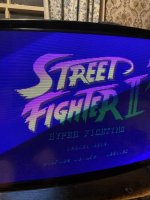
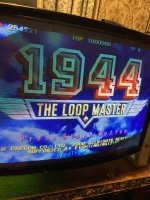
tonight’s tinkering - Greet scan line effect from mister Fpga on a vga .

yoganuggy

Active member
vacBacker
Feedback
2 (100%)
Credits
630CR
Same with mame/groovymame. Enable scanlines on 15k games on the naomi sanwa 31k monitor and it looks the exact same as on a dedicated 15k cga monitor.

Another one to try is to run a 24k ega mid res game on the 31k vga. It will have black bars top on bottom at first but if you stretch out the vertical height with the remote board it looks the same as a dedicated ega 24k monitor.
 

Retroman839

Senior Member
vacBacker
Feedback
12 (100%)
Credits
7,196CR
Same with mame/groovymame. Enable scanlines on 15k games on the naomi sanwa 31k monitor and it looks the exact same as on a dedicated 15k cga monitor.

Another one to try is to run a 24k ega mid res game on the 31k vga. It will have black bars top on bottom at first but if you stretch out the vertical height with the remote board it looks the same as a dedicated ega 24k monitor.
Nice one ..
I have a couple scan line genarators too.. which look good also on a 14” lcd I have. Really impressed with the mister crt filter best I have seen .
 

yoganuggy

Active member
vacBacker
Feedback
2 (100%)
Credits
630CR
mame/groovymame doesn't seem to render 480i as 480i but rather as 480p (640x480 vga 31k)

Good case in point is your jbmame build for rave racer link. I've 2x WG D9200 CRT's in the twin driving cab that can do all the resolutions but the real PCB's are flickery 480i at 15k compared to the PC emulated 480p. The emulated version looks far better.


Maybe you see scanlines on the rear projector with 480i sources simply because it's such a big screen and 480i will have smaller scanlines than 240p sources?
 
Last edited:

John Bennett

Senior Member
vacBacker
Feedback
10 (100%)
Credits
4,987CR
mame/groovymame doesn't seem to render 480i as 480i but rather as 480p (640x480 vga 31k)

Good case in point is your jbmame build for rave racer link. I've 2x WG D9200 CRT's in the twin driving cab that can do all the resolutions but the real PCB's are flickery 480i at 15k compared to the PC emulated 480p. The emulated version looks far better.


Maybe you see scanlines on the rear projector with 480i sources simply because it's such a big screen and 480i will have smaller scanlines than 240p sources?
Yeah, maybe it is the larger screen, something to ponder.
While I might have done my best to champion a rear projection revival, I can't see me getting far with an interlaced video reappraisal :D
It is nice for 3D out of a JAMMA cab or 15kHz monitor though, 240p is rather rough for 3D.

Yeah, MAME doesn't do interlaced. You could code something up to simulate it, but it'd be a bit strange on a modern monitor.
 

Wahoobies

Active member
vacBacker
Feedback
1 (100%)
Credits
418CR
Here's a raster.ini for mame that does a reasonable job of CRT phosphor floor/short persistence/shadow mask/scanlines.. I've tested on 4k & 1440, looks very nice on both


Code:
#
# DIRECT3D POST-PROCESSING OPTIONS
#
shadow_mask_tile_mode     0
shadow_mask_alpha         0.25
shadow_mask_texture       shadow-mask.png
shadow_mask_x_count       12
shadow_mask_y_count       6
shadow_mask_usize         0.5
shadow_mask_vsize         0.5
shadow_mask_uoffset       0.0
shadow_mask_voffset       0.0
distortion                0.1
cubic_distortion          0.0
distort_corner            0.0
round_corner              0.05
smooth_border             0.05
reflection                0.0
vignetting                0.1
scanline_alpha            0.50
scanline_size             1.0
scanline_height           1.0
scanline_variation        1.0
scanline_bright_scale     2.0
scanline_bright_offset    0.0
scanline_jitter           0.0
defocus                   0.6,0.0
converge_x                0.0,0.0,0.0
converge_y                0.0,0.0,0.0
radial_converge_x         0.0,0.0,0.0
radial_converge_y         0.0,0.0,0.0
red_ratio                 1.00,0.00,0.00
grn_ratio                 -0.00,1.00,0.00
blu_ratio                 -0.00,0.00,1.10
saturation                1.20
offset                    -0.13,-0.13,-0.11
scale                     1.00,1.00,1.00
power                     1.00,1.00,1.00
floor                     0.025,0.025,0.025
phosphor_life             0.20,0.20,0.20
#
# NTSC POST-PROCESSING OPTIONS
#
yiq_enable                0

#
# BLOOM POST-PROCESSING OPTIONS
#
bloom_blend_mode          0
bloom_scale               0.25
bloom_overdrive           1.00,1.00,1.00
bloom_lvl0_weight         1.00
bloom_lvl1_weight         0.64
bloom_lvl2_weight         0.32
bloom_lvl3_weight         0.16
bloom_lvl4_weight         0.08
bloom_lvl5_weight         0.06
bloom_lvl6_weight         0.04
bloom_lvl7_weight         0.02
bloom_lvl8_weight         0.01

 

Wahoobies

Active member
vacBacker
Feedback
1 (100%)
Credits
418CR
photographs of screen...overemphasizes the phos floor a bit

WhatsApp Image 2024-11-01 at 16.56.50(4).jpeg
 

Attachments

  • WhatsApp Image 2024-11-01 at 16.56.50(3).jpeg
    WhatsApp Image 2024-11-01 at 16.56.50(3).jpeg
    150.9 KB · Views: 14
  • WhatsApp Image 2024-11-01 at 16.56.50(2).jpeg
    WhatsApp Image 2024-11-01 at 16.56.50(2).jpeg
    157.1 KB · Views: 14
  • WhatsApp Image 2024-11-01 at 16.56.50(1).jpeg
    WhatsApp Image 2024-11-01 at 16.56.50(1).jpeg
    146.3 KB · Views: 11

Wahoobies

Active member
vacBacker
Feedback
1 (100%)
Credits
418CR
Yeah 4k LG G3.. Vector emulated games look insanely perfect on a high brightness OLED Now btw.. I also have a profile for vector if that excites anyone.
using win 11 with Auto-HDR enabled on a LG G3. Dark room, 4k screen with Battlezone.. first time since orig hardware to me that vectos emulated look right!

I've also got an Alienware QD-OLED with less total brighness, but it still looks great on vector games too with inky blacks and glowing beams


Code:
#
# CORE VECTOR OPTIONS
#
beam_width_min            1.00
beam_width_max            2.00
beam_intensity_weight     0.25
flicker                   0.05

#
# DIRECT3D POST-PROCESSING OPTIONS
#
hlsl_oversampling         0
shadow_mask_tile_mode     0
shadow_mask_alpha         0.0
shadow_mask_texture       shadow-mask.png
shadow_mask_x_count       12
shadow_mask_y_count       6
shadow_mask_usize         0.5
shadow_mask_vsize         0.5
shadow_mask_uoffset       0.0
shadow_mask_voffset       0.0
distortion                0.1
cubic_distortion          0.0
distort_corner            0.0
round_corner              0.05
smooth_border             0.05
reflection                0.0
vignetting                0.1
scanline_alpha            0.0
defocus                   0.0,0.0
converge_x                0.0,0.0,0.0
converge_y                0.0,0.0,0.0
radial_converge_x         0.0,0.0,0.0
radial_converge_y         0.0,0.0,0.0
red_ratio                 1.0,0.0,0.0
grn_ratio                 0.0,1.0,0.0
blu_ratio                 0.0,0.0,1.0
saturation                1.0
offset                    0.0,0.0,0.0
scale                     1.0,1.0,1.0
power                     1.0,1.0,1.0
floor                     0.0,0.0,0.0
phosphor_life             0.1,0.1,0.1

#
# NTSC POST-PROCESSING OPTIONS
#
yiq_enable                0

#
# VECTOR POST-PROCESSING OPTIONS
#
vector_beam_smooth        0.0
vector_length_scale       0.5
vector_length_ratio       0.5

#
# BLOOM POST-PROCESSING OPTIONS
#
bloom_blend_mode          0
bloom_scale               0.40
bloom_overdrive           1.00,1.00,1.00
bloom_lvl0_weight         1.00
bloom_lvl1_weight         0.48
bloom_lvl2_weight         0.32
bloom_lvl3_weight         0.24
bloom_lvl4_weight         0.16
bloom_lvl5_weight         0.24
bloom_lvl6_weight         0.32
bloom_lvl7_weight         0.48
bloom_lvl8_weight         0.64
 

Wahoobies

Active member
vacBacker
Feedback
1 (100%)
Credits
418CR
I find a lot of the shaders people over-emphasize the phosphor trails, defocus, color bleed, fringing etc.. as real CRT nerds here I expect you might agree, I prefer to have my emulators show what a near-perfect screen woud look like. I don't want virtual cigarette burns on the art and miscalibrated monitors emulated :)
 

Wahoobies

Active member
vacBacker
Feedback
1 (100%)
Credits
418CR
🤣..
glad to hear that 4k oled is delivering a good vibe…. I’m not at the oled yet but nice to know it’s up to good stuff
Honestly it's a better upgrade than HD was! if you watch films in HDR that you saw in cinema pre-digital days, the brightness differences suddenly work again.

Remember Empire Strikes Back.. they cut from Han slicing the Tauntaun up in the dark to a scene of snowspeeders flying over drifts.. everyone in the cinema groaned from the brightness change.. you get to experience that again :)

There's still something amazingly visceral about a CRT to me, but I have to say emulation on OLED suddenly works properly, that brightness level and real blacks was missing for so long on LCD/VA panels. I think I'll have a hard time finding my holy grail (a battlezone full-size with periscope), but I get a lot of memories playing in a dark room on the big screen
 

Retroman839

Senior Member
vacBacker
Feedback
12 (100%)
Credits
7,196CR
I only got to go to Rotj
Days I cried when bothers went to cinema with dad ..
Empires
Indiana Jones
Tron.

Mum said it will be on tv next year ..
Waited about 15 years odd before bbc blasted it out at Christmas! Best Christmas ever!
 
Top