Any interest in a Group buy in wigan 3x noir?

Retroman839

Senior Member
vacBacker
Feedback
13 (100%)
Credits
7,919CR
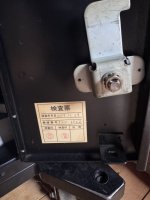
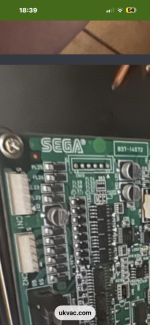
Took the back off my Noir, here’s a couple of bad pics. 😳😳

I can see the resistor, wrapped in tape but it’s hard to see which connections it connects too. View attachment 65812View attachment 65811
Thanks man ..
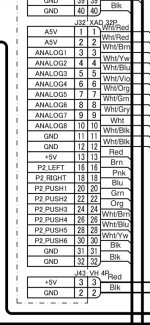
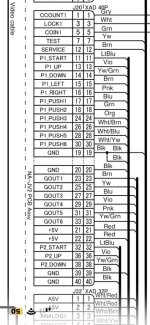
Yeh sega loom i know the cable on that one ..
It’s like pin 3 …
I have them looms with the resistor in.
I’m looking for the cable on the namco loom

I’m on the Namco loom
 

Retroman839

Senior Member
vacBacker
Feedback
13 (100%)
Credits
7,919CR
Thing is though is that I have a coin mech working in this noir ..

But I think that is it a link up cab issue

Like all these jvs fighting games that through errors are 2 player 3d games
Are they expecting a multi coin mech
Multi coin counter set up ?
As coin meter 1 & coin meter 2 are avalible on the io 🤔
Like back to back or side by side link up was expected?
 

Retroman839

Senior Member
vacBacker
Feedback
13 (100%)
Credits
7,919CR
The Type X2 BIOS looks for a physical connection loop back through the I/O board to confirm a coin counter is attached. Without it, the game freezes with a JVS or Coin communication error. [1, 2, 3]

The Hardware Spoof (100-Ohm Resistor Trick)
To bypass this check, you must bridge the coin meter pins: [1, 2]
  1. Locate the coin door wiring harness or the JVS I/O board pins inside your Namco Noir cabinet.
  2. Add a 100-ohm resistor inline between the Coin Meter/Counter Ground pin and the +5V power pin on your cabinet’s I/O lines.
  3. For cabinets with two coin slots mapped by default, you may need to loop both coin counter lines individually to the +5V line, using a separate 100-ohm resistor for each. [1, 2, 3]
Once this hardware loop is present, the JVS system registers a "functional" coin mech and allows Niko's multi to finish booting without a lockout. [1, 2]
 
Top