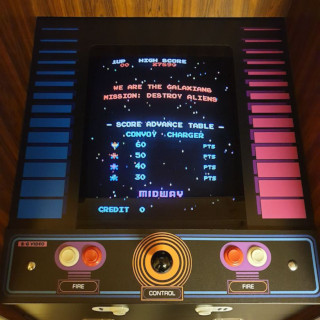
(I've posted this on jamma+ but thought I'd try here too) My efforts and research to date have always centered around the effects such as using HLSL etc to get that CRT look, which I'm pleased with to date. However aspect ratios and tips n tricks to get it right is a little new to me.
I've made on observation since acquiring an MVS cab which makes me question my MAME setup.
My mame setup utilises a 4:3 LCD monitor and HLSL to provide general CRT emulation. Its looks nice and rather CRTish... so far so good.
However the other day I had puzzle bobble running on the MVS can and the MAME cab. They are next to each other and while looking at the screen I noticed the MAME cab image looked just a little "squished" on the horizontal.... looking more at the MVS cab I figure the CRT monitor on there is slightly wider than the 4:3 LCD monitor.
Question 1: I thought all arcade CRTs were 4:3????
Question 2: Considering MAME and the PCs desktop resolution etc... does anyone with more "experimenting" experience than me have any thoughts on how best to match the true arcade aspect/pixel ratios on the mame cab? perhaps using minor letter-boxing etc on the screen?
Thoughts?
Ta!
I've made on observation since acquiring an MVS cab which makes me question my MAME setup.
My mame setup utilises a 4:3 LCD monitor and HLSL to provide general CRT emulation. Its looks nice and rather CRTish... so far so good.
However the other day I had puzzle bobble running on the MVS can and the MAME cab. They are next to each other and while looking at the screen I noticed the MAME cab image looked just a little "squished" on the horizontal.... looking more at the MVS cab I figure the CRT monitor on there is slightly wider than the 4:3 LCD monitor.
Question 1: I thought all arcade CRTs were 4:3????
Question 2: Considering MAME and the PCs desktop resolution etc... does anyone with more "experimenting" experience than me have any thoughts on how best to match the true arcade aspect/pixel ratios on the mame cab? perhaps using minor letter-boxing etc on the screen?
Thoughts?
Ta!