
You are using an out of date browser. It may not display this or other websites correctly.
You should upgrade or use an alternative browser.
You should upgrade or use an alternative browser.
Asteroids corrupted graphics?
- Thread starter Danscu
- Start date
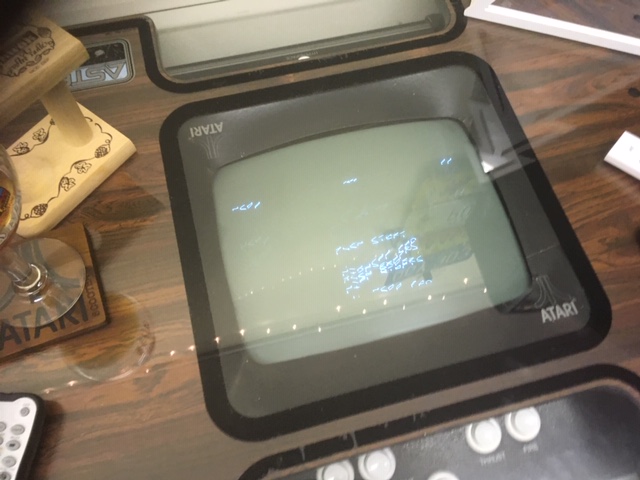


That looks to me like a fault in the analogue video outputs section of the game PCB. It could possibly be a monitor fault too, but start with the game PCB.
Download a copy of the schematics, say from here: https://www.mikesarcade.com/arcade/manuals.html
First check the voltage regulator section shown on sheet 1, side B "Power Input"
Find and check +5V DAC, +15V, -15V, +8.2V and -8.2V.
Don't worry if the +8.2V and -8.2V are not exact, I've seen them down to about 7V without showing any video problems. I don't think I've seen any exactly 8.2V!
If all the voltages check OK then it could be a chip failing as it heats up. Look at Sheet 2, side B Video Outputs.
I'd get a can of freezer spray and start working across the TL082's, the 4016s and finally the AD561 DACs.
If you don't have freezer spray (and it seems to have got bloody expensive to buy recently!) you could consider putting an ice cube inside a plastic bag and holding it against the chips in turn just after the fault appears.
Regards,
Neil


Hi guys, thanks for your advice.
Below is a photo of the monitor when the PCB is in test mode. After a couple of minutes, the monitor no longer works properly as seen. I assume this is heat related as after a reboot the screen is distorted immediately, rather than after a couple of minutes?
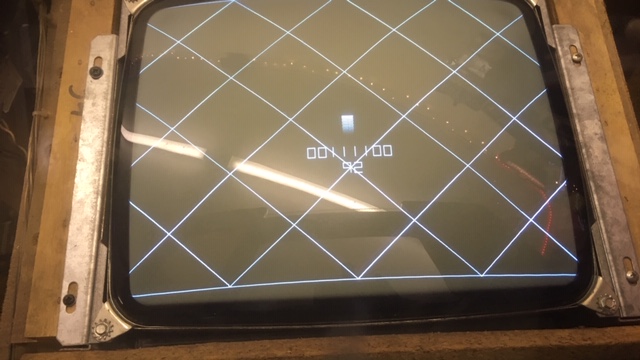
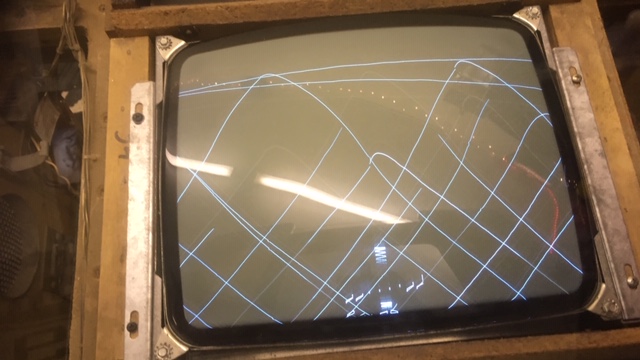
Below is a photo of the monitor when the PCB is in test mode. After a couple of minutes, the monitor no longer works properly as seen. I assume this is heat related as after a reboot the screen is distorted immediately, rather than after a couple of minutes?
Dan - You may have to remove the monitor to get to the deflection board, I'm not entirely sure as I've never had an Atari Cocktail before.
To do this, there is only one 9 pin connector to remove from the monitor, remove the 4 screws from the top and carefully lift out.
That tube looks burn-free.
Remember to reflow all the header pins.
Equites2018-12-11 17:06:25
To do this, there is only one 9 pin connector to remove from the monitor, remove the 4 screws from the top and carefully lift out.
That tube looks burn-free.
Remember to reflow all the header pins.
Equites2018-12-11 17:06:25
