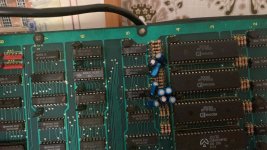
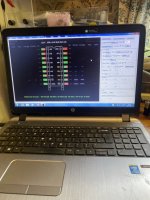
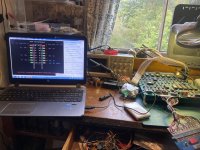
Bombjack ram location

sukhbir

Active member
Feedback
43 (100%)
Credits
1,569CR
Yeh I mean if outputs ain’t outputting I Think this amp is dead!..

I have one on way so I can try that one first to test it ..👍
I prob have this amp on another bootleg too somewhere

Is the amp getting +12 volts?
if so the amp is cooked these M51516 amps get quite warm when working and they need a heat sink otherwise they will perish.
 
Last edited:

bones

Active member
Feedback
15 (100%)
Credits
1,626CR
Looking good and it's handy you have a working one to compare against. I reckon you should work out from schematics all the ics involved and put a little sticker or something on them then slice the lot on both boards. You should then know exactly what's gone wrong using the schematics to pin it, tricky if it's more than one ic of course but even then it should be doable before you pull anything.
 

Retroman839

Senior Member
vacBacker
Feedback
12 (100%)
Credits
7,042CR
Sound fixed

Just making a heat sink for the amp.
No heat sink present with the amp chip since I owned this.

Only the rainbow colour issue left to fix .
 
Last edited:

Retroman839

Senior Member
vacBacker
Feedback
12 (100%)
Credits
7,042CR
Sound fixed

Só sound fixed
Moving on to the colour
Looking at the schimatic ,
2114’s @ 6 a,b,c Rams

To check and compare with good board,

Looked at good board and low and behold - 6 a,b& c have all been replaced and socketed ,EFADF432-F833-433A-A722-BDD27D89C692.jpeg

Looking promising ,
I will slice these and post results next ..

I will post 6a ,6b & 6c slice from good board first .
Then 6a etc . from bad board second , in this order .

Would be great if something shows up 👍☺️
 
Last edited:

Retroman839

Senior Member
vacBacker
Feedback
12 (100%)
Credits
7,042CR
6a bad colour board
image.jpg
6b bad board
image.jpg
6c image.jpg

Ok I have just observed A9 pin 15 on the 2114’s being adressen real time ? A number climing up in the green box as is was going through the cycle.
This was on the good board only and not present on the bad board ?

So does this mean A9 pin 15 is stuck or not being addressed
 

Retroman839

Senior Member
vacBacker
Feedback
12 (100%)
Credits
7,042CR
7a
In the rgb circuit is showing error on slice on bad pcb
image.jpg

Now just check same 7a
On good pcb
image.jpg
Same it errors on cycle 1
Same as other bad board 🧐
Just when I thought I had found something .
 
Last edited:

Retroman839

Senior Member
vacBacker
Feedback
12 (100%)
Credits
7,042CR
What I have observed is A9 pin15
Of the 2114’s on the good board has a value and on bad board no value ..

So none of 3 2114’s at 6ab&c
Seem to be being addressed ?


Is this just how bad ram is ?

Or is it a problem before the ram ?
So I will work back from the 2114IMG_4178.jpeg
157 x2 @ 6d & 6f.

So next up to slice is these 2
 
Last edited:

sukhbir

Active member
Feedback
43 (100%)
Credits
1,569CR
Those 157 multiplexers are common on failing ,use a scope to look at the outputs,if you can’t spot anything unusual on the signal then I would carefully piggyback with a know good 157 And see if colours change.
 

Retroman839

Senior Member
vacBacker
Feedback
12 (100%)
Credits
7,042CR
Those 157 multiplexers are common on failing ,use a scope to look at the outputs,if you can’t spot anything unusual on the signal then I would carefully piggyback with a know good 157 And see if colours change.
Cheers dude ..
I will take a look at the 157
See of I have any of these in my stash ..
 

Retroman839

Senior Member
vacBacker
Feedback
12 (100%)
Credits
7,042CR
I socketed the 3 2114 pallet ram @ 6a,b,c As it is the pallet ram .
No change at all though .
Good to elliminate them obvious rams though.

This was kinda cool
79A250FD-1151-4409-928B-BF04C9DEBFDE.jpeg
With this splash screen
Slice result at 7a is
8CF4C2B1-4038-4C08-B8E2-852A88E63353.jpeg
This … all kinda stuck half way ? Seems sus to me ..

Sliced 7a on the good board also errors this 74sl174 however only at 0.02 percent.

So iv orderd some 174 to swap In new ic hear ,
Will update when they come
 
Last edited:

GadgetFreak

Active member
vacBacker
Feedback
7 (100%)
Credits
942CR
Seems like we have gone backwards.
You already checked the 2114 palette ram before and it passed. A8 & A9 are not used, it only uses the first 256 locations of the ram.
On your good board those A9 counts were just down to slightly poor contact. BTW a count of 24 multiplied by 5ns gives you 120ns so that would purely be 1 ram cycle if it was a real access.
I already mentioned previously I believe that you had the Propagation time set too low for the '174 test. The default is 50ns!
 

Retroman839

Senior Member
vacBacker
Feedback
12 (100%)
Credits
7,042CR
Seems like we have gone backwards.
You already checked the 2114 palette ram before and it passed. A8 & A9 are not used, it only uses the first 256 locations of the ram.
On your good board those A9 counts were just down to slightly poor contact. BTW a count of 24 multiplied by 5ns gives you 120ns so that would purely be 1 ram cycle if it was a real access.
I already mentioned previously I believe that you had the Propagation time set too low for the '174 test. The default is 50ns!
thanks for that 👍
Been using default as a rule ,

I lost some vias last night (5)
Socketing a 6114 ram at 6L
So I have gone backwards ..
Reason for socketing was probing the pins I got lots of graphics changes along with colour , green was present uncorreclty of course but present in the pixles so decided to try replace this ram ..
Unfortunately lost vias ..
So I’m now going to have 5 trace wires to do asap ,
174 are on order
 
Top