Hi guys!
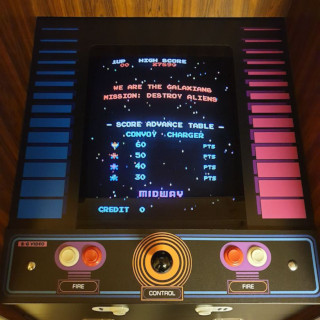
i had a NAC for around 6 months now. I bought it from Neo Legend along with an arcade box (Mame running on linux). its a great set-up and boots quicker than any previous windows based mame i have created myself. it seems like a no-frills set-up - the result is a simple menu and controls that DON'T require a keyboard (something I'm really plead with).
This set-up is geared towards horizontal games and when i rotate the monitor it makes life a nightmare.
Therefore, i am going to buy another NAC and go about building a vert specific mame set-up geared towards shmups. Its been a while since i did this and something I've never done in a cab before (although i understand the basic of the connections.) so here's a few questions i'd love to get some simple answers to (or pointers in the right direction.....)
1. soft 15khz or an actual 15khz card? advantages/disadvantages?
2. i want it to boot straight to mame in the fastest time possible... whats the best version of mame to use? (I'm gonna want to emulate mainly the 90's shmups and as much as possible onwards. i.e.: naomi based shmups - i realise i may need to upgrade my NAC monitor to a tri-sync for namoi - is this correct?)
3. I need to be able to run the mame OS in vert mode and would want to create filters to narrow down game selection. so the version of mame needs to be flexible and controlled via joystick only.
4. linux or windows (and if windows, which version)
cheers for any help with this.
Gary
i had a NAC for around 6 months now. I bought it from Neo Legend along with an arcade box (Mame running on linux). its a great set-up and boots quicker than any previous windows based mame i have created myself. it seems like a no-frills set-up - the result is a simple menu and controls that DON'T require a keyboard (something I'm really plead with).
This set-up is geared towards horizontal games and when i rotate the monitor it makes life a nightmare.
Therefore, i am going to buy another NAC and go about building a vert specific mame set-up geared towards shmups. Its been a while since i did this and something I've never done in a cab before (although i understand the basic of the connections.) so here's a few questions i'd love to get some simple answers to (or pointers in the right direction.....)
1. soft 15khz or an actual 15khz card? advantages/disadvantages?
2. i want it to boot straight to mame in the fastest time possible... whats the best version of mame to use? (I'm gonna want to emulate mainly the 90's shmups and as much as possible onwards. i.e.: naomi based shmups - i realise i may need to upgrade my NAC monitor to a tri-sync for namoi - is this correct?)
3. I need to be able to run the mame OS in vert mode and would want to create filters to narrow down game selection. so the version of mame needs to be flexible and controlled via joystick only.
4. linux or windows (and if windows, which version)
cheers for any help with this.
Gary