Coin Mech re-programme

jengineer

Senior Member
vacBacker
Feedback
49 (100%)
Credits
1,205CR
jesus someone throw some help here

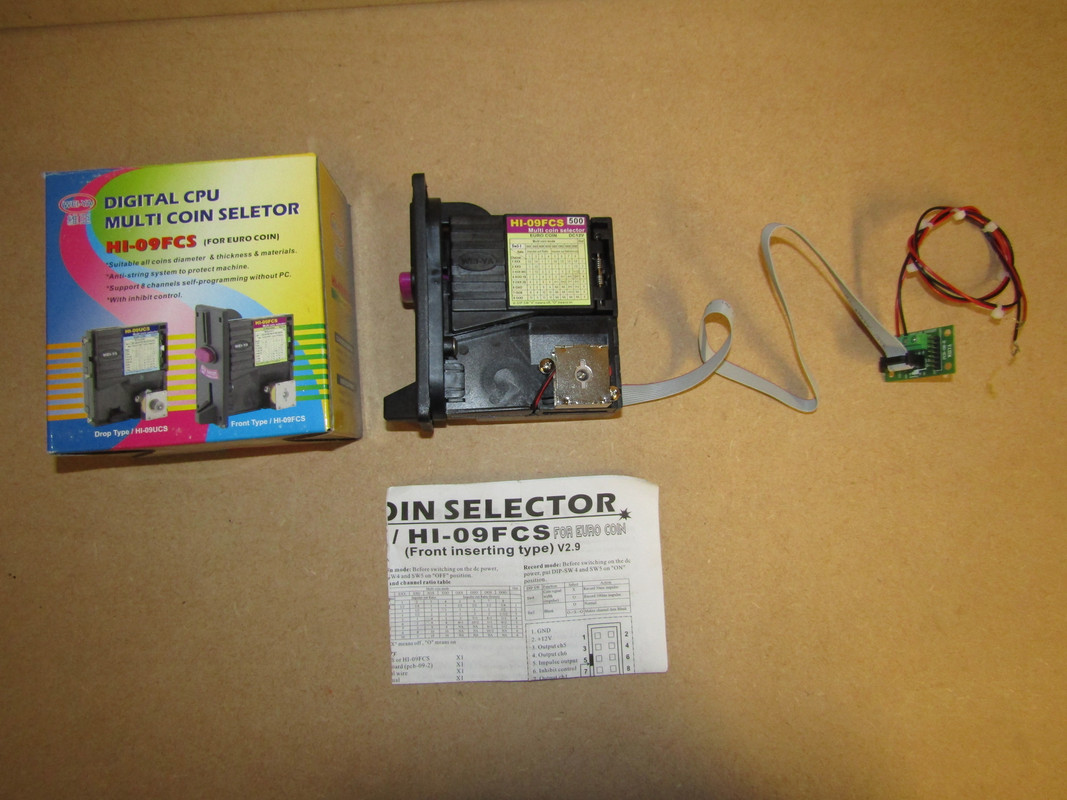
if anyone can successfully tell me how to program these I'll send you one for free, with faceplate, instructions, small voltage pcb and box!

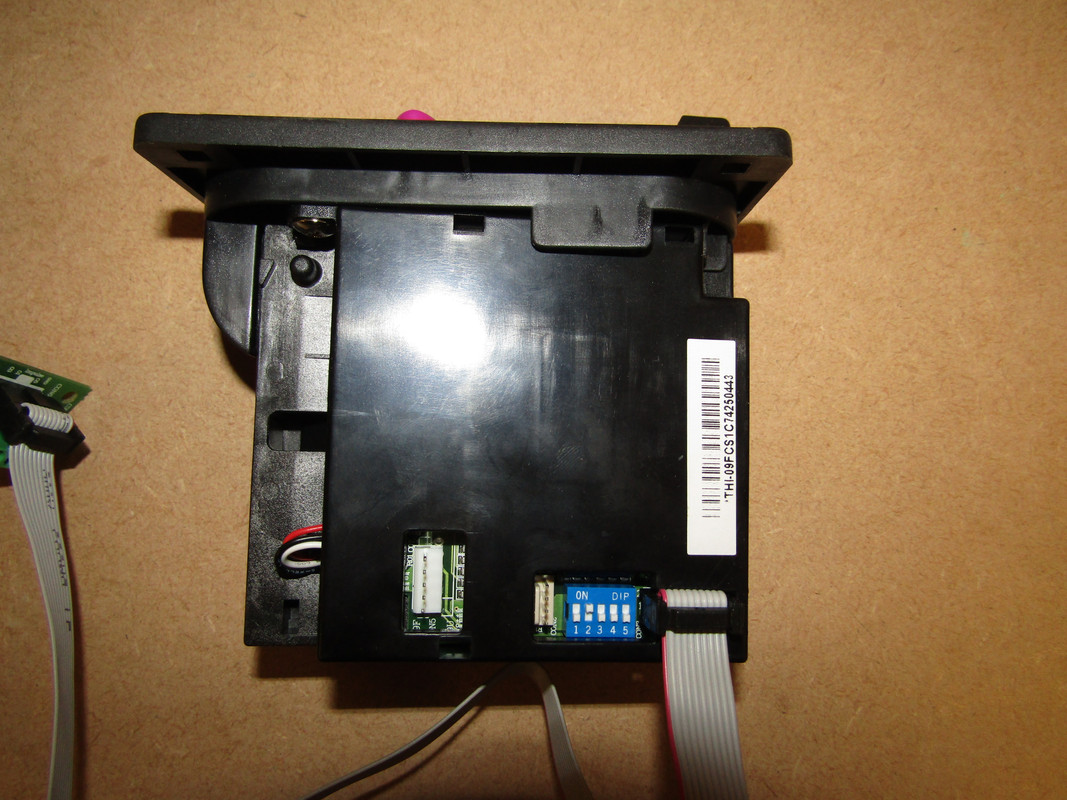
so I picked up quite a few of these chinese multi coin mech's, some of them brand new boxed, they are the perfect size for cocktail tables!

trying to re-program them has just gave me a headache

the problem is trying to program them for 10p's and 20p's, I seem to be able to program them ok for £1's and 50p's

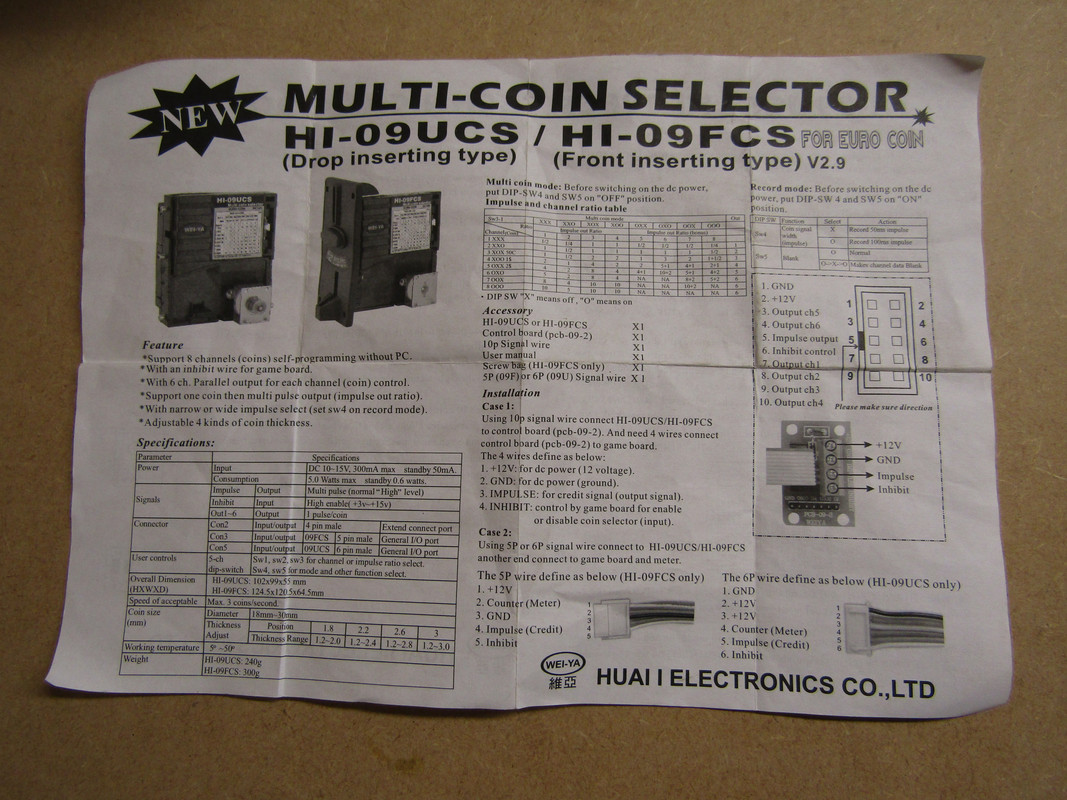
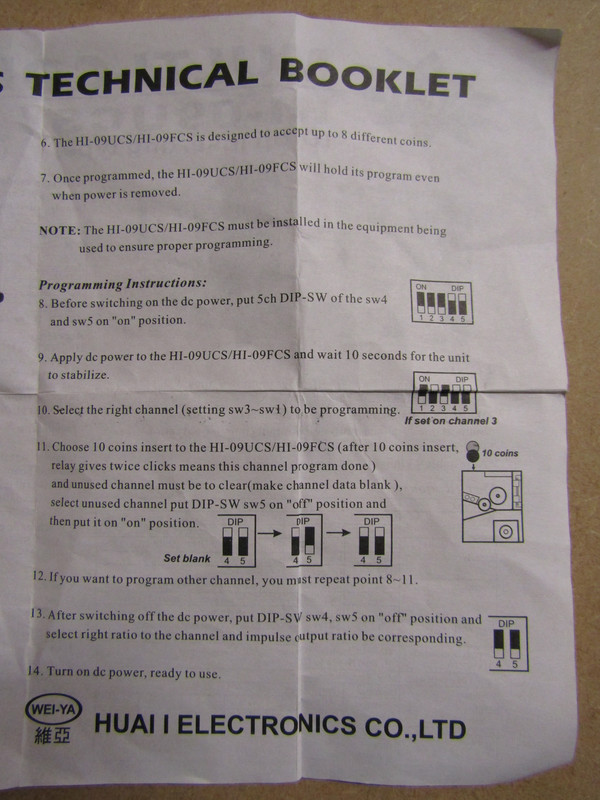
from reading the stupid instruction leaflet, the ways I've tried doing it are =

flicking dips 4 and 5 to ON, wiring 12v to it and turning the voltage on,

I've been picking ratio #3 (which I think is dip 2 ON) and then inserting the coins 10 times, so put x10 ten pences through the mech and then you hear the relay click a few times, then tried inserting x10 twenty pences through it etc etc, this doesn't seem to work correctly, it works like x2 ten pences will give 1 credit, 1 credit for 20p and then 1 credit for x2 50p's and 1 credit for a pound, something like that?

so I'm thinking do you flick the dips each time you want to program a type of coin?

looking at the ratio and channel info just confuses me and can't seem to work it out,

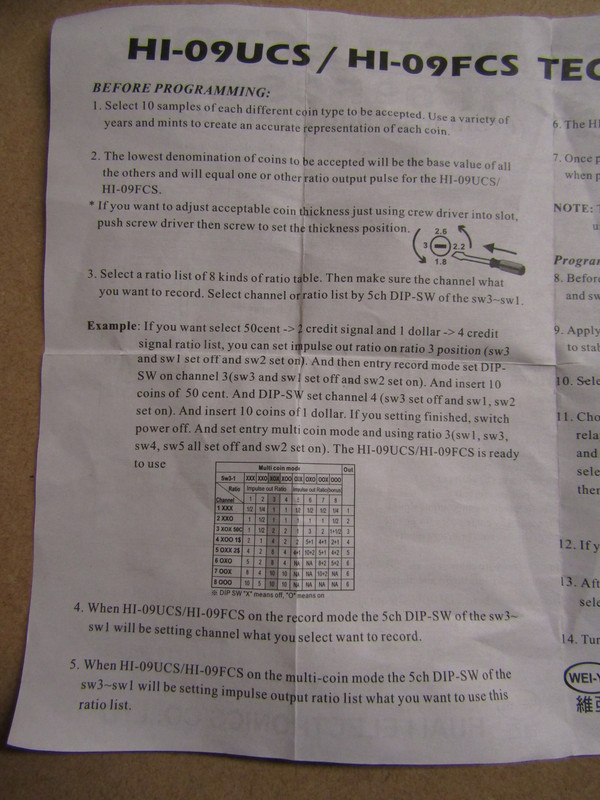
I also tried the example, 50 cent for 2 credits and 1 dollar for 4 credits (I just used 50p and £1) and that actually worked, even though I don't understand "sw3 set OFF and sw1, sw2 set ON" when this points to channel 7? so this example works but it doesn't say how to do the 10p's, 20p's (and I also want it on 50p a play, 2 for a £1)

I've also been clearing the channels down by flicking dip 5 to off then on again,

dare to read and get confused.....


jengineer2020-02-08 19:42:26
 

69er

Active member
Feedback
6 (100%)
Credits
1,854CR
very similar to the RM4 RM5 self programmable mechs I believe ///

you are going too quickly you need do one coin size at a time and start with the 10p …… put it on a host machine to test it as you go...………

the first few coins may still be rejected when resetting the power this gives the impression its not worked?

try setting the switches 1 2 3 to binary as per value all off .. 10p #1 on 20p #2 on for 50ps #1&2 for the £1 and sw#3 just for the £2 perhaps... remove the power after each setting and click of the lockout solenoid and repower to check that coin with the switches 4&5 off... then begin again with the next value coin see how it goes

it says set sw3 -sw1 which may mean the binary pattern reversed ie sw 3 on for 20p sw 3&2 for 50p the only way you might be sure is have it connected to a host machine where you know how much it takes to credit it.... 3 switches will give 8 channel options

or perhaps the values are ratio by the table you have on the programming page..?

clear all coins before you retry.

I think you have set 50 as the base value .. just assuming don't know for certain????? just try it

69er2020-02-09 11:42:10
 

69er

Active member
Feedback
6 (100%)
Credits
1,854CR
I remember going to a kiddie ride once at an arcade where it was 50p a go 3'£1 but due to mis alighning channels it gave 3 rides for 10p but inserting £1 had no effect till you put 5x £1 in then you got one ride … strangely tho' whoever set it the 20 and 50 had been set right and it gave a ride for 50p and it gave a ride for 3x20p so it took a while to figure it was all mixed up

just thought I would add that dilemma from my past...… I had no instructions with that mech and it took about 2 hours to get it ...…… on a self prog mech .. would have been quicker to swap to another mech
 

Lurch666

Active member
Feedback
21 (100%)
Credits
4,519CR
I now have this mechanism and think I have got the idea of how this works but can't seem to get any £1 coins to go through as the magnets are catching them.

@jengineer:Were you using modern or old ones when you got the £1 coins to go through?

EDIT:It was coin width that was stopping the £1 so now I have adjusted it they are going through fine.

Lurch6662020-02-22 14:13:35
 

Lurch666

Active member
Feedback
21 (100%)
Credits
4,519CR
Anyway this is what I have figured out.

If you look at the example of the table for the settings the grey column that they use shows the way dips 1-3 have to be set for each coin (Ignore the dip settings at the to of the columns for now).

So if you set dips 1,2,and 3 to off (XXX) then the coin that you then insert 10 times when in setup mode will produce one credit per coin. The same goes for the dips being set to off,off and on (XXO) which is the second row.

If you then set dips 1,2 and 3 to off,on and off (XOX) then insert 10 coins of a different value then that coin will give two credits pre coin and so on.

Once you have either set or erased each channel (dip switch 5 can be used to clear any unused channel) you then turn off the mech,set dips 4 and 5 to off (they are set to on to program the mech) and then you set dips 1,2 and 3 to the setting at the TOP of the column to tell the mech which column of values to use.

So in the example you would set the three dips to off,on and off (XOX) as those are the settings shown at the top for the column in grey.

If you set the same dips to off,off and on (XXO) it will use the values in the column to the immediate left of the example grey column so whatever coin you set first instead of giving 1 credit will now give a 1/4 credit.

The problem I have now is it needs to be set to 50p a credit.

That's easy enough for 50p,£1 and £2 coins as I can set it up to give 1 credit,2 credits and 4 credits respectively but for 10p I need to set it to give 1/5th of a credit and for 20p I need to set it to 2/5ths of a credit and those options don't seem to be available.

Maybe I can set the coins per credit settings on the pcb to deal with these values.
 

69er

Active member
Feedback
6 (100%)
Credits
1,854CR
@ Lurch666 think I have got the idea of how this works but can't seem to get any £1 coins to go through as the magnets are catching them.

I don't think these mechs have magnet 'washer' catching ???

I see you mastered that bit ok and it says in the text set the switches 1 2 3 to binary identify value of each coin chanel sw 5 is programme & record and I think sw 4 is to erase or override previous memory

yes thats pretty well how it is but because the newer 10p is magnetic it may be necessary to just programme it to 2012 tens as the older pre 2011 ones are copper (non magnetic ) and different metal density property and now 1.9mm wide not 1.7mm as the old ones are this can make a difference in other mech types

tho RM5 does take both if you mix them up when setting the tolerance...

IF YOU ARE WORKING A GAME ON 50p a go £1 for 2 £2 for 4 just don't programme the mech for 10p or 20p coins and they should be rejected? ... one option...

69er2020-02-22 21:53:13
 

Lurch666

Active member
Feedback
21 (100%)
Credits
4,519CR
@jengineer

Dunno if you followed my explanation about how to program one of these but like I said my problem was the fact I couldn't find any way to set it to work with 10p,20p,50p and £1 with it giving a credit for every 50p

I could set it to give 1 credit for every 10p so 50p would give 5 credits and a pound 10 credits but we wanted it to be 50p a credit and since there is no option for 1/5 credit or 2/5 credit 10p and 20p was out.

I have now figured a way by using an arduino nano to divide the output pulse by 5 so it gives one pulse for every 50p worth of credit added.

Since you can get a nano for around £4 I figured this is the best way to get these mechs working with British currency.

If you want the sketch to do this I can send it to you.
 
Top