Data IO 29B - Serial issue

yorkshire_spam

Active member
vacBacker
Credits
765CR
Anyone out there got a 29B working with a PC for serial connection?

Since repairing mine I can't get it to work with a PC.... the PC I used to use is long gone, but I have an old desktop PC running 32bit Windows XP with serial ports on the motherboard. I'm running the patched promlink and it runs.... but can't connect to the programmer.

Anyone got any ideas? I'm stumped.

I don't have a serial analyser, but I suppose I can stick the 'scope on it and check the signal levels?
 

Purity

The Oracle
vacBacker
Feedback
17 (100%)
Credits
2,999CR
Mine was wokring via PC but has since died.

I put my notes here. I was using Windows 7 with Dosbox so you can get it working on a more modern system

http://www.arcadecollectors.co.uk/techinfo/data-io-29a-remote-mode/
 

yorkshire_spam

Active member
vacBacker
Credits
765CR
Thanks mate, I had no joy at all with either dosbox on windows 10 (although using a USB serial adapter) or with WinXP on an old machine with "proper" serial ports.
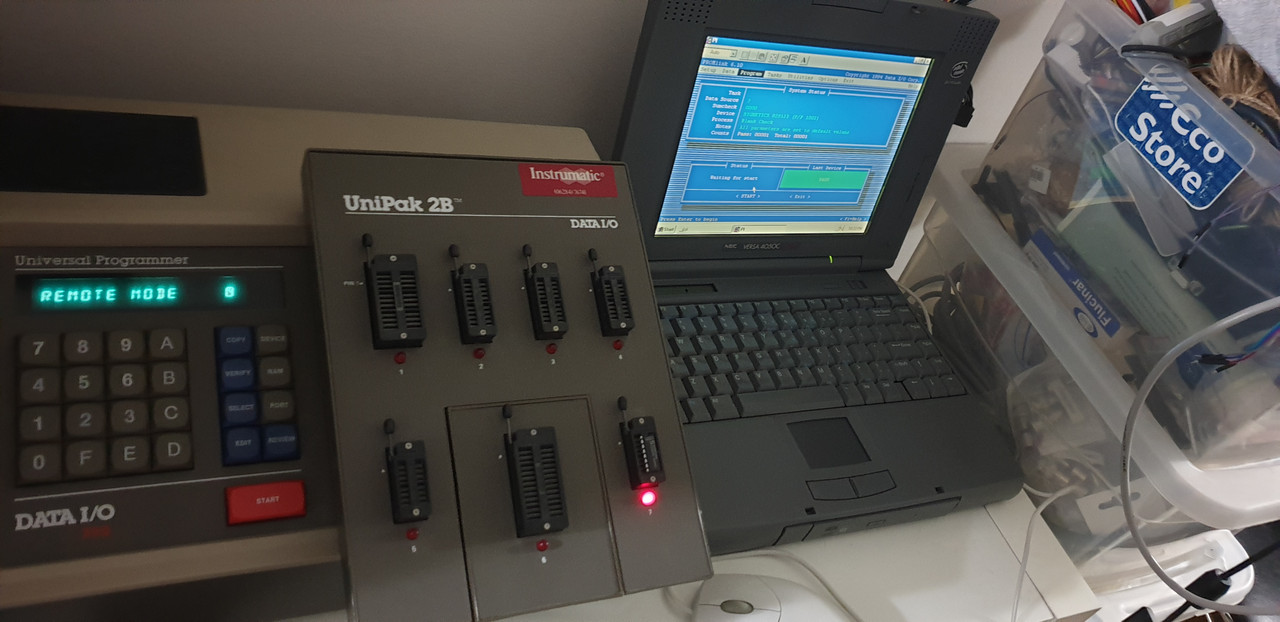
Strangely if I hook up the PC and launch hyper terminal I see the LEDS on the UniPak 2B flicker when I send something to the programmer, but nothing comes back.

I'm wondering if something inside the Data IO is goosed rather than it being my PC/serial setup

:-(
 

yorkshire_spam

Active member
vacBacker
Credits
765CR
Equites said:
Check your other 29B thread, I put an old link in there.

I'm about to resurrect that thread, feel free to bump it.

Sorry, which thread do you mean? I'll take a look....

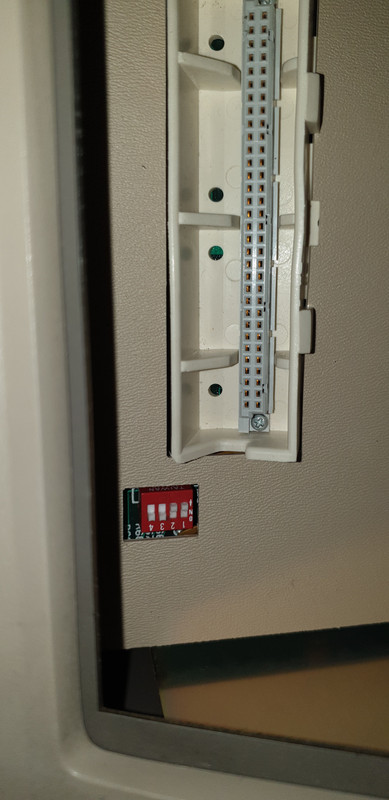
That's interesting Monstermug, you have your settings the same as I had (8-none-1) but the dip switches you show under the unipak are different to mine... I thought I'd checked that.
 

yorkshire_spam

Active member
vacBacker
Credits
765CR
Equites said:
This thread;

http://www.ukvac.com/forum/data-io-29b-troubleshooting_topic338766.html

What was the resolution to the RAM problem you were having? I cant remember where that thread is.

Thanks I'll work through that one.

I sorted the ram error:

http://www.ukvac.com/forum/data-io-29b-scratch-ram-erro_topic368468.html

It turned out to be a logic gate on the ram board, nothing at all wrong with the scratch ram (after I replaced the prom), but the logic on the ram board that enabled the buffer between that board and the bus was faulty, polluting the data bus... making the scratch ram appear faulty.

Found it pretty quick after I borrowed a 6802 pod.
 

Equites

Chief Sheesher®
vacBacker
Feedback
35 (100%)
Credits
3,329CR
yorkshire_spam said:
Equites said:
This thread;

http://www.ukvac.com/forum/data-io-29b-troubleshooting_topic338766.html

What was the resolution to the RAM problem you were having? I cant remember where that thread is.

Thanks I'll work through that one.

I sorted the ram error:

http://www.ukvac.com/forum/data-io-29b-scratch-ram-erro_topic368468.html

It turned out to be a logic gate on the ram board, nothing at all wrong with the scratch ram (after I replaced the prom), but the logic on the ram board that enabled the buffer between that board and the bus was faulty, polluting the data bus... making the scratch ram appear faulty.

Found it pretty quick after I borrowed a 6802 pod.

Hey nice fix.

I'm going to dig the 29B out this weekend, like you say, worth the investment.
 

Monstermug

Active member
Feedback
23 (100%)
Credits
1,807CR
yorkshire_spam said:
Equites said:
Check your other 29B thread, I put an old link in there.

I'm about to resurrect that thread, feel free to bump it.

Sorry, which thread do you mean? I'll take a look....

That's interesting Monstermug, you have your settings the same as I had (8-none-1) but the dip switches you show under the unipak are different to mine... I thought I'd checked that.

That's not mine in the video. My settings are slight different as well. Here are pics of my dip settings and my options as well.

20190403-220212.jpg


20190403-221213.jpg


20190403-220808.jpg


20190403-220753.jpg
 

Monstermug

Active member
Feedback
23 (100%)
Credits
1,807CR
Monstermug said:
yorkshire_spam said:
Equites said:
Check your other 29B thread, I put an old link in there.

I'm about to resurrect that thread, feel free to bump it.

Sorry, which thread do you mean? I'll take a look....

That's interesting Monstermug, you have your settings the same as I had (8-none-1) but the dip switches you show under the unipak are different to mine... I thought I'd checked that.

That's not mine in the video. My settings are slight different as well. Here are pics of my dip settings and my options as well.

20190403-220212.jpg


20190403-221213.jpg


20190403-220808.jpg


20190403-220753.jpg

Funny enough I hadn't turned this on for ages now. It was nice to see everything still works. I use my dataman-48pro2 which does everything i've ever thrown into it so not sure why I am keeping this set up apart from the nostalgia of it lol
 

yorkshire_spam

Active member
vacBacker
Credits
765CR
Right, I convinced myself this is some sort of hardware issue, so I opened up the case on the serial cable and hooked up the oscilloscope.
Pin 3 (data from the PC to the DataIO) clearly shows full +/- swing signals

Pin 2 (data from the DataIO to the PC) sits there at full +ve deflection and never moves.

As I understand it the DataIO should send ">" when you switch it to remote mode, and should be responding to the PC/Promlink sending it data.... but I can't see it!


I'm going to start checking all the ICs/parts associated with the serial data output.

I'll start with U9/U14 and see what's what.

I guess (having had a think about it) I should probably check the CTS and make sure the programmer is being told it's ok to send data.

I'll let you know how I get on.

Cheers, Sam
 

Purity

The Oracle
vacBacker
Feedback
17 (100%)
Credits
2,999CR
Keep us posted dude, as we might have similar issues

Also Porchy wrote some software for the Data I/O to use on Windows 7+

Might be worth looking at this:

http://www.jammarcade.net/data-io-29-remote-control-software/
 

yorkshire_spam

Active member
vacBacker
Credits
765CR
The protocol for communicating with the programmer is pretty simple and well documented in the manual - I guess I could replicate that in "modern" software so I'm not pinned to dosbox or an old OS. But to be honest I think the biggest issue is making sure you have a "real" serial port - I'm not convinced that the cheaper USB->serial converters are actually implementing the RS232 protocol properly.
I'll probably pull the 29B back to pieces and start testing stuff this weekend if I get chance.
 

yorkshire_spam

Active member
vacBacker
Credits
765CR
I think I might have found the fault.
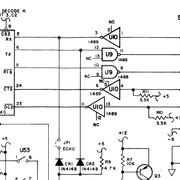
I can see on the scope nice clean signals on pins 1 and 3 of U10 (1489, line receiver)

BUT when I scope up the output/TX pins 11 and 12 of U9 (1488, line driver) the inputs (12) look good, but the output is dead (11)

I already ordered a couple of replacements "just in case" but they haven't arrived yet.... according to the postage they should be here on Wednesday.

It might be that there's still other faults to find, but I'm cautiously optimistic.
 

Purity

The Oracle
vacBacker
Feedback
17 (100%)
Credits
2,999CR
I also suspected the line driver and line receiver and replaced them both. Alas my unit still will not connect to the PC :-(

It could also be the 6802 CPU, but I checked that. Don't think there are many other components to take a look at for send receive.

Serial chip was also ok

Very little in between the CPU and serial chip.

I was going to look at U4, U5, and U6 next but haven't been back to it

Purity2019-04-07 14:48:03
 

Purity

The Oracle
vacBacker
Feedback
17 (100%)
Credits
2,999CR
yorkshire_spam said:
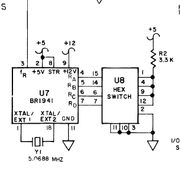
Baud generator? That was what I was going to check next if the line driver doesn't sort it.

6850 comms chip. I checked this and replaced the 1488 and 1489

The control bus then heads back to the 6802 CPU which I checked and that was good

There's some logic chips in between like U4, U5, and U6 which I haven't checked
 
Top