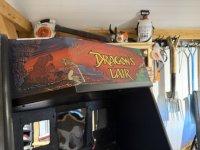
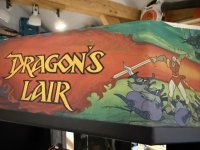
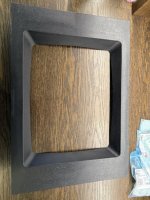
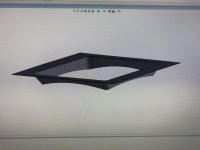
Dragons Lair Restoration

Bods

Senior Member
vacBacker
Feedback
3 (100%)
Credits
4,344CR
Yes awesome work and nice to see Restorations being done and on such an Iconic game

Repairing the speaker instead of replacing (y) and same with fans Its great to see

Those Cast coin doors are a really nice thing, that must have cost them profit money, companies now will save loads removing a few screws from production, they really didn't scrimp back then, love it :)
 

conan

Newbie
Feedback
1 (100%)
Credits
135CR
Wiring Hraness etc.
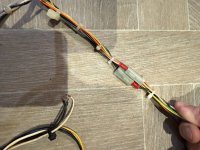
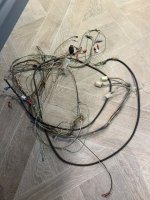
Pulled the wiring loom and gave it a thorough clean. Prior owners had hacked it about and a 240V flourecent light fitting had been spliced in with zero care, wires were cut and just left hanging and it was a bit of a mess to be frank.
IMG_4170 (1).JPEG
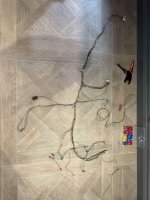
Got it organised and jointed a lot of the cuts to clean it all up. I added a 240V feed to the fan as I have replacement original 240V models as opposed to the 110V so I wanted a bit of future proofing on that score.
IMG_4173 (1).JPEG
IMG_4174 (1).JPEG
I removed the UK voltage flourencent and sourced a vintage 1980s US 110V fixture from Ebay that I fitted and wired to the original (now repaired) feed from the linear power supply. Ran the old ground up to it too that had been left un connected.
IMG_4532 (1).JPEG
IMG_4533 (1).JPEG
I installed a LED Flourecent 18''. 15W tube and new started.
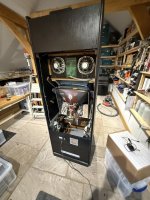
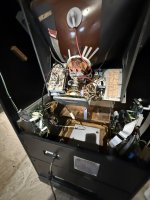
After that it was time to start re installing boards and othr parts to the cab.
IMG_4517 (1).JPEG
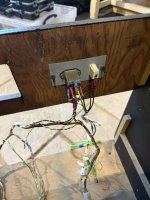
The original restored power socket was first in with everything switched through the vintage Cherry. The power supply to the LDV1000 was modified to 240V as a backup so that a transformer could be added to power the Laser Player in the future.
I have x2 LDV1000s that both work but Im running this on a Dexter and Merlin-DX as I want the functionality of being able to play multiple games.
Its my only exception for modern technology as everything else is 100% original and vintage. The cab can play, Dragons Lair, Dragons Lair 2, Space Ace, Cliff Hanger and Super Don Quix-ote all in one.
IMG_4518 (1).JPEG
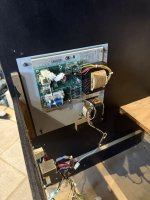
Power supply re installed. I added molex connectors for the Fan & Lights as an extra.
IMG_4535 (1).JPEG
Main Logic board with original score board ribbon (cleaned up) and Merlin-DX rom board fitted.
IMG_4550 (1).JPEG
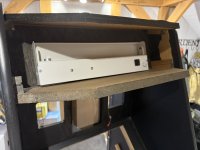
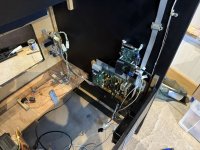
Volume and coin counter bracket installed.
IMG_4541 (1).JPEG
Dexter installed...
 
Last edited:

Bods

Senior Member
vacBacker
Feedback
3 (100%)
Credits
4,344CR
Looking good :)

Never seen any Cinematronics cabs in any detail before so it's nice to see all this

Thinking about the name starting with Cinema I was reading the other week that government were trying to classify Video Games as Mini Cinema's, forget the reason why now, I need to read it again properly as I kind read through it quickly one night
 

conan

Newbie
Feedback
1 (100%)
Credits
135CR
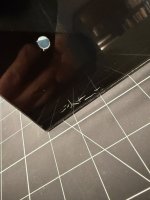
Small update. Pulled the tinted screen plexi and have decided to replace it with 4mm toughened safety glass. The plexi was badly scratched and I think its been flipped in the past as its scratched on both sides.
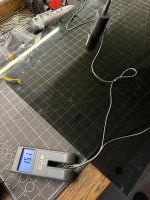
I wanted to get the tint as close as possible to the original so i used a window tint meter to test the VLT (Visible Light Transmission), took a number of readings and averaged out the result. Its as near as damn it 15% VLT and the tinted film that covers the scoreboard is 25%, should anyone need the info. Good news is you can biy car window tint film in both those percentages so I ordered some and applied it to the new glass.
IMG_4511 (1).JPEG
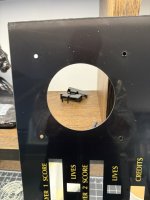
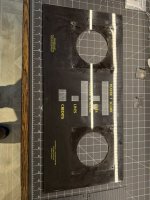
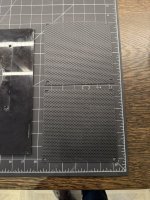
Pulled the score board overlay whic has been scratched by the rough wood it mounts against in the cabinet.
IMG_4596 (1).JPEG
IMG_4597.JPEG
IMG_4593.JPEG
I retouched the back of the plexi with black paint to cover up all the scratches and then used some left over vynil to cover up the rough wood so it coudnt damage the score board cover again.
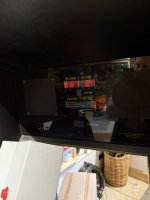
The spaker grills arrived back from paint so I reinstalled those together with the screen.
IMG_4592 (1).JPEG
IMG_4738.JPEG
CRT is back in position, this is temporary as Ill have to pull it again to apply the side art.
IMG_4641.JPEG
IMG_4791.JPEG
IMG_4792.JPEG
Nearly there now. Got the control panel and overlay and side art left to do.
 

Bods

Senior Member
vacBacker
Feedback
3 (100%)
Credits
4,344CR
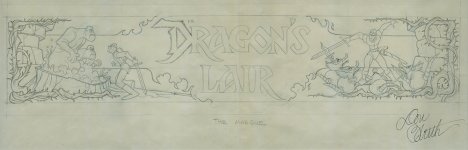
Yes he had an amazing collection. I bought the original Marquee and Control Panel front design sketches off him amongst other things.

What a collection he had, I was lucky to be shown around while he was in middle of house being built when I picked up an Atari cab he was selling for a mate. being a small fan of Dragon's Lair it was a nice day, was before I picked up my Atari Jamma'd DL Robocop :LOL:
 

conan

Newbie
Feedback
1 (100%)
Credits
135CR
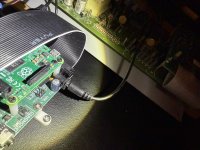
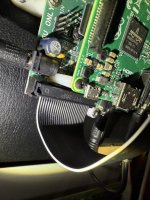
Just a note on the Dexter unit that plays the laser disk images. I got a LOT of noise from it into the speakers and installed a number of ferrite filters that didnt do much to help. I also added a BNC video filter and ground loop isolators for the audio. This helped a little. The Dexter PCB is mounted to a Raspberry Pi based processor, the Dexter board is powered by a 2.1mm jack and that power supply was causing most of the problems. I removed that and powered the boards directly to the Pi via its micro USB port, this helped a little but it wasnt until I replaced the cheap power adapter that comes with the kit with an original Raspberry Pi power supply that the problem went away completely.
IMG_4653.JPEG
Dexter with noisy 2.1mm Jack power supply.
IMG_4655.JPEG
Pi Micro USB power supply. A 90 degree connector is advisable to clear the ribbon cable.
Power the Pi directly with an original adapter and you should be good.
 

conan

Newbie
Feedback
1 (100%)
Credits
135CR
Other people have said you can edit the Pi config file found on a micro SD card, I did try this but it had zero effect on my system. You basically want to add the lines:
audio_pwm_mode=2
disable_audio_dither=1
to the:
/boot/config.txt file.
 

conan

Newbie
Feedback
1 (100%)
Credits
135CR
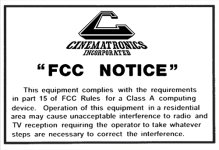
FCC small.jpg
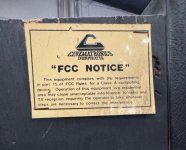
fcc ref.jpg

Small update while I wait for side art.
My reproduction of the FCC notice is finished and off to print on some 1mm Foamex. I deliberatly kept the text detail and the layout is exactly the same as the original. These were stuck and or stapled to the rear of the cabs and I have seen them placed high up top right or next to the fan on the right.
The are white on the back and the core is white plastic too. They have mostly gone a faded brown colour over time.
 
Last edited:
Top