Emulator Help

RS200Dan

Newbie
Credits
1CR
Hi

I was wondering if anyone could help me with my arcade cabinet. I have an ultimate arcade 3 side coffee table machine that I purchased about 2 years ago, (even though they claim 5 year technical support they have failed to reply to any emails I have sent asking for help), I want to add another emulator so I can play super Mario kart on it from the old SNES an was wondering if anyone could help me in doing this? It currently runs a Mame emulator so I don't know if it is possible to run 2 different emulators on one machine?

Any help would be much appreciated.

Thanks
Dan
 

big10p

Coins detected in pocket!
vacBacker
Feedback
13 (100%)
Credits
6,091CR
As far as I know, ultimate arcade cabs all just have multi boards in - such as the iCade 60-in-1. As such, you can't run other emulators on them, without replacing the multi board with a PC or Raspberry Pi etc. Post a pic of the game menu screen and we will probably be able to tell you what you have.
 

RS200Dan

Newbie
Credits
1CR
menu.jpg


The attached image is of the menu, when I switch the table on it does show a dell image....does this mean it is already pc based?

Thanks
Dan
 

big10p

Coins detected in pocket!
vacBacker
Feedback
13 (100%)
Credits
6,091CR
Yeah, sounds like it is PC based, then. That looks like it's running a PC front end, possibly MaLa which supports multiple emulators. Just need to open it up to plug in a keyboard & mouse (wireless one are best on cabs) to install whatever emulators you want.
 

northwest

Active member
Feedback
6 (100%)
Credits
119CR
Rs2000dan # are you able to locate USB ports on the board ? Seen that before a few years ago and does appear to be Mala .

** I take it you like rs2000 cars ? ** You gave no earlier introduction.northwest2017-02-26 18:58:31
 

RS200Dan

Newbie
Credits
1CR
There is a usb on the front and I have tried plugging a usb pen into it but them I get a bit lost.

No its not the Rs2000's I like its the old group b RS200's that I'm into.
 

northwest

Active member
Feedback
6 (100%)
Credits
119CR
I was going to suggest a keyboard and press ESC , but please get another suggestion with this or other incase I'm wrong. You should get into desktop to show the FE . After when you shut down the FE will have an auto boot to FE anyway .
 

RS200Dan

Newbie
Credits
1CR
tronads said:
RS200, the best ever car made by Reliant !

Only the body panel were made by reliant due to their so called expertise in fibre glass, the rest was developed at Borehamwood by Ford. The RS200 project was actually started for the RS1700t but when that was stopped the RS200 was born.
 

Shun

Active member
Feedback
1 (100%)
Credits
501CR
The PC may not do anything when you plug a USB pen into the usb port. If it were me, I would plug in a mouse into the usb port and then right click the mouse. Hopefully a menu should pop up which might allow you to exit MALA (this is the front end for the emulators) or go into the configuration menu. The configuration menu should say where each emulator is pointing to on the hard disk.

Then all you need to do is exit MALA, go to the directory of the emulator and drop some more roms into the roms directory for the emulator. You'll need to start MALA again and then right click and refresh the game list.
 

ZedEx48K

8-Bit
Feedback
2 (100%)
Credits
1,424CR
You need a keyboard/mouse, emulator (Snes9x) & roms, once you have them you need to exit the frontend (esc or right click the mouse for a menu) transfer and set up the snes emu (inc setting GUI=0 in the ini) once that is done you need to start the frontend again, right click and go into settings, in there is the option to add other emus.

If you get that far I can help with the rest (but it's straight forward really).
ZedEx48K2017-02-27 11:15:33
 

RS200Dan

Newbie
Credits
1CR
Its the transfer and setup of the new emulator and roms that I'm worried about, I don't want to wipe everything else or f### it up in some way.

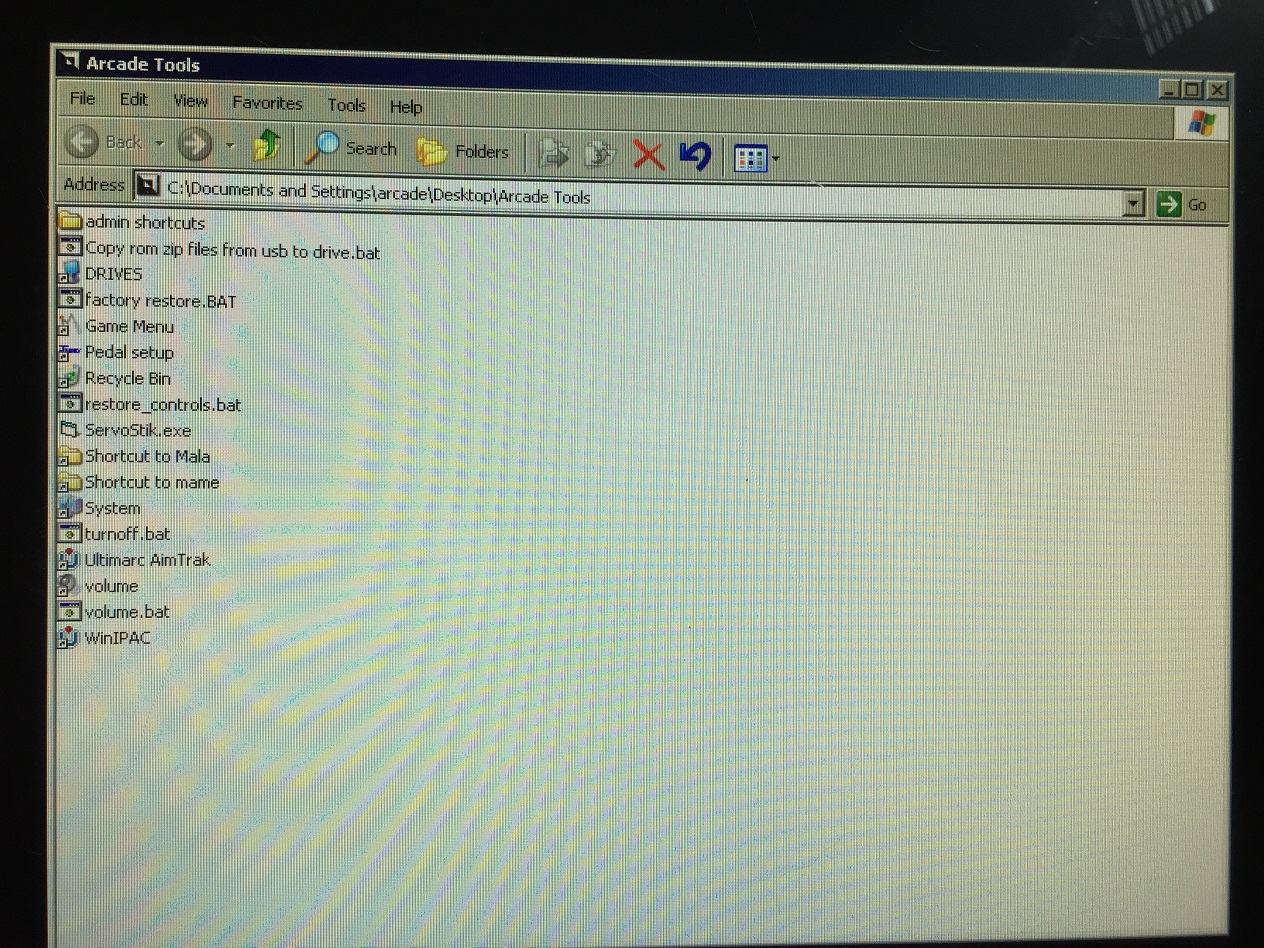
When I use a mouse and right click to select exit I get a black screen with a little acrcade tools logo in the middle at the bottom, if I click this I get a load of folders come up (in the attached picture) Where would I go from here?

Thanks again for the help so far.

Dan
menu1.jpg
 

ZedEx48K

8-Bit
Feedback
2 (100%)
Credits
1,424CR
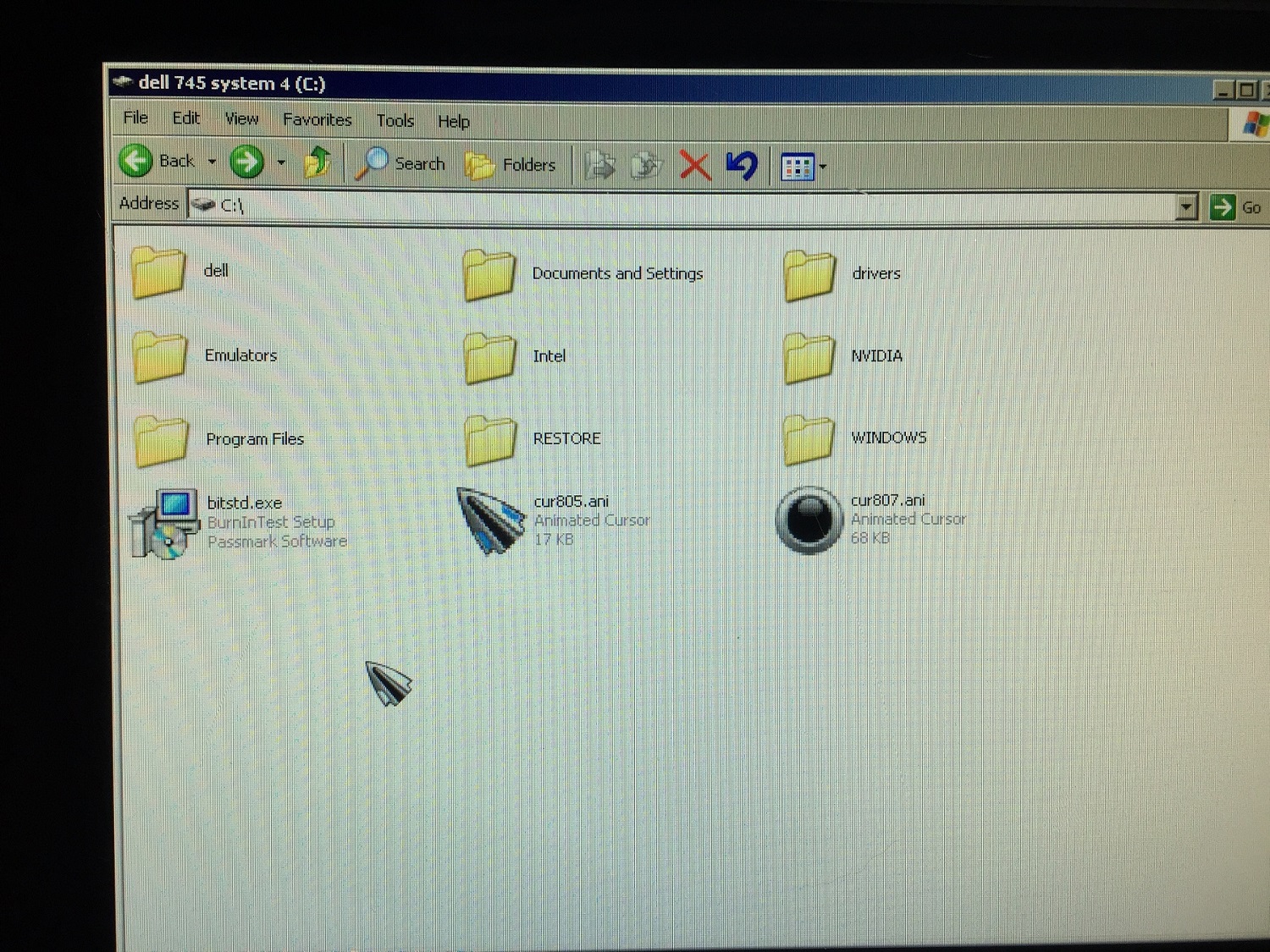
From that window you can just go to the root of your C drive, make a folder called SNES there and drop the emulator and roms into it, you won't harm anything else doing so.
 

RS200Dan

Newbie
Credits
1CR
I done what you said and got the attached window. Do I create a separate folder titled snes9x or should I place in one of the existing folders?
 

RS200Dan

Newbie
Credits
1CR
Just realised that I only have one usb on the cabinet so how do I plug in a usb stick and use the mouse to transfer the file over? Do I need to get a 2 way extension or is there another way?
 
Top