Konami Viper PCB repair

kaf2000

Newbie
Credits
3CR
Does anybody know of anybody in the UK who repairs Konami Viper boards please? Unfortunately Giz10p no longer repairs these, but he has advised that, from a photograph of the screen error, it is likely to be video ram at fault, rather than an RTC error.

Failing that, could somebody please advise me where the video ram is on the board, so I can have a go at testing it with a logic probe - although I am not used to dealing with such small surface mounted chips.

Thanks.
 

kaf2000

Newbie
Credits
3CR
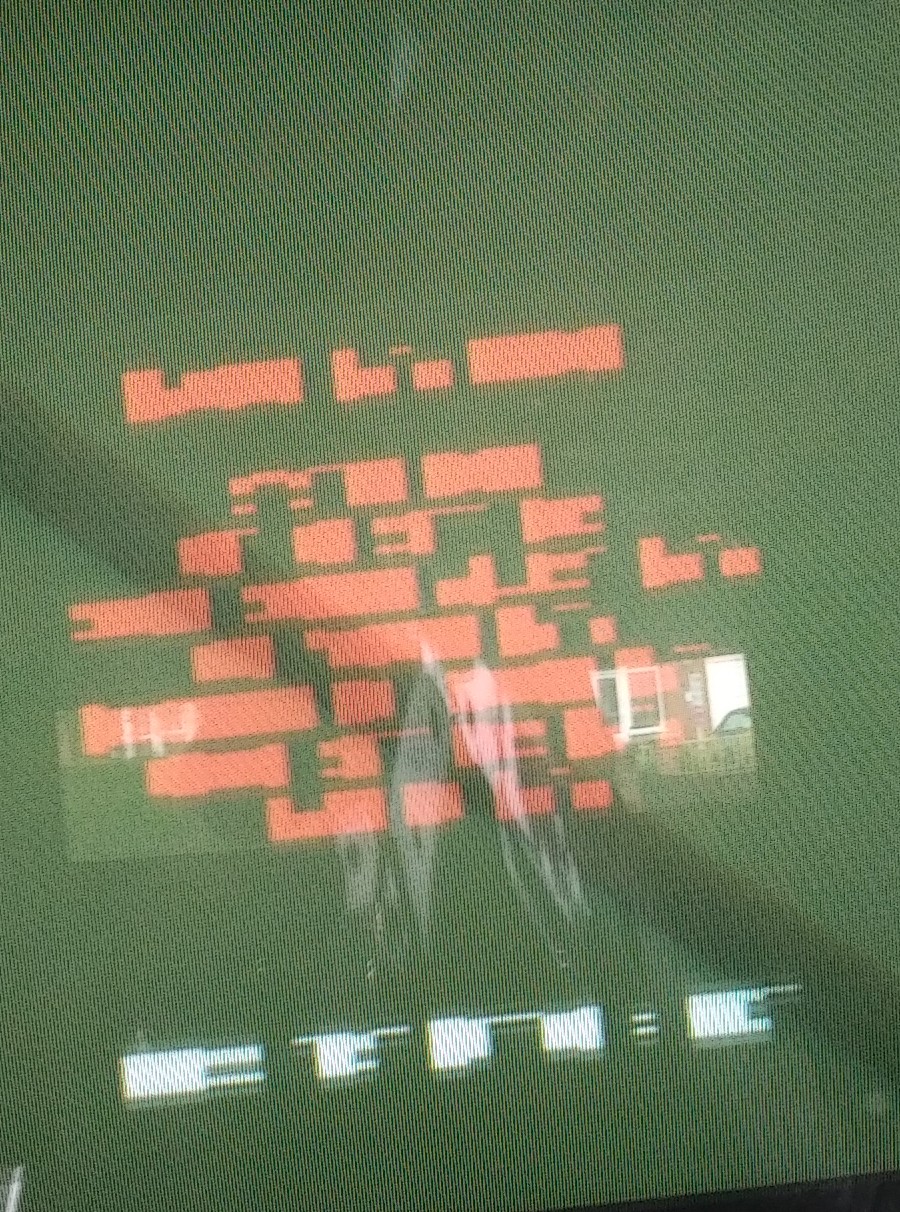
This is the test menu screen that it boots into, but the text is corrupted and illegible. You can navigate up and down the menu, but can't make out what you are doing!

Craig Walker said that the fact it booted to the test menu told him that the RTC was okay at the moment.

I guessed graphics ram problem, and Craig confirmed this.

keith.franklin2000@gmail.com

IMG_20201016_1246371~2.jpg
 

kaf2000

Newbie
Credits
3CR
I am not particularly skilled at this sort of thing. I have removed and checked all connectors and done the same for the stacked pcb connectors inside the metal case. All the ICs are small and surface mounted and not socketed. I checked the PSU voltage and the +5 and +12 were both one volt high, so I lowered them to 5.1 and 12.1 on the PSU pot.
 

kaf2000

Newbie
Credits
3CR
Using the manual, I have managed to work out he greeked text on the setting menu.

-The top DM display is fully working

-Sound fully working

-Game ROM tests green and okay

-Gun display screen working

-Gun L-R-U-D fully working

I still cannot get it into game mode as a message flashes up that I cannot read. So it could be a password request, as I have sometimes read about that being a problem on silent scope games.

I don't have a service manual, only a wiring loom diagram from the operator's manual. Is the video ram likely to be the banks of ICs nearest the RGB (x2) out connectors? I have marked these in yellow.

Also, do I set my logic probe for CMOS or TTL?

Thanks - Keith
VIPER2.JPG
 

Retroman839

Senior Member
vacBacker
Feedback
12 (100%)
Credits
7,030CR
Does cpu get hot ?
Have you watched a video of silent scope booting normally ?

The rtc.. actually has a piece of code in it which is unique to each game.
So if rtc stops game is corrupted..
you could have a bad rtc..

You would need to check the rtc to see if it is ok..
So it has a 3.3v cr2032 type or equivalent coin battery same as
Normal bios pc battery..
So if coin battery is alive you should get a 3v reading off one of the legs?

You can find the schematics data sheet of the rtc it will tell you which leg to read the volt.

I would start with the rtc.. as same as capcom cps the code is garbage without the key
 

kaf2000

Newbie
Credits
3CR
I have seen a number of Silent Scope Fortune Hunters for sale with a description similar to this:

"I have a Konami Silent Scooe fortune hunter for sale.
Nice clean cab with a good picture.
Tested on the story mode and plays good. The payout mode needs £100 in the hopper so haven’t tried that mode!!!

On power up you have to set clock and calibrate gun as the back up battery is flat. Takes less than 1 minute from coin door on power up."

I am guessing the one I have here is the same. Since the rom check and the tests all work, but presumably I cannot get to the game as I cannot read the screens for setting the clock and calibarting and saving the gun. Hence, I am pretty hopeful it is the video ram - if somebody could point me to where this is located on the board, as pictured, and help with what setting to use for the probe - cmos or ttl.

Thanks - Keith
 

lix

Active member
vacBacker
Feedback
1 (100%)
Credits
543CR
Under that daughterboard that you've marked with a yellow box, that is where the vram for the main display will be. I don't have my viper boards to hand but looking at a picture online I'de guess they are the four Fujitsu quad flat pack chips around the GPU which has a heatsink on it.

It may be lifted pins or dry joints but as they are made by Fujitsu then there's a fair chance they've just randomly died. I doubt you'll find much out by logic probing them, maybe do a continuity check between the pins and the pads to make sure they are soldered on, or just get them re-worked.

Personally I'de guess that the BGA GPU or CPU needs re-balling, that's what usually fails on these and it's just not worth the time or effort as they'll fail again soon afterwards anyway. That's pretty much why no-one will touch them.
 

kaf2000

Newbie
Credits
3CR
That is helpful, thanks.

So most likely this machine is going to be scrap. Such a shame when all the parts are working and the board too, apart from a corrupted screen.

The gpu cpu etc have far to closely spaced legs for me to go anywhere near.

So I will try the ram alone as my only chance of getting this going.

I will check the tracks and resolder the pins on the ram.

This may be a stupid question, but is ram something I can piggy-back to get working? I have seen this done on pinball pcbs with some success, but it might not have been onto ram. I basically want to minimise my chances of completely destroying the board with my 'repairs'.

Thanks.
 

Lurch666

Active member
Feedback
21 (100%)
Credits
4,069CR
Long shot but try pressing on the surface mount chips while it's running to see if the display changes.

I had a board where the pins of one of the surface mount chips had come away from the contacts due to the board flexing.
 

kaf2000

Newbie
Credits
3CR
Thanks, yes, I had just written that down on a post-it note to try tomorrow, after reading the last post!

It went wrong in transit apparently.

K.
 

2huwman

Active member
vacBacker
Feedback
15 (100%)
Credits
308CR
just in case you haven't tried - driving party (also konami viper) asks for a security code on boot up if you have the dipswitches all on (i think). try booting it with all the dipswitches off (or vice versa if they are already off).
 

kaf2000

Newbie
Credits
3CR
Okay, thanks. If i get the graphics problem sorted, I will try altering the dip switches if there is a security question on the screen. At the moment, I think it is just wanting the gun calibrating and time-date resetting.

Is there a way I can wire up a CR2032 to battery to the pins of the RTC to back-up these settings if the onboard battery has died, to save doing this every single time?

I think there is a strong change this won't get fixed. So I have popped a question in mame about the best option for putting a classic console and light gun into this machine, under the MAME section of the forum. If that was the right place to ask...

Keith
 

Retroman839

Senior Member
vacBacker
Feedback
12 (100%)
Credits
7,030CR
people have cut into the rtc chip and wired up new battery.. but you gotta be pretty handy with a dremel!!

if you dont get anywhere with this pcb , i would be interested in

put a new rtc on it just to see if it does come back,, i just did 2 motherboards with new rtc..

and both where bad cpu. need reballing ..

i had no image on both

no vid out at all no sound ..

i bought a few rtc at once and have the seats for the chip too..

does your cpu get hot?
 
Top