Multi board problems!

mysticmonk

Active member
Feedback
12 (100%)
Credits
1,051CR
I picked this 2019-in-1 board recently as part of a deal, but I'm getting nowhere with it.

I have connected it to a supergun, and then through a scart to the tv. Not getting a signal.

The multiboard is powering on (see the green light), fan is spinning, and the light on the hard drive is working away. Sounds fine, looks fine.
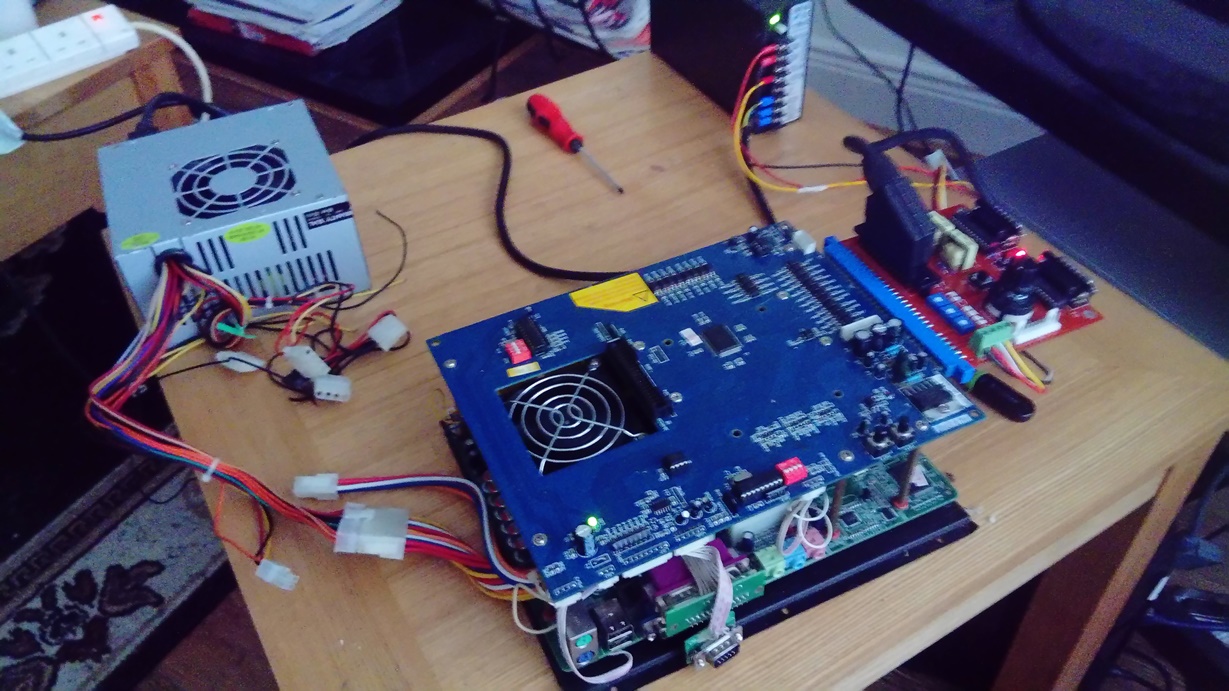
DSC_1079.JPG


I tried connecting the 4 pin on the multiboard to the only 4 pin I have on that atx psu. But when I do, the atx wont power up.

I'm sure Im doing something wrong that's obvious, but maybe someone here can help point it out?
 

Fantazia2

Active member
vacBacker
Feedback
13 (100%)
Credits
2,246CR
Is the video lead to the motherboard connected, it looks like its hanging off below the big purple Parallel port adaptor.

EDIT: Picture added below.

HTB1LOqLFpXXXXXXbVXXq6xXFXXXy.jpg


Fantazia22019-03-15 17:00:53
 

mysticmonk

Active member
Feedback
12 (100%)
Credits
1,051CR
Man, I don't know what wire is what :p

If you mean on that 4 pin connector...the multiboard 4 pin doesn't have a green or black wire, and the atx 4 pin only has a black wire. I wouldn't be counting on these boards to have correct colour coding!

Im guessing that this atx is sh*t. Im pretty sure the 4 pin connector on the atx is not the 4 pin that the multiboard needs.

But! Is the 4 pin connection necessary even?

Will it display through a scart?

Should I power on the supergun first, or the multiboard first, or does it matter?

This thing is a mess to me
smiley36.gif
 

Fantazia2

Active member
vacBacker
Feedback
13 (100%)
Credits
2,246CR
Also the 4pin your referring to, is it the one above the ATX connector in your picture?

If so that is the P4 power connector for the CPU, I think it needs to be plugged in for it to work.

You could try plugging a computer monitor directly into the VGA port on the motherboard to see if its booting up.
 

Fantazia2

Active member
vacBacker
Feedback
13 (100%)
Credits
2,246CR
For the video output I mean the little green PCB with the 15pin VGA connector on it, that will need plugging into the lower motherboard, in your picture its not plugged in so will not be passing video tothe Jamma converter board.
 

mysticmonk

Active member
Feedback
12 (100%)
Credits
1,051CR
Fantazia2 said:
Also the 4pin your referring to, is it the one above the ATX connector in your picture?

If so that is the P4 power connector for the CPU, I think it needs to be plugged in for it to work.

You could try plugging a computer monitor directly into the VGA port on the motherboard to see if its booting up.

Yes, im referring to the 4 pin above the atx connector.

That's what throwing me off though, there is no suitable connector on that atx. Which is strange, I think?!

Unfortunately I don't have vga connector to try :/
 

mysticmonk

Active member
Feedback
12 (100%)
Credits
1,051CR
Fantazia2 said:
For the video output I mean the little green PCB with the 15pin VGA connector on it, that will need plugging into the lower motherboard, in your picture its not plugged in so will not be passing video tothe Jamma converter board.

Yeah I plugged that in. Still no difference.

Im guessing its that 4 pin connection (or lack of) that's the culprit here.
 

SUPERSPRINT

Active member
Feedback
11 (100%)
Credits
1,035CR
Did you get a small sub pcb with it? Used for changing resolutions? That gameboard can output 15/24/31 khz so you’ll need to make sure it’s set right for your monitor. As suggested, set it up to a vga monitor direct and you’ll see it booting up like a pc.
 

mysticmonk

Active member
Feedback
12 (100%)
Credits
1,051CR

Fantazia2

Active member
vacBacker
Feedback
13 (100%)
Credits
2,246CR
SUPERSPRINT said:
Did you get a small sub pcb with it? Used for changing resolutions? That gameboard can output 15/24/31 khz so you’ll need to make sure it’s set right for your monitor. As suggested, set it up to a vga monitor direct and you’ll see it booting up like a pc.

From the manual it looks like to set one of the dip switches and use one of the player buttons to switch between the resolution options.
 

mysticmonk

Active member
Feedback
12 (100%)
Credits
1,051CR
SUPERSPRINT said:
Did you get a small sub pcb with it? Used for changing resolutions? That gameboard can output 15/24/31 khz so you’ll need to make sure it’s set right for your monitor. As suggested, set it up to a vga monitor direct and you’ll see it booting up like a pc.

Yep, have a small pcb board with it.

Thing is, I don't have a monitor to try anything. Just the scart through the television.

Would the resolution be a problem for a tv? I'll see if I can change it to 15khz, because I know the supergun/tv can display that at least
 

Fantazia2

Active member
vacBacker
Feedback
13 (100%)
Credits
2,246CR
mysticmonk said:
Fantazia2 said:

Thanks for finding that!

If you look at page 3 of that manual, it has a diagram of the setup, it only indicates the 20 pin connection to atx?

Looking at your picture it looks like its the end that would plug INTO the motherboard, i.e. its a male connector.

Does it match a connector on your ATX PSU.

If so you may need to look on the motherboard and see if it should be plugged in somewhere near the CPU.
 

mysticmonk

Active member
Feedback
12 (100%)
Credits
1,051CR
Okay, I found a video of some guy on youtube going through it.

https://www.youtube.com/watch?v=ffQYPRoYOj4

If you skip to the 1.34 min mark, you'll see he comments on it being a 24 pin connector, and that his is hooked up.

But my atx doesn't have that connection. But it should, right?!

Very annoying!
 

mysticmonk

Active member
Feedback
12 (100%)
Credits
1,051CR
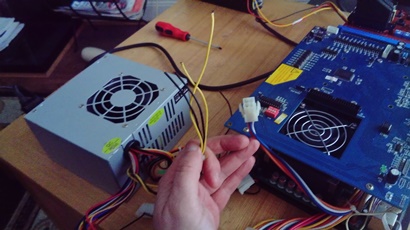
Well, heres the problem. Comparing the video and my atx, someone hacked off the connection. Wonderful. I have another atx, but I hacked that one to bits myself :p

DSC_10807654.JPG


So, I can try to jerry-rig the connection just for test purposes.

However, if I try that, how do I know which wires are supposed to match up?

Im this close to quitting on it :p
 

mysticmonk

Active member
Feedback
12 (100%)
Credits
1,051CR
Yeah that's the one, that will come in very handy!

Unfortunately I got browned off with it and packed it all away, will get back to it eventually and fill in results here when I do.

Thanks for all the help, much appreciated :)
 
Top