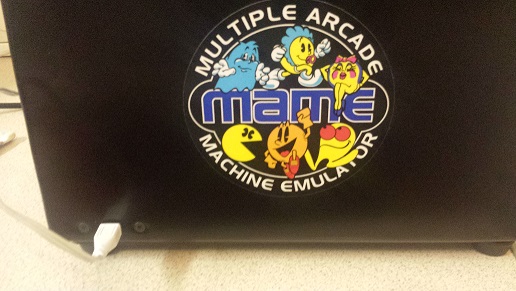
Portable arcade machine

mig75

Newbie
Credits
0CR
Hello everybody, please excuse my stupidity but when it comes to tech I'm clueless.I have recently bought a portable arcade machine from ebay. it runs using retropie.

I would like to add more emulators and roms as I have loads already on my pc but have no idea how to do this, there is only a power port at the back of the machine, no usb ports or anything else.

I cant connect to the wifi either as it obviously needs a password and there is no way of doing this with the stick and buttons.

will I need to take the machine apart to add roms? I'm sorry if I have posted this in the wrong section as you can probably guess I'm not the sharpest tool in the box :-( any help would greatly appreciated.

Cheers
mig
 

Milky

Moderator
Staff member
vacBacker
Feedback
16 (100%)
Credits
1,037CR
Hi. this is more a MAME thing so moved it to a more relevant area for you.

I will say if it wants to connect to wifi, youll need to tell it your SSID and the password, just like if you were connecting a normal laptop to your wifiMilky2017-12-01 16:38:11
 

mig75

Newbie
Credits
0CR
Thanks, sorry about that I thought it might be in the wrong place. The problem is I cannot type in the password as there is no keyboard and it seems you cannot do it with the stick or buttons.

Cheers
mig
 

Milky

Moderator
Staff member
vacBacker
Feedback
16 (100%)
Credits
1,037CR
Ah. Okay. And no obvious usb ports? It might need a bluetooth keyboard but you would still need to pair it. If you can post a couple of pictures or the original eBay link, we might be able to sort it out for you. Looking for what you get on screen, any connectors/sockets, Tec.
 

mig75

Newbie
Credits
0CR
pic1.jpg
pic2.jpg
pic3.jpg
pic4.jpg
pic6.jpg
pic5.jpg


Here are some pics of the machine. one power port at the back no other ports.

Cheers
mig
 

obcd

Active member
Credits
3,830CR
You will need to open it.

I assume you will find a Raspberry Pi 3 in it which has 4 USB ports. You will need to connect an usb keyboard and mouse to 2 of those usb ports. Just a keyboard might already do the trick.

It looks like the power connector is a micro usb one. It probably plugs directly into the raspberry pi board. Just google for pictures of the raspberry pi board and you will know what you are looking 4.
 

mig75

Newbie
Credits
0CR
Thanks obcd, I thought I would have to open it. is it quite simple to transfer emulators and roms over from my pc?

Cheers
mig
 

obcd

Active member
Credits
3,830CR
I know the pi but I am not familiar with the retropie environment. It's possible that everything is on a micro usb card, it's also possible they used an usb memory stick for the emulators and roms. Adding roms is usually just copiing the proper rom files to the correct location. Adding an emulator might be a bit more difficult as it has to show up in the selection menu. I am sure you can google some tutorials about it. You might take a backup of the sd card so that you can restore it when things go wrong.
 

DanP

Administrator
Staff member
vacBacker
Feedback
5 (100%)
Credits
2,232CR
It's not completely straightforward unfortunately. There's quite a bit of fiddling with the configs to get everything working perfectly. If it is a Pi inside then it will be a micro SD card, I'd advise you take a backup of it if you can and alter that one so you've got something to go back to if you make a mistake. Adding the arcade roms is fairly straight forward but you might have to hunt around for the right versions. The MAME used on the Pi is somewhat old so the "current" rom sets don't always work. Getting consoles to work is the same but it's just suck it and see if you have the right rom sets.

HTH

Dan
 
Top