Recalbox RGB Jamma

Georgian2

Active member
Feedback
12 (100%)
Credits
1,780CR
With the latest update
Hello again,

I got the RGB Jamma image from the archive.org
Anybody knows how can I edit the dip switches for games? Pressing the TAB Key on the keyboard dosen't do anythig. Apart from the ESC key on the keyboard, none of the keys do anything.
Anybody got any ideea what can I do?

Also, using the Recalbox Manager V3, when I take a screenshot, the screen shot is very long. Any Ideeas on how to get a better screenshot?

Thanks a lot.
View attachment 31838
The screenshots size is now ok with the latest update. At least some improvements.
 

Wahoobies

Active member
vacBacker
Feedback
1 (100%)
Credits
419CR
tab will work if it's mame.. slightly different depending on the emulator.

I think for finalburn I mapped a key to the maintenance button (or in my cab the actual button on the new astro power supply)
 

Georgian2

Active member
Feedback
12 (100%)
Credits
1,780CR
I just discovered a new feature (by accident). Press 1P start and P1 joystick right and the game will go in fast forward mode. Good if you want to skip some cutscenes. Not good if you play some shooters.
 

Wahoobies

Active member
vacBacker
Feedback
1 (100%)
Credits
419CR
yes there are a few more
Hold p1 and joystick up for vol up, down for vol down

p1 + shot 1 (light punch) is add credit
p1 + shot 2 (med punch) is recalbox menu (can get to other hot keys here)
p1 + shot 3 (heavy punch) is pause
p1 + shot 4 (light kick) is reset

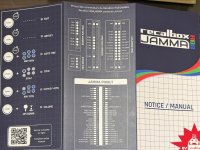
some more for autofire etc but I disable those. should be a list of them / instruction card that came with the board!
 

Georgian2

Active member
Feedback
12 (100%)
Credits
1,780CR
yes there are a few more
Hold p1 and joystick up for vol up, down for vol down

p1 + shot 1 (light punch) is add credit
p1 + shot 2 (med punch) is recalbox menu (can get to other hot keys here)
p1 + shot 3 (heavy punch) is pause
p1 + shot 4 (light kick) is reset

some more for autofire etc but I disable those. should be a list of them / instruction card that came with the board!
I have the very first version of recalbox jamma and I don't remember getting any instructins card with it.
 

Wahoobies

Active member
vacBacker
Feedback
1 (100%)
Credits
419CR
Ah I had the older version dialled in pretty well so I haven't updated! I thought the new one did verticals better for some games, but seemed to have some sound glitches
 

Georgian2

Active member
Feedback
12 (100%)
Credits
1,780CR
Ah I had the older version dialled in pretty well so I haven't updated! I thought the new one did verticals better for some games, but seemed to have some sound glitches
Never touch a running system.
I only use it to play Space Raider. It does it's job. I'm happy that I can take good screenshots of my high scores. 31000 so far.💪
 

wgalway

Newbie
Credits
0CR
So I picked up an RGB Jamma 2 for my Arcade Legends 2 Multicade cabinet (6 button cabinet, default layout- Jamma+ I believe). Running into some weird issues on it, hoping someone here has some ideas. Having button mapping issues with some NES games (but not all?!).
  • Some NES games are working fine (eg. Blades of Steel, Tecmo Super Bowl, Karate Champ, etc). For these, physical button 1 + 2 operate as NES B and NES A, respectively.
  • NES Start maps to Player 1 button. Player 2 button doesn't do anything. However, Player 1 + Physical Button 1 maps to NES Select (!?)
  • However, some NES games have wacky mappings....
    • Super Mario Bros- Physical Button 2 (NES A) only performs a *half* jump for Mario. Therefore- he cannot reach the boxes or jump over the first pipe. In
    • Excitebike, it's even weirder- Physical Button 1 and 2 seem to very very slowly creep the bike ahead (?!). But Physical button 4 (second row) maps to NES B (Bike Turbo where you overheat!). Physical Button 5 does not map to anything.
    • Punch Out - Behaves like Excitebike- only Physical button 4 works- and throws a left punch. Physical Button 5 does not map to anything. Even funnier- I can throw an uppercut (hitting the NES Select button)- but to do that I need to hold down Player 1 + Button 1(?!).
  • For NES games using the default emulator in Recalbox- I cannot reach the RetroArch menu using the assigned hotkey. Feel like there's some sort of conflict here.
  • If I could ONLY get into RetroArch menu (like I can for MAME systems!)- I feel like I could adjust the mappings on a game-by-game basis if needed)
  • Using jstest from SSH'ing in, I can see that the system is picking up buttons 1-4, as well as Player 1 + Player 2 at the linux level at least. So that gives me hope that it's less a cabling/connectivity thing, and more a mapping thing.
Any ideas on how I can change the RetroArch hot key button in the config files??

Thanks,
Will
jstest_NEST.png
 
Last edited:
Top