
Bind your buttons like thisThat's very confusing, my cab has six buttons.

You are using an out of date browser. It may not display this or other websites correctly.
You should upgrade or use an alternative browser.
You should upgrade or use an alternative browser.
Rgb pi
- Thread starter sukhbir
- Start date
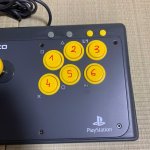
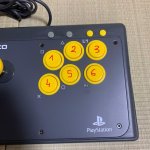

Yes I use it on CRT and I use RGB_Pi_OS_V4_Pi4_FINAL_27_S that was distributed by the creator.Still no luck 😢
On the control menu you can't map the buttons, you can only check that the buttons work on which type of joystick selected.
By the way which rgb pi os are you using and is your pi connected to a crt ?
Oh, ok. Good luck then! I hope someone else will help you outRight ok,so you have the latest pi os and a rasberry 4 model .
I've got the rasberry 3 model.
Rgb pi os 4 won't work on a rasberry model 3.

Oh, ok. Good luck then! I hope someone else will help you out
🤞