Sanwa 29e31s Troubleshooting

Jolly-west

User
vacBacker
Credits
62CR
After receiving a step-down transformer today for the Sanwa 29e31s I acquired, I’ve just fired it up for my first time of using it…. problems 🙈
As soon as the monitor turned on I heard a frazzle, then a bit of smoke and then a pop 🫣. No neck glow or anything on the screen.

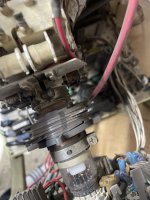
It looks like 2 Resistors have been fried marked RT02 & R855 around the power supply area;
IMG_4694.jpeg

IMG_4696.jpeg

IMG_4702.jpeg
IMG_4703.jpeg

IMG_4699.jpeg

I had a look online and found an image of them;

IMG_4695.jpeg

Any idea what has happened here please?
 
Last edited:

Jolly-west

User
vacBacker
Credits
62CR
Wow! I’ve been out of the game for a while but looks like I’ve well and truly f*cked this up… think I’ve connected power to degauss & vice versa 🤦🏻‍♂️
Is degauss P802 & power P801 then?
IMG_4707.jpeg
 

gunblade

Active member
vacBacker
Feedback
21 (100%)
Credits
8,336CR
power is p801, i would imagine if you connected to the degauss switch you have blown a lot in that circuit - maybe you got lucky and the resistor fried before anything else had time to destruct
 

Jolly-west

User
vacBacker
Credits
62CR
Yea what an absolute muppet I am, I’ve connected them the wrong way around 😫. I had to cut of the end of those wires and fit a different molex connector to fit the cab wiring, and I’ve messed it up big time.
I’ll check all those components in and around the degauss circuit later tonight, to see to what extent I’ve screwed it up.
 

Jolly-west

User
vacBacker
Credits
62CR
I’ve tested most things in and around the degauss area and here are the findings;

C424 (470uf 200v) - reads OL?
C851 (100uf 16v) - good
C852 (10uf 50v) - bad (replaced)

D851 (1N4148) - bad good
D852 (Zener, 5S1, BS72) - good

RT02 (2.2k ohm 1/6w) - bad
R855 (3.3k ohm 1/6w) - bad
R851 (10k ohm 1/6w) - good
R852 (20k ohm 1/6w) - good
R853 (1k ohm 1/6w) - good
R854 (120 ohm 1/2w) - good
R857 (100 ohm 1/6w) - good

Q852 (2SC1815Y) - bad
Q853 (2SC1815Y) - untested

I’m guessing C424 is too big to read and is probably ok but I’ll replace it anyway.
I’ll replace Q853 as I’ll be acquiring some of these anyway to replace Q852.
Do you think anything else might need testing in the area?
Perhaps the Relay (I think) in the clear box;
IMG_4710.jpeg
 
Last edited:

Jolly-west

User
vacBacker
Credits
62CR
I hadn’t but I’ll re-check that diode reading bad tonight. The other components reading bad are visibly shot.
I wouldn’t have to remove one side of a diode/resistor if it was reading good though would I?
 

Jolly-west

User
vacBacker
Credits
62CR
Ok I’ve rechecked it all and it is as above except for D851, which actually reads good when removed.
I’ve replaced the bad resistors, so just waiting on the 2 transistors and the large cap to arrive and once fitted that should be all the bad components replaced hopefully … unless you think I need to test anything else around that area?
 

Jolly-west

User
vacBacker
Credits
62CR
I’ve now replaced the bad components. Monitor powers up fine now but I’m getting the following on screen;
IMG_4733.jpeg
Do this look like it could be a hardware issue with the monitor or is it maybe a software/sync issue from the PC?
I can see the faint image of the Hyperspin frontend in the background. I’m sure I never changed any display settings on the PC when I changed the original monitor to LCD. I can still get a decent image on the LCD and it’s running at 640x480.
 

Jolly-west

User
vacBacker
Credits
62CR
Bingo!… cheers Gunblade.
Seems to be an issue with contrast on the remote board. When I pushed it forward a bit I can get an image on screen.
However, been a heavy handed builder, this has now happened 🙈;

image.jpg
I’m guess this pot is now a goner and needs replacing?
 

Jolly-west

User
vacBacker
Credits
62CR
I’ve resoldered and hot glued the contrast pot as a temporary measure and it’s holding stable for the minute.
I’m tweaked the colour pots on the neck board and the pots on the flyback, but I can’t seem to shift the ghosting of the red;
IMG_4738.jpeg
IMG_4739.jpeg
 

gunblade

Active member
vacBacker
Feedback
21 (100%)
Credits
8,336CR
replace the pot in any case, if the red is out on the whole screen then someone has moved the convergence rings, they should have a paint mark to line up. if its only out in one area then you will need some convergence strips
 

Jolly-west

User
vacBacker
Credits
62CR
All the pot paint marks were all lined up on the neck board before I tweaked them except for the red, so must’ve been tinkered with before.
Looks like I need some convergence strips then, as it’s only on the bottom 3rd of the screen.
Cheers for the help… I now remember why I went for an LCD after my last Sanwa went pop 🤦🏻‍♂️🤣
 
Top