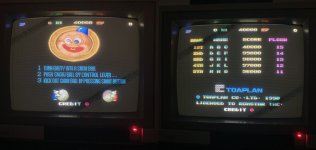
Snow Bros (Toaplan) x2

Jacmar

Active member
Feedback
1 (100%)
Credits
528CR
BOARD 1

IMG_5285.JPG

In pretty decent physical condition, not even cleaning required, but graphics issues and no sound at all.

fl 1.jpg

Top left quarter of the screen messed up and you can't see it from the pics but the screen was flashing/strobing constantly .... A quick google search and it seems 95% of graphics issues with these pcb's is down to bad dynamic RAMs at IC's 23,24,25,26. Historically it looks like most people just swap out all four but I didn't fancy doing that and got the slice on them to try and identify which one (or ones) were causing the issue.. my thinking was only one of the four was at fault which was why only 1/4 of the screen was messed up.
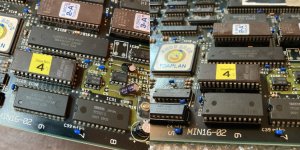
Sure enough slice identified IC 23 as bad (the others all passed) so whipped it out (if only it was that easy, removing chips from this pcb is a nightmare) and replaced with a new one .....

bad ic23 b.jpg

Graphics fully restored ...

fl fixed gfx.jpg

Onto the sound problem ......
 

qjuk

Active member
vacBacker
Feedback
47 (98%)
Credits
1,660CR
Top stuff.
All four of the rams on my board have previously been replaced and socketed by a previous owner.
I believe the ram failure is a common fault with this board.
 

BubNotBob

Newbie
vacBacker
Feedback
8 (100%)
Credits
82CR
BOARD 1

View attachment 47179

In pretty decent physical condition, not even cleaning required, but graphics issues and no sound at all.

View attachment 47180

Top left quarter of the screen messed up and you can't see it from the pics but the screen was flashing/strobing constantly .... A quick google search and it seems 95% of graphics issues with these pcb's is down to bad dynamic RAMs at IC's 23,24,25,26. Historically it looks like most people just swap out all four but I didn't fancy doing that and got the slice on them to try and identify which one (or ones) were causing the issue.. my thinking was only one of the four was at fault which was why only 1/4 of the screen was messed up.
Sure enough slice identified IC 23 as bad (the others all passed) so whipped it out (if only it was that easy, removing chips from this pcb is a nightmare) and replaced with a new one .....

View attachment 47183

Graphics fully restored ...

View attachment 47187

Onto the sound problem ......
I also have one of these boards with graphics issues, as you discovered a google search says failing RAM is the common fault. So I am prepared with new RAM and thought this was going to be an easy swap out and then I saw your comment 'removing chips from this pcb is a nightmare', now I am a bit wary. On visual inspection I can see the holes in the PCB are smaller than I have come across before and I also notice that some of the pins are bent so they are not going to pop out without a wiggle. My board is nice and tidy like yours so I want to do a good job. Any tips on chip extraction?
 

Lurch666

Active member
Feedback
21 (100%)
Credits
4,090CR
These type of multi layer PCBs have a large ground and +5V layers so when removing chips it's extremely difficult to remove the GND and +5V legs since the large layers absorb all the heat when trying to melt the soulder on those pins.
When working with this type of PCB I now use a heat gun to warm the area where I'm removing the chip so it's easier to get the soulder to melt.
 

BubNotBob

Newbie
vacBacker
Feedback
8 (100%)
Credits
82CR
These type of multi layer PCBs have a large ground and +5V layers so when removing chips it's extremely difficult to remove the GND and +5V legs since the large layers absorb all the heat when trying to melt the soulder on those pins.
When working with this type of PCB I now use a heat gun to warm the area where I'm removing the chip so it's easier to get the soulder to melt.
So I understand correctly you are talking about adding some heat to the chip area before getting the desolder gun on the chip legs?
 

Jacmar

Active member
Feedback
1 (100%)
Credits
528CR
Yes it's the +5v and GND pins that are the problem due to the large layers like @Lurch666 says. They suck so much heat ..... I think this is where one of those soldering heat mats you can get would come in real handy to get some general heat into the pcb. Heat gun can work too but this was even a struggle on this board.
If you know the chip your taking off is knackered then I'd recommend just snipping the leg(s) from the chip and use your iron on max heat on just the leg, making sure you've added some (lead free) solder first! The cut option wasn't a route I wanted to go down on some of the chips during this repair (you'll see in the rest of the repair write up) so had some real fun (not) with this pcb!
 

BubNotBob

Newbie
vacBacker
Feedback
8 (100%)
Credits
82CR
Thanks to both of you its always best to know what you are in for. I was going to swap out all four chips but now will work out which ones are duff and target them.
 

Jacmar

Active member
Feedback
1 (100%)
Credits
528CR
A complete lack of any function (sprites, background, sound etc) usually comes down to a fault either at the beginning or the end of the relevant circuitry.

With this in mind I started at the end and checked the LA4460 power amp by touching the legs - got some buzzing from the speaker (good sign (y)) and tested the input pin with my audio probe which was silent - getting no signal so concluded amp seems good. Also checked the outputs from the 4558 OP AMP and Y3014B DAC which were also silent. Decided nothing obviously wrong with the end of the circuitry and switched my attention to the start of the circuitry - A Z80, 6116 RAM and a Sound ROM. ROM contents were dumped and checked out good, so CPU or RAM ... Signals all seemingly ok between CPU, RAM and ROM but was convinced one of these 3 was the culprit and decided it was much more likely to be the RAM that's faulty than the CPU and just went for it and removed the 6116 RAM at IC30. Which turned out to be fine and not the faulty component :( so it went back in a socket.

The fact that the board was NEVER giving a 'SOUND ERROR' message on boot up (it does a RAM, ROM, SOUND self test) steered me now away from those main components early in the circuitry as surely that's what is tested during boot. So CPU ruled out, RAM and ROM ruled out ... so was a bit puzzled where to go next as I presumed everything else was 'mid' circuitry where the sound is split and generated in different chips before 'meeting' up again at the amps... But now I know this pcb doesn't work like that.

The next IC in the circuitry is the Yamaha YM3812 and I had initially disregarded it as a suspect because I assumed this chip would only handle music, with sound effects generated by a different chip, and because there was no sound at all it couldn't be this IC at fault. But it doesn't seem so, a bit more research and it seems all sound comes from it. Initially it looked ok ... Good clocks, Data lines toggling and Output (MO) looking ok, but the /IRQ was stuck high as was the /CS and the SH signal on pin 20 - which is a synchronisation signal sent along with the Output (MO) to the Y3014B DAC did not look healthy at all .... new top suspect identified so out it came ...

fl bad 3814.jpg

And in went a replacement which brought with it a much more healthy looking SH signal to send to the DAC .....

fl new 3814.jpg

And all sound fully restored ! (y)
 

Jacmar

Active member
Feedback
1 (100%)
Credits
528CR
BOARD 2

Picked this one up very recently and in much worse shape than board 1 was ... dirty, corrosion on some IC's legs, main filter cap hanging on by one leg and PX4460 amp support chip very floppy on it's 5 thin legs ... seller reported the board stalled on boot with a sound error ... looks like someone tried a recap ...

IMG_5287.JPG

Sure enough first boot was greeted with the sound error message, but tried a couple of reboots and now and again the game would boot fine with RAM/ROM/SOUND testing OK .... intermittent issue then the sound error. When the game did boot successfully there was graphics corruption and the screen flashing like mad.
And if the board did boot successfully, there was no sound from it at all ....

fl faults.jpg

Wasted no time getting the slice on the 4x DRAM (IC23-26) again as we all know these are the usual suspects on these pcb's and this time it found just IC26 faulty, so out with the old and in with a new ....

fl bad ic26.jpg

Clearing up all graphics issues (y)

fl gfx fixed.jpg

So graphics fixed, just the lack of sound left to sort out and at this point the board was booting without the SOUND ERROR about 50% of the time but with nothing other than a bit of a buzz from the speaker. Running a finger over the legs of the amp increased the buzz indicating it was ok, which was expected really as I thought the issue would again be at the start of the circuitry as surely the sound check done on boot up (which can trigger the sound error) would be a test of the CPU, RAM or ROM. I ruled out the YM3812 due to the fact it was knackered on BOARD 1 but never ever triggered the sound error on boot. The ROM was dumped and tested fine. So it was probably either CPU or RAM at fault .. Based on the fact that 6116 RAM has a much higher fail rate than a Z80, I went about removing and replacing the ram ...

fl fix snd ram.jpg

Which brought back all the sound (y) And no more sound errors But at really low volume .... which I realised was probably because the PX4460 amp support custom thingy had fell off the board during the replacement of the ram 😠

IMG_5336.JPG

grrrrrr ... could've gone down the route of replacing this with a bunch of individual caps and resistors as the board is marked out for this option too, but a few of the caps needed I don't have and so first I'd have a go at getting the PX4460 back on ...
Used some pin headers through the old holes and this allowed me to rest the PX4460 horizontally with the small bits of legs left on the PX4460 resting on the plastic of the headers and against the pin headers sticking up. Soldered them up and although it doesn't look pretty it's surprisingly solid and stable and no longer prone to be knocked around which is what weakened it in the first place.

IMG_E5343.JPG

Job done and sound now nice and loud (y)
Finished this one off by putting a new 1000uF cap on to replace the one which was hanging off when it arrived and my OCD also didn't like that someone had used radial caps instead of axial ones when recapping the sound section, so replaced those with axials and the board is now complete and fully working (y)
 

Jacmar

Active member
Feedback
1 (100%)
Credits
528CR
I can't seem to get away from them 🤣 Got 2 working originals now, a working bootleg and a non working bootleg I'll get on to fixing soon. Will probably move one or two on then, it's a decent little game but it's no bubble bobble or raindow islands! (Of which I have none🙁)
 
Top