
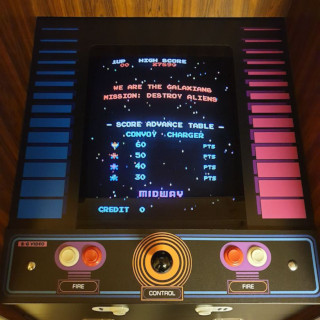
Time Pilot 84 / video interference

minwah

Active member
Feedback
3 (100%)
Credits
238CR
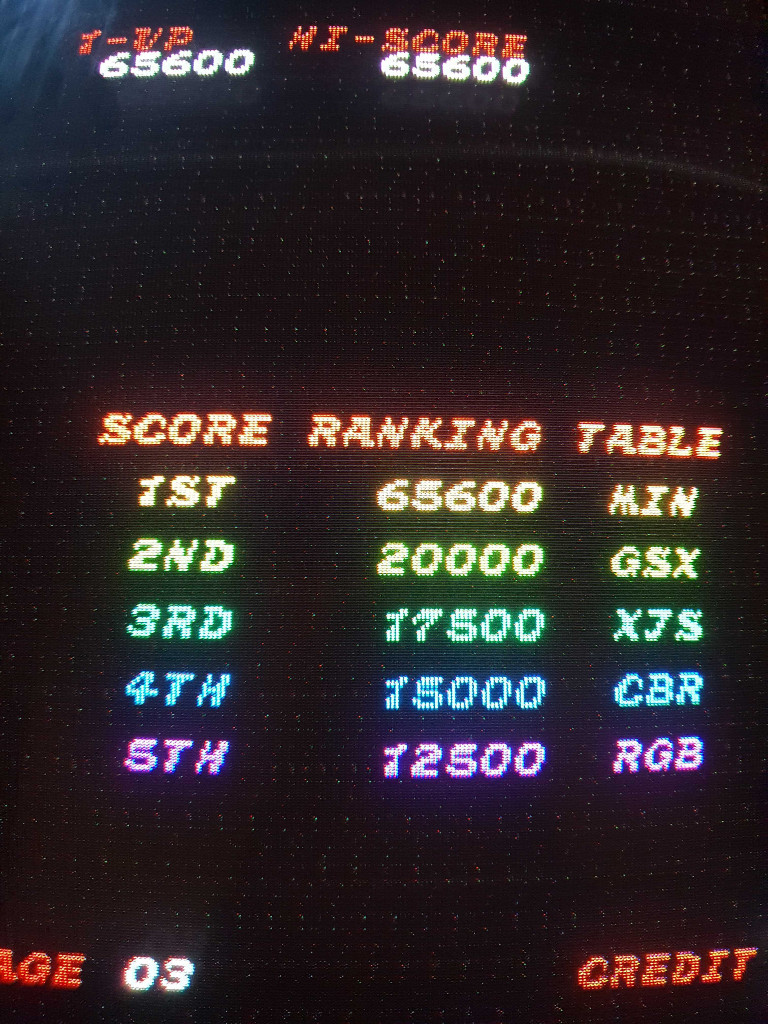
I have a fully working Time Pilot 84 board. When running on the bench, all is well. However in my cabinet, something is causing some on-screen interference.

The interference isn't present when running other boards in the cabinet so it isn't the monitor itself. I assume there is something about the Time Pilot 84 board in conjunction with my cabinet / monitor causing the issue.

Anyone have any suggestions what it might be?
tp84.jpg
 

Dazzer

Newbie
Feedback
1 (100%)
Credits
31CR
Normally when I've had videos issues it's been down to a dodgy -5v supply or sometimes caps on the 12v audio part... but if this is working in one and not the other.....

I guess if you disconnect your -5v and / or +12v you might be able to rule them out

Just a thought....

Dazzer2018-12-28 13:55:22
 

minwah

Active member
Feedback
3 (100%)
Credits
238CR
Dazzer said:
Normally when I've had videos issues it's been down to a dodgy -5v supply or sometimes caps on the 12v audio part... but if this is working in one and not the other.....

I guess if you disconnect your -5v and / or +12v you might be able to rule them out

Many thanks for your reply. I've not had -5v connected as this game doesn't require it (using a jamma adaptor which has a -5v isolation jumper). Just tried disconnecting the 12v, and that didn't make any difference.

I am using the same type of (new) PSU both on the bench, and in the cabinet. It is this one:

http://www.arcadeworlduk.com/products/Black-Arcade-JAMMA-Power-Supply.html

The only difference between my bench setup and cabinet is the monitor. Using a small broadcast monitor on the bench, and an Electrohome G07 (with isolation transformer) in the cabinet. The only other thing in the cabinet is the fluorescent tube light - disconnected that just in case, but to no avail.

Not sure what else to try!
 

big10p

Coins detected in pocket!
vacBacker
Feedback
13 (100%)
Credits
6,093CR
Looks like a ground issue of some kind, which can be a pain to track down. Do the dots scroll, or are they stationary? Have you tried connecting COM to EARTH on the PSU?
 

minwah

Active member
Feedback
3 (100%)
Credits
238CR
big10p said:
Looks like a ground issue of some kind, which can be a pain to track down. Do the dots scroll, or are they stationary? Have you tried connecting COM to EARTH on the PSU?

The dots are constantly moving around. They seem to be in a repetitive pattern across the screen.

I haven't tried connecting COM to Earth on the PSU...I wasn't sure if that was a good idea. I will give it a try...
 

big10p

Coins detected in pocket!
vacBacker
Feedback
13 (100%)
Credits
6,093CR
Heh, looks like gunblade and I posted at the same time. If the above doesn't work: Do you have a direct earth connected to you monitor frame? If so, try disconnecting it - if you don't have one, try connecting one. This is how crazy things can get trying to pin down the cause of video interference...
big10p2018-12-28 15:29:46
 

minwah

Active member
Feedback
3 (100%)
Credits
238CR
big10p said:
Heh, looks like gunblade and I posted at the same time. If the above doesn't work: Do you have a direct earth connected to you monitor frame? If so, try disconnecting it - if you don't have one, try connecting one. This is how crazy things can get trying to pin down the cause of video interference...

Connecting COM to Earth on the PSU didn't seem to make any difference at all.

I do have an earth connection from the isolation transformer to the monitor frame...I disconnected that and it has made a difference. The noise is now hardly noticeable at all on the title screen black background. However it is still on certain colour backgrounds, eg:

tp84_b.jpg


I guess this means you were on the right track. I tried disconnecting the earth on the PSU just to see if that made any difference (it didn't).

Wonder if the jamma adaptor could make a difference? I do have another Konami one - I'll try that...

Thanks for your help!
 

RaveN

Active member
vacBacker
Feedback
1 (100%)
Credits
1,325CR
What monitor is it? Usually you would keep Earth and 0v seperate, as there are issues using earth as a voltage reference point.
Usually with a common ground, you would use a star-ground type topology to ensure certain stages don't inject crud into other stages. Does Time Pilot have a dedicated common ground line for video that the Jamma adapter connects straight to a SMPS power ground for example?

It would be helpful to know the monitor model to see how/if it connects the common ground to chassis.
 

minwah

Active member
Feedback
3 (100%)
Credits
238CR
RaveN said:
What monitor is it? Usually you would keep Earth and 0v seperate, as there are issues using earth as a voltage reference point.
Usually with a common ground, you would use a star-ground type topology to ensure certain stages don't inject crud into other stages. Does Time Pilot have a dedicated common ground line for video that the Jamma adapter connects straight to a SMPS power ground for example?

It would be helpful to know the monitor model to see how/if it connects the common ground to chassis.

The monitor is a 19" Electrohome G07. From the schematic it looks like all grounds are chassis ground.

According to the Time Pilot 84 manual, there isn't a dedicated video ground. The 4x ground pins (16, T, 17, U) on the edge connector are tied together (used for both PSU and video).

I'm not entirely sure how the jamma adaptor is wired as it was a pre-made PCB. However given the above, I don't think the adaptor would be a problem.

Thanks!
 

RaveN

Active member
vacBacker
Feedback
1 (100%)
Credits
1,325CR
The G07 connects 0v to the chassis, so you've probably got a ground loop issue.

Make sure the monitor chassis earth connection, the PSU and any other earth connections are all connected to a central location (star).
 

minwah

Active member
Feedback
3 (100%)
Credits
238CR
RaveN said:
The G07 connects 0v to the chassis, so you've probably got a ground loop issue.

Make sure the monitor chassis earth connection, the PSU and any other earth connections are all connected to a central location (star).

Got it, thanks.

At the moment the monitor chassis earth is connected to the isolation transformer earth. I'll try disconnecting that and connecting it to the earth at the PSU which is where the mains come in to PSU and isolation transformer at the same point.

Originally the cabinets PSU was powered by the isolation transformer (10VAC I think) outputs which I no longer use as I have a switching PSU which needs 240v...which would explain why it wouldn't have been a problem before (although the machine didn't work at all when I got it so can't be sure about that!).
 

minwah

Active member
Feedback
3 (100%)
Credits
238CR
Ok so have tried that now - no difference at all.

My 'star' point is on the psu terminals, is that ok?

Dunno what it is about this game, others seem fine.
 

Dazzer

Newbie
Feedback
1 (100%)
Credits
31CR
Are these dots that bright...??? is the brightness level the same on your test set up? re test it on that with you test monitor brightness turned up a bit.... just to confirm it's not doing it on both.....
 

minwah

Active member
Feedback
3 (100%)
Credits
238CR
Dazzer said:
Are these dots that bright...??? is the brightness level the same on your test set up? re test it on that with you test monitor brightness turned up a bit.... just to confirm it's not doing it on both.....

I wouldn't say the dots are bright but very noticeable. The blank black background at the top / bottom of the game looks more like green. With the monitor chassis earth disconnected it isn't anywhere near as bad - not really noticeable on black background, but still annoying on certain other colours. It makes a solid colour look like it has a textured pattern (moving around).

The problem definitely isn't present at all on my bench monitor, the picture is absolutely perfect. I turned the brightness up as suggested and there isn't even a hint of a problem.

Don't know what the problem could be. It isn't the game, it isn't the monitor, it can't be (entirely) ground loop as problem is present (albeit to lesser degree) with earths disconnected.
 
Top