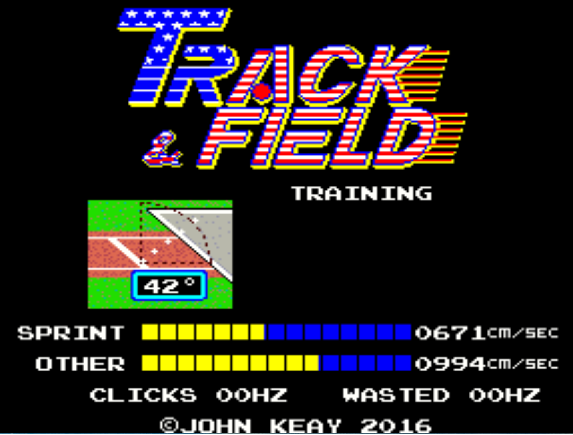
So I now have definitive proof that the second and third attempts at the javelin throw ARE boosted by the game code.
The boost works by looking at the whole metres part of your previous throw distance, dividing it by 2 and then adding it to your speed. This is why the first throw is always less, as there is no concept of a previous throw on the first throw. You don't get a boost if the previous throw was a FOUL either.
Also, this may come as a bit of a surprise, but if your speed is greater than or equal to 1300cm/sec when you release the javelin it's capped at 1300cm/sec. Then, in all cases (irrespective of your launch speed) 330cm/sec is added to your speed, presumably to simulate the effects of acceleration through the javelin by the player's arm on release. Then the boost figure is added based on previous throw distance.
So, armed with this knowledge you can relax those shotgun fingers a little bit during the javelin event as any surplus energy you burn attempting to get a speed > 1300cm/sec will simply be wasted as the game code will cap the speed. I can guarantee that, on your first throw attempt, you'll get no further distance by having a launch speed of 1450cm/sec versus a launch speed of 1300cm/sec (assuming exact same launch position and angle). The code dictates that your launch speed in both cases will be 1630cm/sec.
I've also found the routine which boosts your speed even more by getting a launch angle of between 43 and 47 degrees. This routine is called by the long jump, hammer throw and javelin events BUT (and it's a big BUT) there's a bug in the javelin event code which means you'll never get an extra boost in the javelin (reason - register X gets trashed before entry to the routine and needs to have been pointing to a specific memory location on entry).
For the long jump and hammer (where the bug does NOT exist) you get a 60cm/sec boost for a 45 degree angle jump/throw, a 30cm/sec boost for an angle of 44 or 46 degrees and a 10cm/sec boost for an angle of 43 or 47 degrees.
If receiving the boost would tip your speed over 1500cm/sec then it's capped at 1500cm/sec.
It's a shame that the routine is broken for the javelin, I've checked all 3 versions of TnF (Konami licence, Centuri licence and Hyper Olympic) and it's broken in all 3 versions. It would be trivial to fix but obviously you can't try for a TG world record with modified roms.
You can check what your pre-adjusted and post-adjusted final throw speeds are in MAME by putting a breakpoint at $ea64 (pre) and $ead1 (post) and examining the 4 BCD bytes from $28b0 (assuming playing a one player game).
So I'm now at the position where I can launch the javelin at EXACTLY the same launch speed and angle every throw (irrespective of whether it's my first, second or third attempt) but I still get slightly varying throw distances, so there's obviously still some amount of randomness in the throw itself. Ideally I'd like to get to an understanding where I can get exactly the same distance every time but realistically I don't know how much more time I want to throw at this. The code which handles the flight of the javelin is complex and full of maths (as you'd expect) and I don't know whether I have the time and energy to sit there for hours unravelling it all. I really want to resume work on my own game rather than keep reversing this one, but we'll see how things pan out. Not making any promises though.
This is the piece of code which caps speed to 1300cm/sec, then adds 330cm/sec and then finally boosts speed based on previous throw distance :-
[font="Courier New, Courier, mono"]; if throw speed is >= 1300cm/sec then it's capped at 1300cm/sec[/font]
[font="Courier New, Courier, mono"]; then 330cm/sec is added to the speed for the launch of the javelin (to simulate acceleration on the javelin by the thrower's arm presumably)[/font]
[font="Courier New, Courier, mono"]; then finally (previous throw whole metres / 2) is added[/font]
[font="Courier New, Courier, mono"]; no boost for first throw[/font]
[font="Courier New, Courier, mono"]; no boost if previous attempt was a FOUL[/font]
[font="Courier New, Courier, mono"]; [/font]
[font="Courier New, Courier, mono"]; so, if your first throw was 80m, then you get a 40cm/sec boost on your second throw[/font]
[font="Courier New, Courier, mono"]; and if your second throw was 90m then you get a 45cm/sec boost on your third throw[/font]
[font="Courier New, Courier, mono"]; NOTE - the result of (previous throw whole metres / 2) is always rounded DOWN before being added to your speed[/font]
[font="Courier New, Courier, mono"]
[/font]
[font="Courier New, Courier, mono"]EA61: BD 79 8C JSR $FB0E ; give a speed boost if throw angle is between 43 and 47 degrees[/font]
[font="Courier New, Courier, mono"] ; ( *** BROKEN DUE TO X POINTING TO WRONG MEM LOCATION ON ENTRY *** )[/font]
[font="Courier New, Courier, mono"]
[/font]
[font="Courier New, Courier, mono"]; check if speed >= 1300cm/sec and cap it at 1300cm/sec if it is[/font]
[font="Courier New, Courier, mono"]EA64: DC 92 LDD $B0 ; get 2 highest digits of throw speed[/font]
[font="Courier New, Courier, mono"]EA66: 81 83 CMPA #$01 ; compare highest digit with 1[/font]
[font="Courier New, Courier, mono"]EA68: 26 26 BNE $EA78 ; branch if not equal[/font]
[font="Courier New, Courier, mono"]EA6A: C1 8B CMPB #$03 ; compare second highest digit with 3[/font]
[font="Courier New, Courier, mono"]EA6C: 25 22 BCS $EA78 ; branch if it's less than 3[/font]
[font="Courier New, Courier, mono"]EA6E: CC 89 21 LDD #$0103 ; cap throw speed at 1300cm/sec if speed > 1300cm/sec[/font]
[font="Courier New, Courier, mono"]EA71: DD 32 STD $B0 ; store at $28b0 (high 2 digits of speed)[/font]
[font="Courier New, Courier, mono"]EA73: CC 22 22 LDD #$0000[/font]
[font="Courier New, Courier, mono"]EA76: DD 30 STD $B2 ; store $0 at $28b2 (low 2 digits of speed)[/font]
[font="Courier New, Courier, mono"]
[/font]
[font="Courier New, Courier, mono"]; now add 330cm/sec to speed (presumably to simulate the acceleration on the javelin by the thrower's arm)[/font]
[font="Courier New, Courier, mono"]EA78: 86 2B LDA #$03 ; A = 3[/font]
[font="Courier New, Courier, mono"]EA7A: 9B 39 ADDA $B1 ; add 300cm/sec to speed[/font]
[font="Courier New, Courier, mono"]EA7C: 19 DAA ; decimally adjust[/font]
[font="Courier New, Courier, mono"]EA7D: 85 78 BITA #$F0 ; test upper nibble bits in A[/font]
[font="Courier New, Courier, mono"]EA7F: 27 26 BEQ $EA85 ; branch if they're zero[/font]
[font="Courier New, Courier, mono"]EA81: 0C 32 INC $B0 ; else increment highest digit of throw speed[/font]
[font="Courier New, Courier, mono"]EA83: 84 2D ANDA #$0F ; clear upper nibble of A[/font]
[font="Courier New, Courier, mono"]EA85: 97 33 STA $B1 ; store A at second highest digit[/font]
[font="Courier New, Courier, mono"]EA87: 86 2B LDA #$03 ; A = 3[/font]
[font="Courier New, Courier, mono"]EA89: 9B 3A ADDA $B2 ; add 30cm/sec to speed[/font]
[font="Courier New, Courier, mono"]EA8B: 19 DAA ; decimally adjust[/font]
[font="Courier New, Courier, mono"]EA8C: 85 D8 BITA #$F0 ; test upper nibble bits in A[/font]
[font="Courier New, Courier, mono"]EA8E: 27 8C BEQ $EA94 ; branch if they're zero[/font]
[font="Courier New, Courier, mono"]EA90: 0C 93 INC $B1 ; else increment second highest digit of throw speed[/font]
[font="Courier New, Courier, mono"]EA92: 84 8D ANDA #$0F ; clear upper nibble of A[/font]
[font="Courier New, Courier, mono"]EA94: 97 90 STA $B2 ; store at third highest digit[/font]
[font="Courier New, Courier, mono"]
[/font]
[font="Courier New, Courier, mono"]; now boost the speed based on distance thrown in previous attempt[/font]
[font="Courier New, Courier, mono"]EA96: 0D 1D TST $9F ; which throw attempt is this?[/font]
[font="Courier New, Courier, mono"]EA98: 27 1F BEQ $EAD1 ; branch if it's the first attempt (no speed boost for 1st attempt)[/font]
[font="Courier New, Courier, mono"]EA9A: D6 57 LDB $DF ; which player is currently playing (0-3) ?[/font]
[font="Courier New, Courier, mono"]EA9C: 10 8E A1 E8 LDY #$2960 ; point Y at P1 player's first throw attempt[/font]
[font="Courier New, Courier, mono"]EAA0: 86 2E LDA #$0C ; 12 bytes per player score[/font]
[font="Courier New, Courier, mono"]EAA2: 3D MUL ; multiply A by B, storing result in B[/font]
[font="Courier New, Courier, mono"]EAA3: 31 87 LEAY B,Y ; add B to Y pointer to correct it for which player is currently playing[/font]
[font="Courier New, Courier, mono"]EAA5: 96 1D LDA $9F ; which throw attempt is this?[/font]
[font="Courier New, Courier, mono"]EAA7: 4A DECA ; decrement A (to get previous attempt)[/font]
[font="Courier New, Courier, mono"]EAA8: 48 ASLA ; multiply A by 4 via two left shifts[/font]
[font="Courier New, Courier, mono"]EAA9: 48 ASLA ; because there are 4 bytes per attempt in the score[/font]
[font="Courier New, Courier, mono"]EAAA: 31 2E LEAY A,Y ; adjust the Y pointer to point to the correct atttempt[/font]
[font="Courier New, Courier, mono"]EAAC: A6 8C LDA ,Y ; get first byte of this attempt[/font]
[font="Courier New, Courier, mono"]EAAE: 81 9E CMPA #$16 ; was this throw a FOUL? (first byte will be $16 if it was)[/font]
[font="Courier New, Courier, mono"]EAB0: 27 3D BEQ $EAD1 ; branch if previous attempt was a FOUL (no boost for FOUL on previous attempt)[/font]
[font="Courier New, Courier, mono"]EAB2: C6 88 LDB #$0A ; A = 10 [/font]
[font="Courier New, Courier, mono"]EAB4: 3D MUL ; multiply first byte of previous throw (tens of metres) by 10, store result in B[/font]
[font="Courier New, Courier, mono"]EAB5: EB A3 ADDB $1,Y ; add second byte of previous throw (metres) to B[/font]
[font="Courier New, Courier, mono"]EAB7: 57 ASRB ; divide B by 2 (B now contains whole metres / 2 from previous throw)[/font]
[font="Courier New, Courier, mono"]EAB8: 1F B0 TFR B,A ; transfer B to A[/font]
[font="Courier New, Courier, mono"]EABA: 10 8E 00 9C LDY #$28B4 ; point Y at the byte after the lowest digit of the player's speed[/font]
[font="Courier New, Courier, mono"]EABE: AB 2A ADDA ,-Y ; add lowest digit of player's speed to A[/font]
[font="Courier New, Courier, mono"]EAC0: 81 28 CMPA #$0A ; compare A with a value of 10[/font]
[font="Courier New, Courier, mono"]EAC2: 25 89 BCS $EACF ; branch if A < 10[/font]
[font="Courier New, Courier, mono"]EAC4: C6 28 LDB #$0A ; B = 10[/font]
[font="Courier New, Courier, mono"]EAC6: BD 79 7A JSR $FB52 ; A / 10 (quotient in B, remainder in A)[/font]
[font="Courier New, Courier, mono"]EAC9: A7 2C STA ,Y ; store remainder in player's speed (moving target)[/font]
[font="Courier New, Courier, mono"]EACB: 1F B0 TFR B,A ; transfer B to A[/font]
[font="Courier New, Courier, mono"]EACD: 20 67 BRA $EABE ; loop[/font]
[font="Courier New, Courier, mono"]EACF: A7 86 STA ,Y ; store A at Y[/font]
This is the piece of code which boosts speed based on perfect (or near perfect) jump/throw angles :-
[font="Courier New, Courier, mono"]; this routine gives the player's speed a little boost if the jump/throw angle is between 43 and 47 degrees[/font]
[font="Courier New, Courier, mono"]; it's called by the 3 events that use jump/throw angles, namely long jump, javelin and hammer throw[/font]
[font="Courier New, Courier, mono"]; HOWEVER - this routine doesn't work as intended when called from the javelin routine as X is pointing to the wrong memory location [/font]
[font="Courier New, Courier, mono"]; (it should be pointing to $28a0 on entry but instead it's pointing to $2b60)[/font]
[font="Courier New, Courier, mono"]; i've checked MAME rom sets trackfld, trackfldc (Centuri licence) and hyprolym (Hyper Olympics) and the bug exists in all versions[/font]
[font="Courier New, Courier, mono"]; when called by the long jump processing X is pointing at $28a0 on entry which means $38+X is the jump angle at $28d8)[/font]
[font="Courier New, Courier, mono"]; when called by the hammer throw processing X is pointing to $2a00 which means $38+X is the throw angle at $2a38)[/font]
[font="Courier New, Courier, mono"]; boost is calculated as follows :-[/font]
[font="Courier New, Courier, mono"]; 60cm/sec boost for a jump/throw angle of 45 degrees[/font]
[font="Courier New, Courier, mono"]; 30cm/sec boost for a jump/throw angle of 44 or 46 degrees[/font]
[font="Courier New, Courier, mono"]; 10cm/sec boost for a jump/throw angle of 43 or 47 degrees[/font]
[font="Courier New, Courier, mono"]; if boost takes player's speed over 1500cm/sec then speed is capped at 1500cm/sec[/font]
[font="Courier New, Courier, mono"]
[/font]
[font="Courier New, Courier, mono"]FB0E: A6 00 1A LDA $38,X ; $2b98 for javelin (WRONG), $28d8 for long jump (jump angle), $2a38 for hammer throw (throw angle)[/font]
[font="Courier New, Courier, mono"]FB11: 80 AF SUBA #$2D ; subtract a value of 45 from A[/font]
[font="Courier New, Courier, mono"]FB13: 27 31 BEQ $FB28 ; branch if jump/throw angle is exactly 45 degrees[/font]
[font="Courier New, Courier, mono"]FB15: 2A 83 BPL $FB18 ; branch if jump/throw angle is more than 45 degrees[/font]
[font="Courier New, Courier, mono"]FB17: 40 NEGA ; jump/throw must be less than 45 degreess so negate A[/font]
[font="Courier New, Courier, mono"]FB18: 81 29 CMPA #$01 ; and compare A with a value of 1[/font]
[font="Courier New, Courier, mono"]FB1A: 27 80 BEQ $FB24 ; branch if A is 1 (44 or 46 degrees)[/font]
[font="Courier New, Courier, mono"]FB1C: 81 2A CMPA #$02 ; compare A with a value of 2 (43 or 47 degrees)[/font]
[font="Courier New, Courier, mono"]FB1E: 26 97 BNE $FB3F ; branch if A is not equal to 2[/font]
[font="Courier New, Courier, mono"]
[/font]
[font="Courier New, Courier, mono"]; 10cm/sec boost for a 43 or 47 degree jump/throw angle[/font]
[font="Courier New, Courier, mono"]FB20: 86 23 LDA #$01 ; A = 1 (for 10cm/sec)[/font]
[font="Courier New, Courier, mono"]FB22: 20 84 BRA $FB2A [/font]
[font="Courier New, Courier, mono"]
[/font]
[font="Courier New, Courier, mono"]; 30cm/sec boost for a 44 or 46 degree jump/throw angle[/font]
[font="Courier New, Courier, mono"]FB24: 86 21 LDA #$03 ; A = 3 (for 30cm/sec)[/font]
[font="Courier New, Courier, mono"]FB26: 20 80 BRA $FB2A[/font]
[font="Courier New, Courier, mono"]
[/font]
[font="Courier New, Courier, mono"]; 60cm/sec boost for a 45 degree jump/throw angle[/font]
[font="Courier New, Courier, mono"]FB28: 86 2E LDA #$06 ; A = 6 (for 60cm/sec)[/font]
[font="Courier New, Courier, mono"]
[/font]
[font="Courier New, Courier, mono"]FB2A: 10 8E 00 9B LDY #$28B3 ; point Y at lowest digit of player's speed[/font]
[font="Courier New, Courier, mono"]FB2E: AB 2A ADDA ,-Y ; add second lowest digit of player's speed to A and decrement Y pointer at the same time [/font]
[font="Courier New, Courier, mono"]FB30: 19 DAA ; decimally adjust[/font]
[font="Courier New, Courier, mono"]FB31: 85 F2 BITA #$70 ; test bits 4-6 of A for the overflow from the addition[/font]
[font="Courier New, Courier, mono"]FB33: 27 2A BEQ $FB3D ; branch if there's no overflow from the addition[/font]
[font="Courier New, Courier, mono"]FB35: 84 8D ANDA #$0F ; else handle the overflow[/font]
[font="Courier New, Courier, mono"]FB37: A7 8C STA ,Y ; into the next highest digit[/font]
[font="Courier New, Courier, mono"]FB39: 86 89 LDA #$01 ; by adding 1 to it and keep looping until there's no overflow[/font]
[font="Courier New, Courier, mono"]FB3B: 20 D9 BRA $FB2E[/font]
[font="Courier New, Courier, mono"]FB3D: A7 2C STA ,Y ; store A at Y[/font]
[font="Courier New, Courier, mono"]
[/font]
[font="Courier New, Courier, mono"]; if the boost takes the player's speed over 1500cm/sec then cap it at 1500cm/sec[/font]
[font="Courier New, Courier, mono"]FB3F: DC 92 LDD $B0 ; get upper two digits of player's speed[/font]
[font="Courier New, Courier, mono"]FB41: 10 83 83 27 CMPD #$0105 ; compare with 15xx cm/sec[/font]
[font="Courier New, Courier, mono"]FB45: 25 88 BCS $FB51 ; branch if less than 15xx cm/sec[/font]
[font="Courier New, Courier, mono"]FB47: CC 29 2D LDD #$0105 ; else cap speed at 1500 cm/sec[/font]
[font="Courier New, Courier, mono"]FB4A: DD 38 STD $B0[/font]
[font="Courier New, Courier, mono"]FB4C: CC 28 88 LDD #$0000[/font]
[font="Courier New, Courier, mono"]FB4F: DD 90 STD $B2[/font]
[font="Courier New, Courier, mono"]FB51: 39 RTS [/font]