

Hi, thought I'd start another projector thread

Anyway, we've had a bit of tech chat on the idea of putting projectors into 50" DLX cabs when the CRTs are beyond repair and you can't get more bits (seeing anything other than 4:3 and 50" offends me
 . As I'd suggested the NEC UM280X to some as an option, based on the stats, I thought I'd buy one to experiment with for the greater good, or something

The idea is to get an ultrashort projector and fit it inside the 50" box, preferably keeping at least the front part of the screen (a lenticular sheet), if not the fresnel behind it. The theory is that an ultrashort projector should be able to fill the screen whilst sitting inside, pointing from the back. Orphanzombie, SBdesign and likely others have already done this, so I'm really just joining in to make notes and do a few experiments
. I haven't got to the stage of sticking it in a 50" monitor (haven't got one handy
, but I will eventually).
TC3 thread with this projector: http://www.ukvac.com/forum/house-of-the-dead-3-projector_topic373443_page5.html
So... I paid £120 for this off eBay with 95% lamp life remaining.
https://www.nec-display.com/ap/en_projector/um330x/index.html
It's 4:3 and 1024x748 (so OK for arcade stuff, but not blu-ray movies, obviously).
LCD based, so you don't get the level of contrast of a DLP (or a CRT), but I expect there'll be DLP alternatives out there.

Shown next to a CRT projector for the hell of it.
(http://www.ukvac.com/forum/in-pursuit-of-big-scanlines_topic371198.html)
The throw is 0.36. That's the ratio of lens distance to horizonal image size.
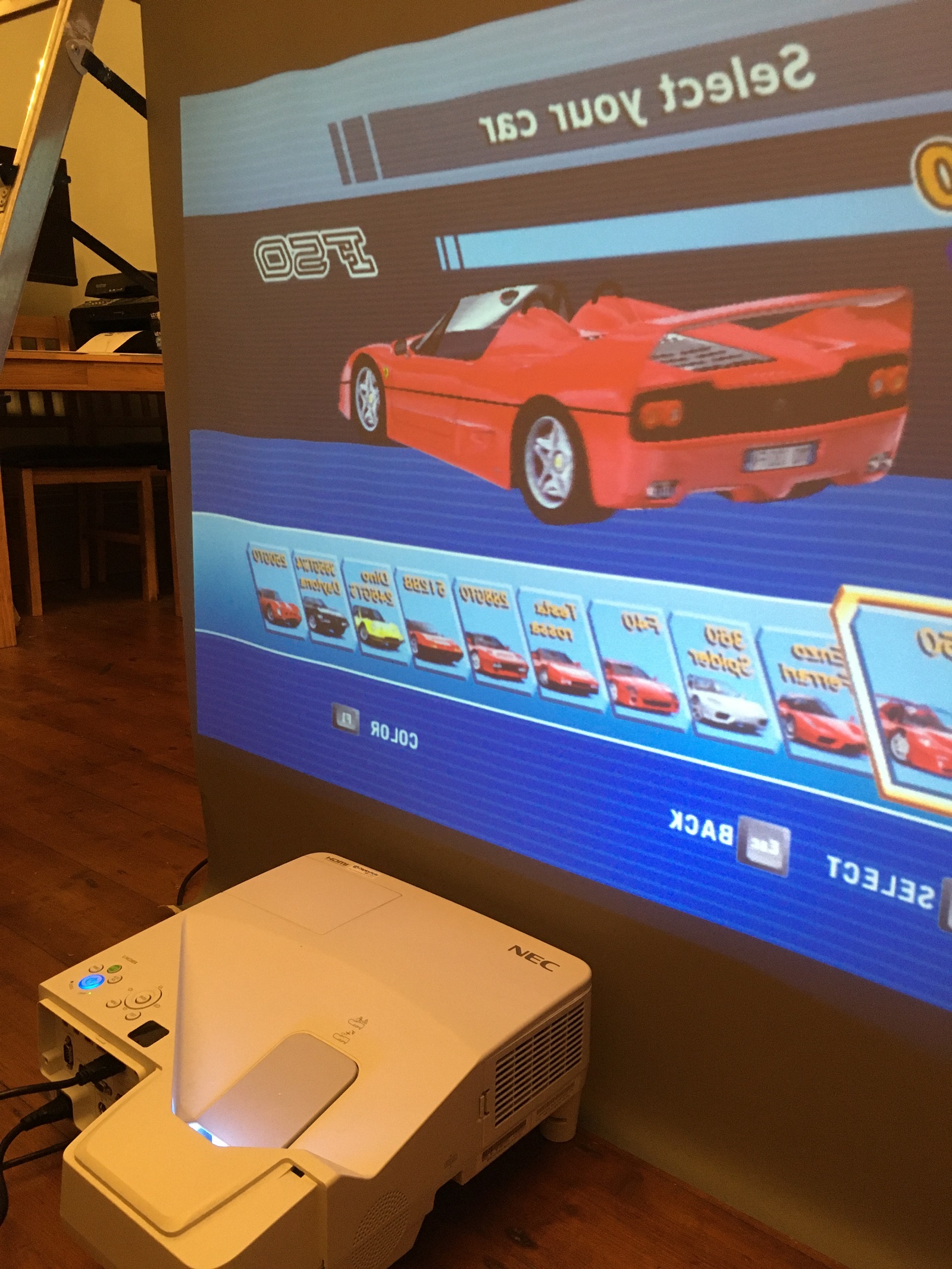
A 50" RP monitor is about 40" across, so this projector would have to be 14 inches back ( 36cm). As the lens is at the back of this unit, that's pretty much the projector nose to the wall. The manual suggests it can't focus that close, but you can stand it a bit further back and digitally shrink the image.
So with a PC hooked up and a nearby wall

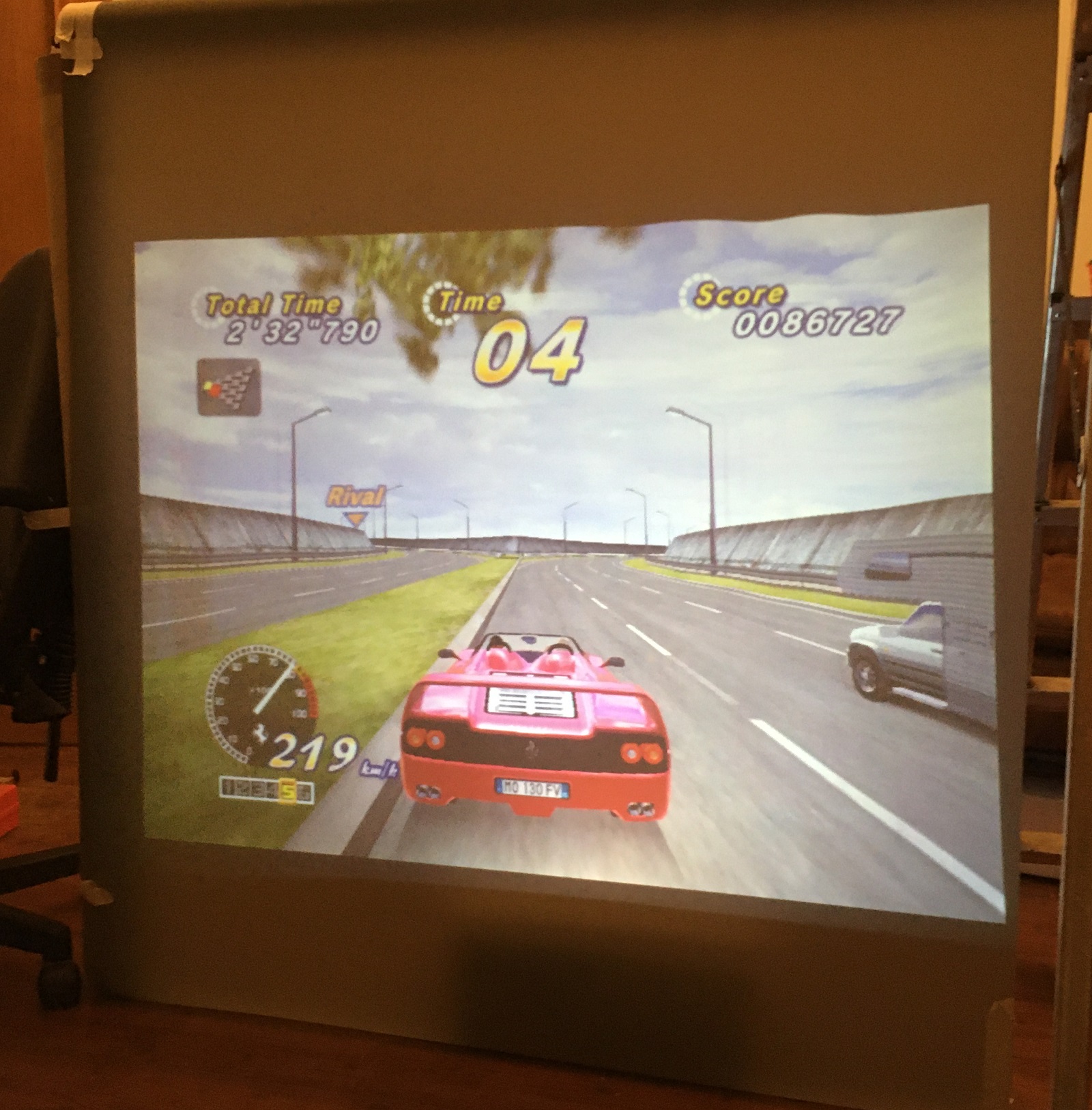
And with the nose to the wall, that's a 50" Virtua Racing in 4:3 (via MAME)

And as an experiment, I wondered if you could make the equivalent of a 29" 4:3 VGA CRT (as they're not so easy to find).

Not quite. If you run native-res 1024 and put the game in a 640x480 window, then the diagonal is 31" - looks quite nice with 1:1 pixels. So close anyway, but you probably couldn't box it all and stick it in a 29" cab (and arcade games aren't in that format - they'd be full-screen that you'd have to digital zoom down from 50", which is no good as it only goes to about 75%).
Light's off:

Works OK on the Switch. Not HD (although it can downscale itself), probably not 1:1 pixels, but you can have a 40" TV each for Mario Kart

I tried a 15kHz JAMMA board (via a 75 ohm TV converter board I made). The manual says RGB is 24kHz+ (although it does 480i at 15k), so it's nice it syncs.
However it's interpreted the inputs as component. I'm sure it could be converted, but games look cack without scanlines anyway (and I've got CRT projectors and RPTVs for this stuff).

I'll try a 24kHz game at some point soon.
The next test was to see what goes wrong when you use a CRT rear-projection screen, so I borrowed one from my beloved TV...

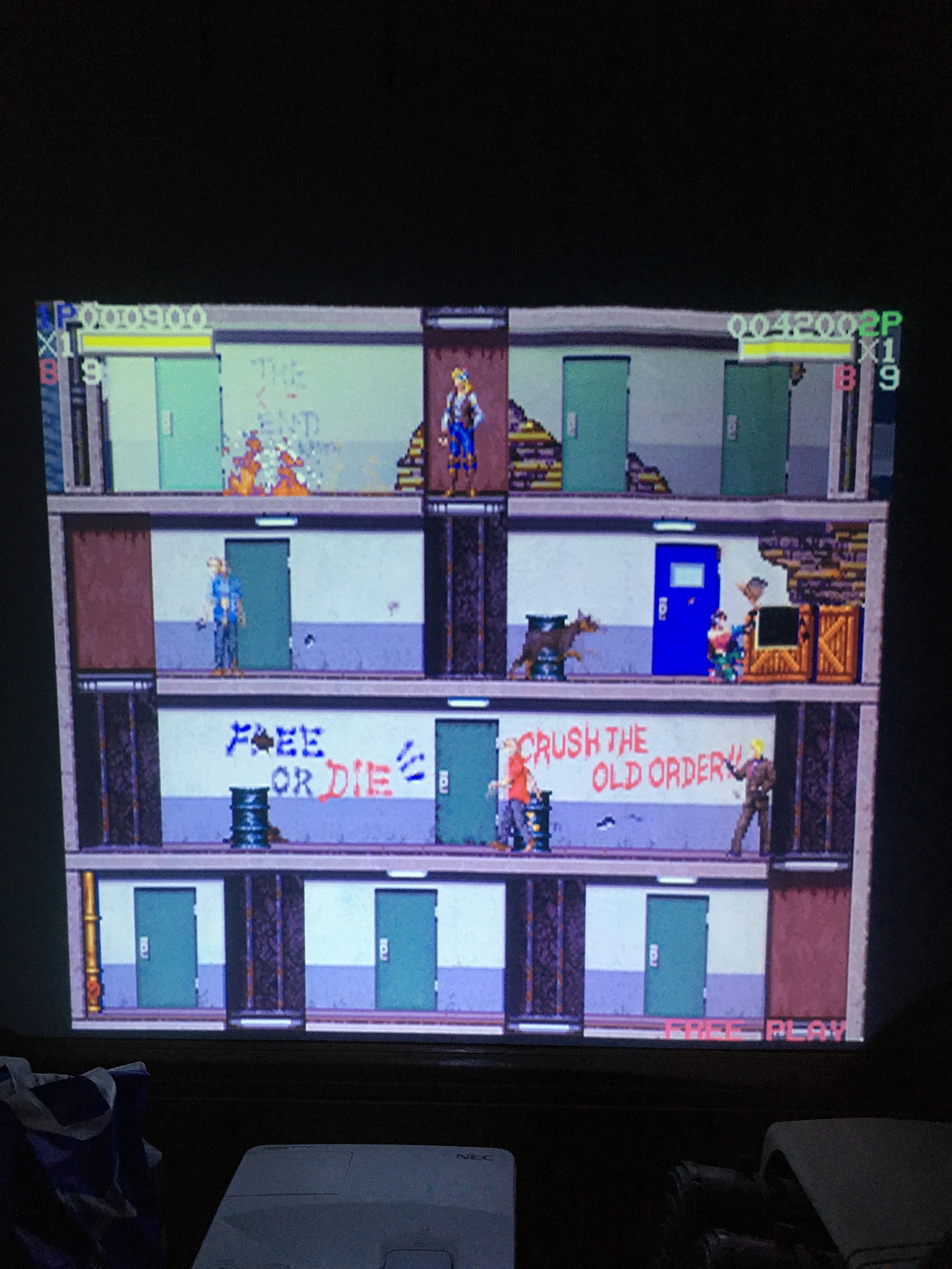
Looks OK at a glance, but it's not - bottom half is out of focus and there's a sun-effect going on when looking at the projector. It's super bright if you're looking down onto it, but that's no good to folk.

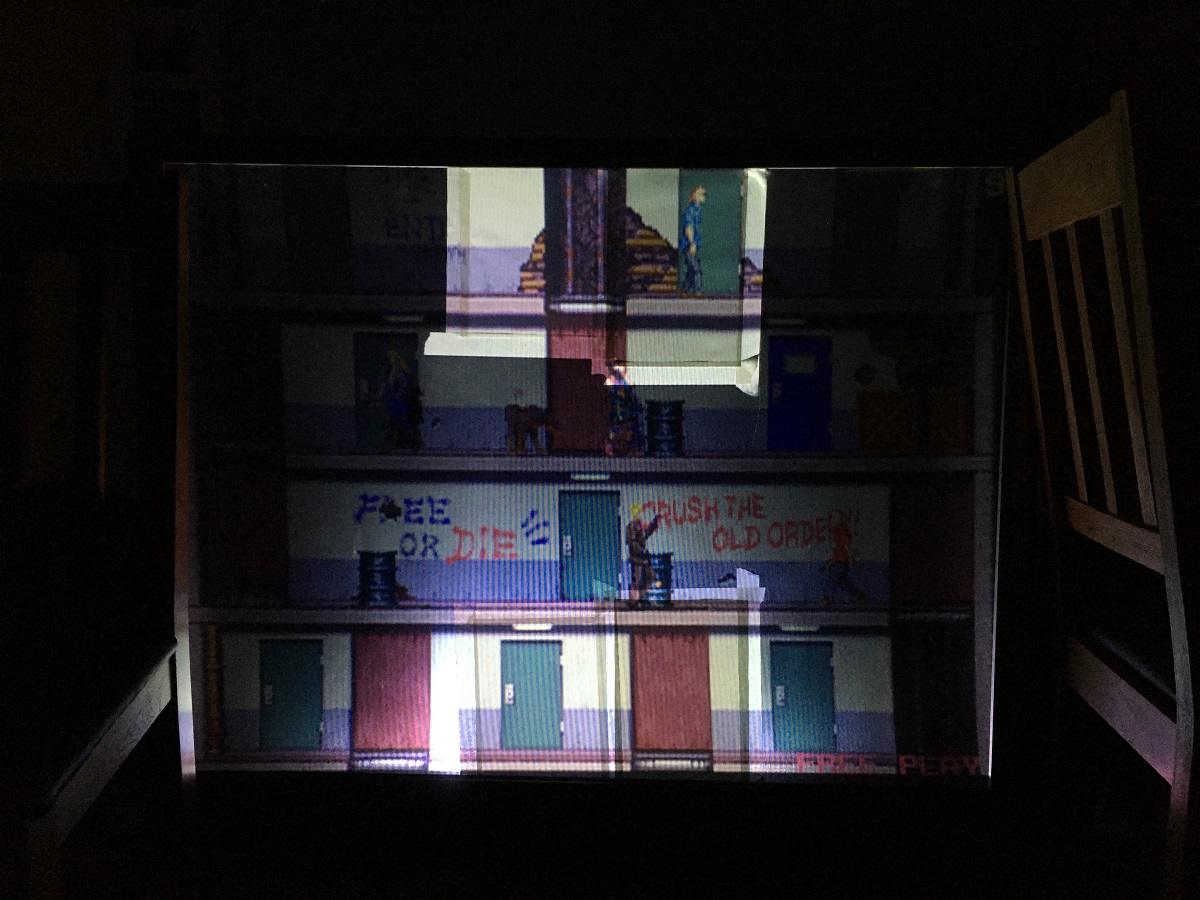
So I removed the fresnel, leaving only the lenticular screen. It's now in focus, but it's not diffusing the light enough.

So it needs a rear-projection screen, preferably behind the lenticular (to keep some of the looks of the arcade screen)
I noticed PSM screens were local to me (they're on eBay). I got in touch and they sent me some samples.

It's cool stuff:

And that's where I'm at... Next stage is to place the materials around the TV lenticular to see how it looks (and to make sure there's no brightness irregularity). Then I'll order a 60" sheet and try a full screen (hopefully then using parts of an arcade 50" monitor with it).
I need to do a proper latency experiment too. I've tried to compare it to my Samsung LED TV and I'd say it's on a par with the TV in 'game mode' and faster than it in normal mode, so nothing alarming so-far.
Probably all been done before anyway, but I thought I'd document it.
Oh and folk have fitted projectors front-mounted in a similar place to the CRTs and fired them off the mirror. You don't want an ultrashort for that - there's two things needed:
A throw of about 0.6x
A keystone of about 40 degrees
The keystone is the problem - the CRTs must've had their lenses angled to project a very trapezoidal picture, so to match your projector has to have a huge range and many don't (20 degrees is typical), plus it's digital keystone so you lose sharpness.
Another issue is that the projector will likely have to sit out the front of the monitor. That's OK for something like a Daytona or a Megalo 410 where the cab is pushed against the screen, but where the screen is a standalone box it isn't going to work.
John Bennett2020-09-25 22:21:50
Anyway, we've had a bit of tech chat on the idea of putting projectors into 50" DLX cabs when the CRTs are beyond repair and you can't get more bits (seeing anything other than 4:3 and 50" offends me
The idea is to get an ultrashort projector and fit it inside the 50" box, preferably keeping at least the front part of the screen (a lenticular sheet), if not the fresnel behind it. The theory is that an ultrashort projector should be able to fill the screen whilst sitting inside, pointing from the back. Orphanzombie, SBdesign and likely others have already done this, so I'm really just joining in to make notes and do a few experiments
TC3 thread with this projector: http://www.ukvac.com/forum/house-of-the-dead-3-projector_topic373443_page5.html
So... I paid £120 for this off eBay with 95% lamp life remaining.
https://www.nec-display.com/ap/en_projector/um330x/index.html
It's 4:3 and 1024x748 (so OK for arcade stuff, but not blu-ray movies, obviously).
LCD based, so you don't get the level of contrast of a DLP (or a CRT), but I expect there'll be DLP alternatives out there.
Shown next to a CRT projector for the hell of it.
(http://www.ukvac.com/forum/in-pursuit-of-big-scanlines_topic371198.html)
The throw is 0.36. That's the ratio of lens distance to horizonal image size.
A 50" RP monitor is about 40" across, so this projector would have to be 14 inches back ( 36cm). As the lens is at the back of this unit, that's pretty much the projector nose to the wall. The manual suggests it can't focus that close, but you can stand it a bit further back and digitally shrink the image.
So with a PC hooked up and a nearby wall
And with the nose to the wall, that's a 50" Virtua Racing in 4:3 (via MAME)
And as an experiment, I wondered if you could make the equivalent of a 29" 4:3 VGA CRT (as they're not so easy to find).
Not quite. If you run native-res 1024 and put the game in a 640x480 window, then the diagonal is 31" - looks quite nice with 1:1 pixels. So close anyway, but you probably couldn't box it all and stick it in a 29" cab (and arcade games aren't in that format - they'd be full-screen that you'd have to digital zoom down from 50", which is no good as it only goes to about 75%).
Light's off:
Works OK on the Switch. Not HD (although it can downscale itself), probably not 1:1 pixels, but you can have a 40" TV each for Mario Kart
I tried a 15kHz JAMMA board (via a 75 ohm TV converter board I made). The manual says RGB is 24kHz+ (although it does 480i at 15k), so it's nice it syncs.
However it's interpreted the inputs as component. I'm sure it could be converted, but games look cack without scanlines anyway (and I've got CRT projectors and RPTVs for this stuff).
I'll try a 24kHz game at some point soon.
The next test was to see what goes wrong when you use a CRT rear-projection screen, so I borrowed one from my beloved TV...
Looks OK at a glance, but it's not - bottom half is out of focus and there's a sun-effect going on when looking at the projector. It's super bright if you're looking down onto it, but that's no good to folk.
So I removed the fresnel, leaving only the lenticular screen. It's now in focus, but it's not diffusing the light enough.
So it needs a rear-projection screen, preferably behind the lenticular (to keep some of the looks of the arcade screen)
I noticed PSM screens were local to me (they're on eBay). I got in touch and they sent me some samples.
It's cool stuff:
And that's where I'm at... Next stage is to place the materials around the TV lenticular to see how it looks (and to make sure there's no brightness irregularity). Then I'll order a 60" sheet and try a full screen (hopefully then using parts of an arcade 50" monitor with it).
I need to do a proper latency experiment too. I've tried to compare it to my Samsung LED TV and I'd say it's on a par with the TV in 'game mode' and faster than it in normal mode, so nothing alarming so-far.
Probably all been done before anyway, but I thought I'd document it.
Oh and folk have fitted projectors front-mounted in a similar place to the CRTs and fired them off the mirror. You don't want an ultrashort for that - there's two things needed:
A throw of about 0.6x
A keystone of about 40 degrees
The keystone is the problem - the CRTs must've had their lenses angled to project a very trapezoidal picture, so to match your projector has to have a huge range and many don't (20 degrees is typical), plus it's digital keystone so you lose sharpness.
Another issue is that the projector will likely have to sit out the front of the monitor. That's OK for something like a Daytona or a Megalo 410 where the cab is pushed against the screen, but where the screen is a standalone box it isn't going to work.
John Bennett2020-09-25 22:21:50





 they're for life! I really dislike the look of 4:3 on a widescreen, it is a sad sight to see.

