USB-DVG second run

chadsarcade

Lord of Vectors (tm)
Feedback
11 (100%)
Credits
443CR
All of my Vectrex ROMs appear to crash AdvMess, but here you go...
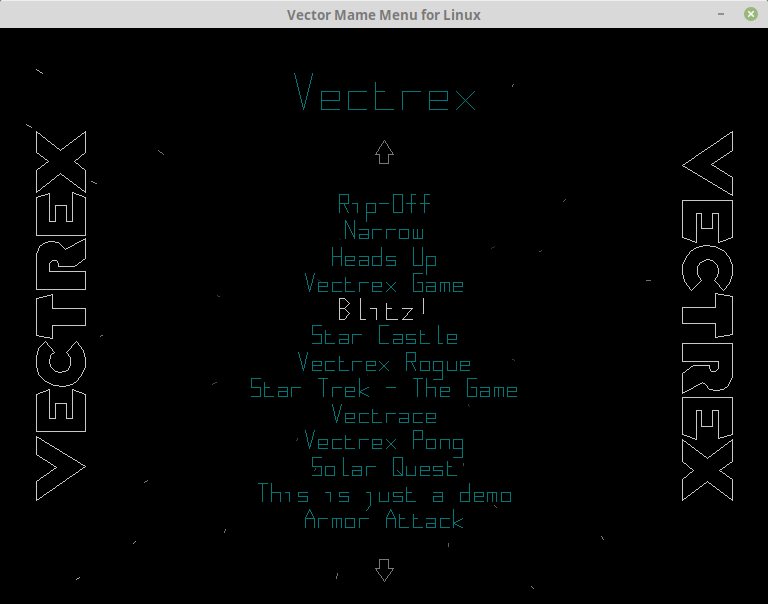
VectrexSupport.png
 

Macro

Active member
vacBacker
Feedback
4 (100%)
Credits
1,987CR
Nice, put my order in ready, just need to get a PI 4 and make some leads up ready for it when it arrives.

then spend an evening with mame and sort out all the games that work with Asteroid controls since (unless I find another control panel) I'm not planning on adding any to it.
 

chadsarcade

Lord of Vectors (tm)
Feedback
11 (100%)
Credits
443CR
Macro said:
Nice, put my order in ready, just need to get a PI 4 and make some leads up ready for it when it arrives.

then spend an evening with mame and sort out all the games that work with Asteroid controls since (unless I find another control panel) I'm not planning on adding any to it.

One of my ZVGs is in an Asteroids cab, there are a good few games that work on that layout. I'll dig out the games list if I get a chance, though it doesn't take that long to go through the full list and hide those that aren't suitable. This can now be done within the menu itself, I got tired of having to pull the CF card and edit files on another machine :)

With the Pi4 you'll at least be able to SSH in and make changes/updates remotely.
 

DanP

Administrator
Staff member
vacBacker
Feedback
5 (100%)
Credits
2,195CR
Got my order in too. Did wonder what the deal was with the cables, was hoping I could just make an adapter to plug straight into the cab wiring loom? Again, looking to go the Pi route to make it nice and near.

Chad, do you know if you can stretch the image slightly for the Vectrex games in a horizonal monitor?
 

chadsarcade

Lord of Vectors (tm)
Feedback
11 (100%)
Credits
443CR
DanP said:
Chad, do you know if you can stretch the image slightly for the Vectrex games in a horizonal monitor?

I don't have a board so can't say for sure. The settings in this video don't show X/Y size though. I'll message Mario and inquire.

https://www.youtube.com/watch?v=0RRqQatsNHg

The output connector is a 15-way D (VGA) type, so it can use a VGA cable to plug into one of Fred's monitors. I think it uses the RGB pins for the colours, and the H and V sync pins for the X and Y deflection. With My ZVGs I wired to a fingerboard and used the harness in the cabinet, makes it a lot easier to reverse.

chadsarcade2020-08-22 18:49:03
 

Macro

Active member
vacBacker
Feedback
4 (100%)
Credits
1,987CR
Well, only 6 years later I actually wired the USB-DVG up and connected it to my Asteroids machine!

Apart from the picture being smaller than the screen, it appears to work (mostly!) - some of the games don't seem to give a display, but most I tried do. (the game I really wanted, Rip Off gives me a blank screen, but the vectrex version works OK)

I did manage to kill the mini HDMI out port on the Pi (dodgy adapter) but once it's in the cab I won't need that anyway.

I assume I use the two pots on the USB-DVG board to resize the screen, since I couldn't find anywhere to do it in the menu! (tomorrows job)
 

DanP

Administrator
Staff member
vacBacker
Feedback
5 (100%)
Credits
2,195CR
Yeah the two pots are for X and Y size. There are config options to change the screen characteristics iirc - so that it looks more like a real PCB intensity wise. I have a copy of the manual and some wiring diagrams somewhere if you need em.
 

DanP

Administrator
Staff member
vacBacker
Feedback
5 (100%)
Credits
2,195CR
PS assume the games that blank screen don’t play blind and it returns to the menu after a bit? If so you probably don’t have the right roms.
 
Top
