
You are using an out of date browser. It may not display this or other websites correctly.
You should upgrade or use an alternative browser.
You should upgrade or use an alternative browser.
Problem Blazing Angels Sit Down HELP PLEASE
- Thread starter athena
- Start date

You star!! PM incoming
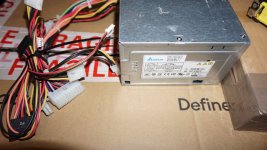
I used these at my old role at work, they are only 250w but they are super reliable.
Auto switching 100v-240v.
Had to cut some info out from the sticker, pretty sure it's brand new or was briefly used for testing purposes.

Attachments
Last edited:
Another PSU has failed?@Vamino
the WTX or whatever they call it psu
Sorry, I've lost track here! 😅
I got Blazing Angels working on my driving machine PC with same joystick Throttle as BA cab
The joystick pots connector had come unplugged, with those not connected I could set the Buttons up fine in control settings, then connected again and it sort of switches between x/y/slider but managed to get it set on X and Y and played game with joystick buttons working fine, I'm wondering if the joystick pot centring plates need adjusting, it's fine on other emulators so not sure on this one why it's doing it but once it's setup its okay
The joystick pots connector had come unplugged, with those not connected I could set the Buttons up fine in control settings, then connected again and it sort of switches between x/y/slider but managed to get it set on X and Y and played game with joystick buttons working fine, I'm wondering if the joystick pot centring plates need adjusting, it's fine on other emulators so not sure on this one why it's doing it but once it's setup its okay

Thing is I know my controllers are all fine, I never had issue with them. That only became problem of not being recognised when I put the new pc in running TP.I got Blazing Angels working on my driving machine PC with same joystick Throttle as BA cab
The joystick pots connector had come unplugged, with those not connected I could set the Buttons up fine in control settings, then connected again and it sort of switches between x/y/slider but managed to get it set on X and Y and played game with joystick buttons working fine, I'm wondering if the joystick pot centring plates need adjusting, it's fine on other emulators so not sure on this one why it's doing it but once it's setup its okay
I tried 4 different games on TP and they all did same. No doubt it’s issue with user not system but either way I’m stuck at that point lol. I’m now in process of trying to get the original PC running again so something is actually working in it. Takes up a lot of real estate to sit unused and dead. Thanks to @Vamino who kindly sent me a PSU to put in, I’ve just got to now sit down and attempt all that. Will report back when done with hopefully good news.

i just been reading thru alll this... so u got the GVIO board that comes with the BA game working with Teknoparrot as I got to see a BA next weekI got Blazing Angels working on my driving machine PC with same joystick Throttle as BA cab
The joystick pots connector had come unplugged, with those not connected I could set the Buttons up fine in control settings, then connected again and it sort of switches between x/y/slider but managed to get it set on X and Y and played game with joystick buttons working fine, I'm wondering if the joystick pot centring plates need adjusting, it's fine on other emulators so not sure on this one why it's doing it but once it's setup its okay
No that never happened. So far with TP being used I can’t get any response from any of the controllers. So has been a big waste of time and money tbh. I’m now back to getting the original PC fixed and looking to just run BA on it.i just been reading thru alll this... so u got the GVIO board that comes with the BA game working with Teknoparrot as I got to see a BA next week
It might be possible to do but I’m at my limit on knowledge with it and have spent a lot of time trying to find solutions, someone did mention on this thread that these machines don’t respond well to third party PCs and can act oddly. I’d say they are correct. I’ve tried 2 different PCs in it (the first just replacing original and running BA which wouldn’t accept starting a game so again controller related, the second being new gaming PC running TP and controllers not recognised at all)
I’ll be glad just to have BA running BA again soon once I’ve the time to go back to it. The Battlepod dream is dead.🥹
Yeah got it working with Joytick, Throttle from BA through the USB flight controller interface happs one, it's same as in other GVR games so it's doablei just been reading thru alll this... so u got the GVIO board that comes with the BA game working with Teknoparrot as I got to see a BA next week