Outrun video problems

slowcade

Active member
Feedback
1 (100%)
Credits
204CR
I'm restoring my Outrun mini which has never been working while I had it. Retroclinic has repaired my two board sets, and as far as I remember they work perfectly in my friend Johnrt's cabinet.

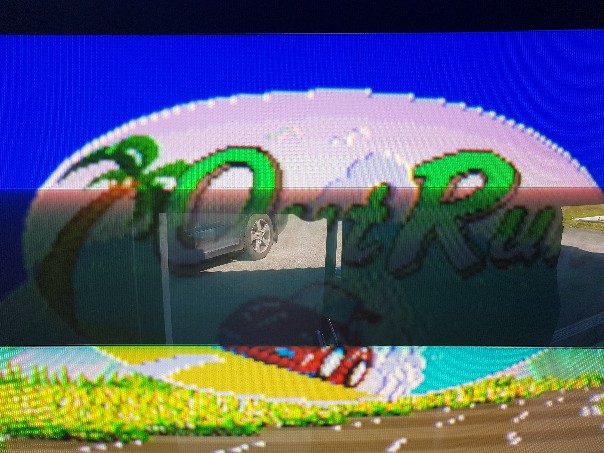
In mine however, I get some strange video problems.

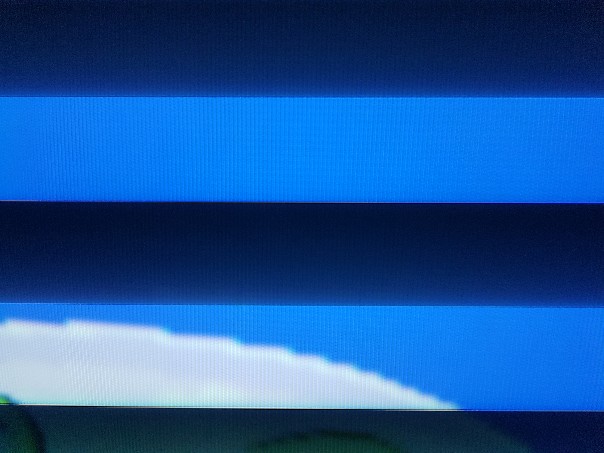
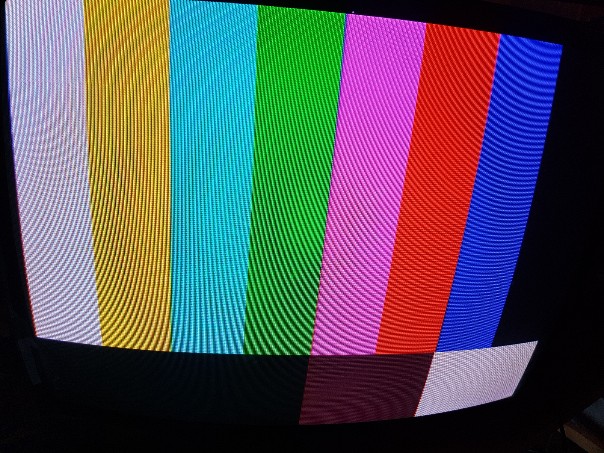
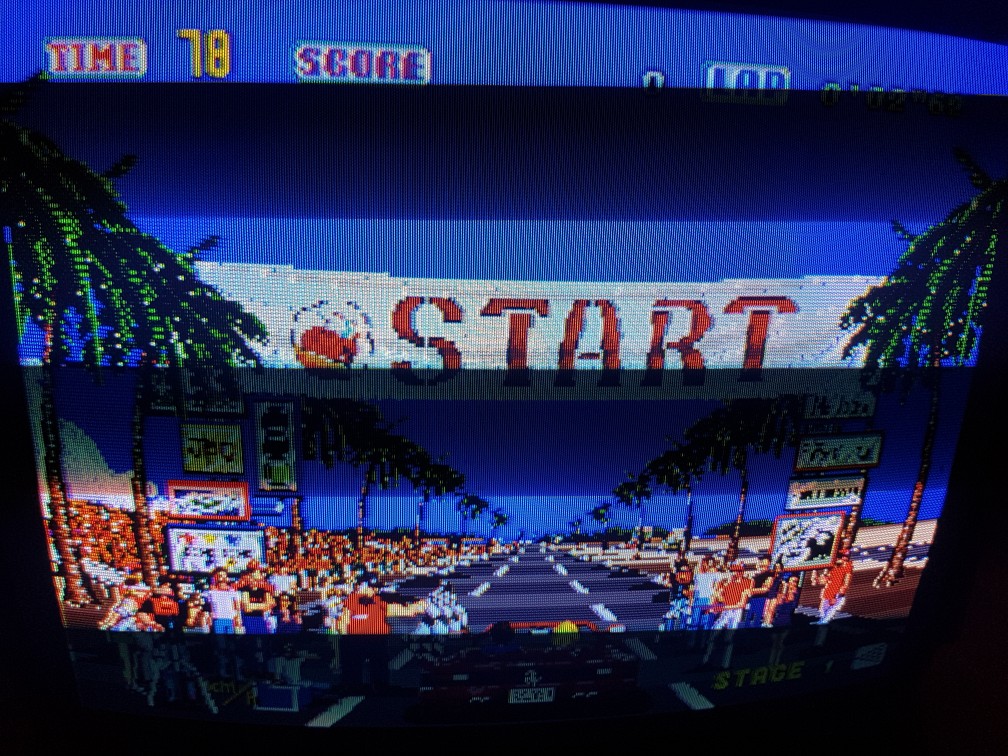
I'm using a NOS Kortek monitor from the early 00s which looks fantastic with the test pattern generator. However, with both the Outrun board stacks I get what looks like convergence problems on some graphics (some text) and weird patterns on the clouds.

What could it be? Video ground from the cabinet? I'm pretty sure that the PCBs and the monitor are OK.
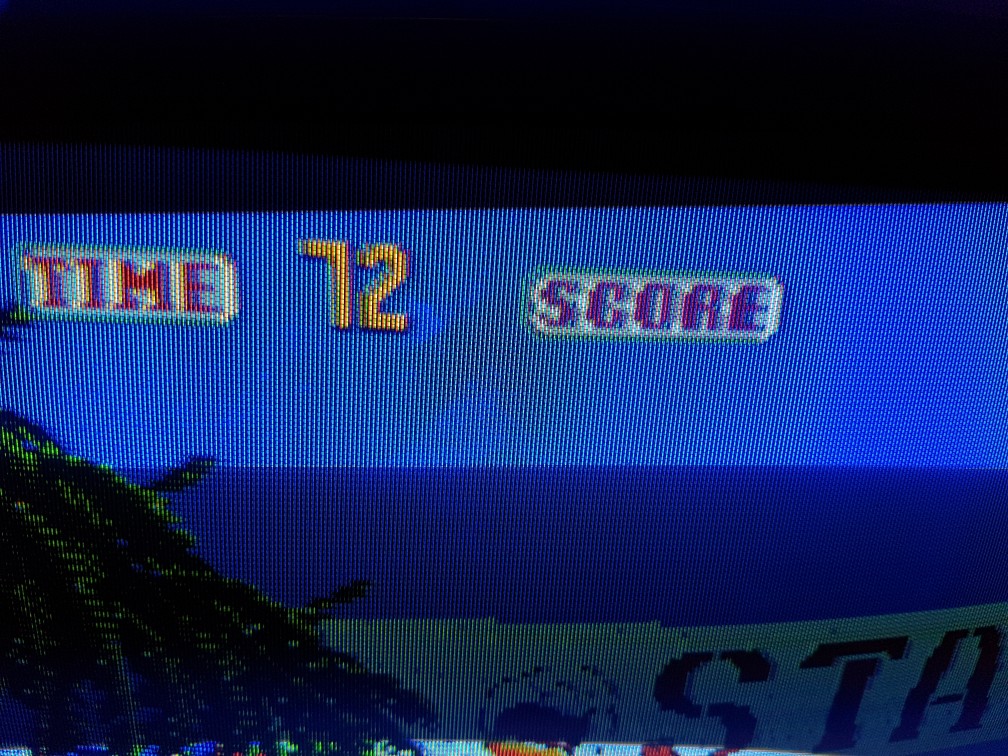
20180724_205047-1008x756.jpg


20180724_205238-1008x756.jpg


20180724_212103-756x1008.jpg
 

obcd

Active member
Credits
3,830CR
The overshoot in the text looks like something you can get if the output signal is 2 high. Have you tried lowering the monitor contrast to see if it makes a difference?
 

slowcade

Active member
Feedback
1 (100%)
Credits
204CR
Yes, I tried playing with contrast, screen and focus, but it didn't really help. And the picture looks great with the test pattern generator device, so I am suspecting something in the cabinet.
 

Outrun2

Colonel Outrun
Feedback
5 (100%)
Credits
1,142CR
It does look like it has the makings for a gorgeous image quality if the little issues can be sorted.

Sadly I can't help with a diagnosis, but maybe try disconnecting everything except the necessary to run the monitor and game board. Rule out any issue with sound amp, speakers, light ballast, coin mechs, solenoid driver etc.

I'm guessing you've checked your voltages, both to the game board and monitor?
 

slowcade

Active member
Feedback
1 (100%)
Credits
204CR
Thank you for the good suggestions! I have tested the voltages, and the +5V is 5.12 at the game board. The voltage at the monitor is also OK, but to be honest this Kortek chassis can handle a wide range of voltages.
I tested with a Hantarex 9000 today, and it doesn't get the same problem. But of course I want to use the crisp, bright NOS monitor for Outrun!

From what I can see the problem is that the colour palette is slightly mixed up. The light blue that I see on the clouds is supposed to be white. And the border around the logo is supposed to be white, but on the Kortek the white colour is substituted with a light blue. It messes up the anti aliasing and is an obvious problem.

20180726_121622-604x453.jpg


The Hantarex 9000 shows a perfect white border.

20180726_122000-604x453.jpg


I have of course tried to adjust screen, contrast etc on the Kortek. I wonder what can make it swap some colours like this. I have one more NOS Kortek, but it's in my Robotron. I guess I'll have to take it out and see if it behaves correctly.
 

slowcade

Active member
Feedback
1 (100%)
Credits
204CR
I see that the screenshot has very saturated colours, but I think it's because I've been messing with the RGB gain on the neck board... maybe.
smiley5.gif

slowcade2018-07-26 15:14:45
 

muddymusic

The Repro Guy. Art and Parts supplier
Staff member
vacBacker
Feedback
52 (100%)
Credits
2,205CR
Have you done any work on the chassis? Just because it is nos doesn't mean capacitors or transistors won't have failed. It may need a little work before it gives a perfect picture.
 

big10p

Coins detected in pocket!
vacBacker
Feedback
12 (100%)
Credits
5,636CR
slowcade said:
Yes, but do you think that could cause strange video problems like palette replacements?

Not sure, TBH. My suspicion would be that the RGB gain and cut-off are incorrectly set (blue set too high), but if you say the test pattern looks OK, I'm not sure. Is the test pattern generator some external device, or is it built-in? Can you post a screenshot of the test pattern?

[edit] from the pic above, it may be red cut-off set too high - hard to tell. Red, green and blue cut-off must be set at the same level to get pure white, if they're not, you'll get a tinge of the highest set colour on everything, but most noticeable on pure white.

big10p2018-07-26 17:59:23
 

slowcade

Active member
Feedback
1 (100%)
Credits
204CR
I think I have gotten rid of most of the font problem now, but the white still doesn't work properly. As I mentioned I have an external test pattern generator which the monitor works fine with.

Here is the TPG:

20180726_221806-604x453.jpg


And here is the Outrun CRT test. Note that the white on the left is wrong. But there is a thin white line to the right of that square:

20180726_221423-604x453.jpg
 

big10p

Coins detected in pocket!
vacBacker
Feedback
12 (100%)
Credits
5,636CR
You need a better test pattern with red, green and blue bars that graduate from full colour, all the way down to black. Like the one in the guide I linked to. That's the only way to see if RGB cut-offs/gains are all set the same. Did you follow the guide from scratch?
 

big10p

Coins detected in pocket!
vacBacker
Feedback
12 (100%)
Credits
5,636CR
Arkanoid is on the 60 in 1 and has a basic gradient bar test screen when put into test mode. Don't know of any other games on the 60 in 1 that has a better test screen. Games on Pandora's box will probably have better ones, if you can get hold of one?
 

big10p

Coins detected in pocket!
vacBacker
Feedback
12 (100%)
Credits
5,636CR
Just had a look in MAME and The Simpsons has decent gradient bars. Go into test mode and choose "3. color check". I'm assuming the pandora's box lets you put games into test mode. I've never actually owned one.

big10p2018-07-26 23:11:16
 
Top