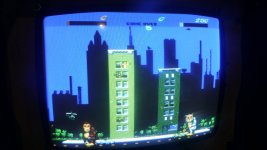
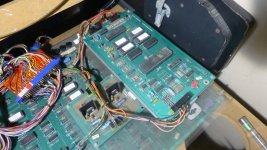
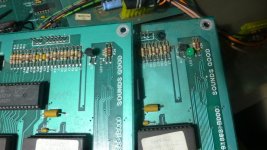
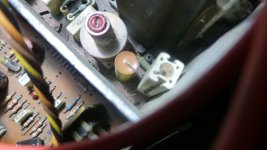
Electrocoin Rampage Rebuild

Bods

Senior Member
vacBacker
Feedback
3 (100%)
Credits
4,353CR
When I first saw the Xenon I thought that looks weird with 2 blank doors lol why does it even need 2 doors?

The Spectrum I don't like with the mars type coin insert, can't believe i'm so fussy about coin insert lol so I'd choose Xenon over those but i just remember specially playing Double Dragon the coin slots being lower down and twin mechs 2x10p as set for 20p a go or 50p for 3 goes

Coin slots near control panel are easier though :)

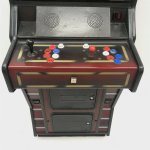
So looking at a couple of Xenons they also had Mechanical and Electronic, think I had a Xenon once, i thought they only had coin mech on right like this one but can have mechanical on left also
e5599ea7-01b8-4540-aada-1924ad0cf7f0.jpg

f548add0-10ce-4bd5-8_1250x1250-uncropped.png
 

Bods

Senior Member
vacBacker
Feedback
3 (100%)
Credits
4,353CR
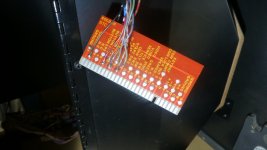
Found some old connectors with enough pins to wire up the controls so time to remove the jamma connector from Joysticks

P1090125.JPG

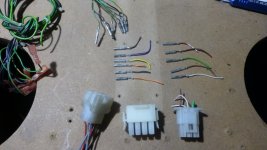
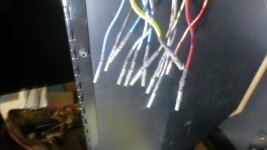
Standard setup on Electrocoin is 12 way and 6 way mate & lok connectors which are, got some used connectors and pins to wire up joysticks 1 & 2 with 2 buttons
No Start buttons on rampage, button 1 is start also so only 7 pins used in 12 way
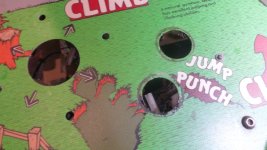
P1090128.JPG

P1090134.JPG

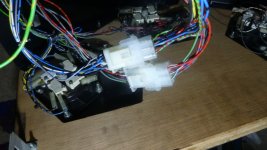
Seems all the wiring for Player 1 & 2 are original as all the colours match up so nice easy job

P1090136.JPG

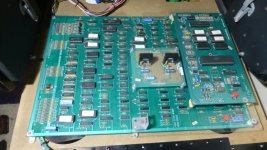
So next is sorting Monitor and cleaning up PCB and how I fit it in the cab, it's quite big pcb set, side ways it will have to be as it's too long to fit in other way, not clues really to how it was held in if this came with Rampage, has the plastic holder, that isn't big enough to fit pcb in though, I have 2 other types that are big enough but pcb needs more support really, both ends and middle
 

Bods

Senior Member
vacBacker
Feedback
3 (100%)
Credits
4,353CR
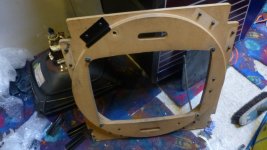
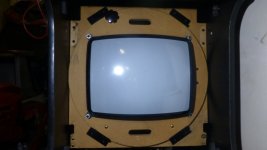
Starting putting the Monitor wood back together with the newly painted brackets, found a tube out that's been lying about so it's good to get one back in a cab before I manage to break any more tube necks.

P1090140.JPG

Still need to sandblast a few bits of metal like the monitor chassis plate, mains cutout switch bracket, Control Panel lower metal but will do a few parts at same time

P1090144.JPG

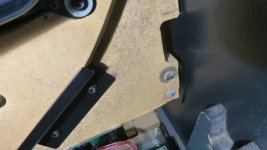
The wood is a bit warped at the bottom where the hinge brackets go assuming it got damp, not sure if I have one spare but I'll find out at some point when things more sorted, it still fits okay and functions, one that was in other cab the circle doesn't sit centered and when fitted in this cab it rubs on left side so this one staying

P1090145.JPG
 

Bods

Senior Member
vacBacker
Feedback
3 (100%)
Credits
4,353CR
Not sure if the Hanty chassis Is a good one or not, I did have the machine working but not even sure if this was monitor board from Rampage cab I bought originally or another one I've swapped around, I've tried to keep as many monitors the same as I can for ease of repair so most I have are Hantarex MTC 9000, so where poss I swapped monitors in cabs sold, I did fit Remote boards in the Goliath's but removed them to fit in these, not sure where I put the extension leads though but that's a job for another time when I find them

I managed to get it all in before going work and try to see if it works and got no Picture and what I thought was the game helicopter sounds, damn maybe I should have bought that other board set Julian was selling a while back, the other cab with it was in this extension but were talking 6/7 years ago at least and when I bought Star Wars the jamma cabs got moved down to the other building so it's been in there with no heating all that time and not switched on so you never know if things are going to work, it's not heated but its kept dry unless we get no sun for ages

when I got home tonight I thought i'll check 5v as it maybe low, no 5v at all:rolleyes: Don't know which PSU unit was which and what works, I'd cleaned another one up also, time to swap it over and see if it makes any difference, got 5v on this one to the pcb okay yay and we have a picture and board still seems okay, just a sync issue to sort, will check wiring, maybe test another board in the cab as I don't know if monitor any good, will need a service with caps replaced

P1090143.JPG
 

Bods

Senior Member
vacBacker
Feedback
3 (100%)
Credits
4,353CR
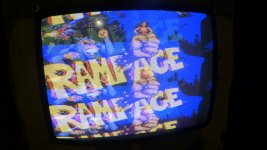
Thought I'd try another Monitor chassis to see first and all okay apart from some tearing at top, maybe sync switch in the other needs cleaning, will get caps changed and hopefully sorts that out

P1090147.JPG

only thing now is no sound, have noise through speakers when volume pot turned up, odd bump noise when doing reset or going in test mode, 5v was a bit low at 4,90 so altered to 5v on pcbs, tried the spare sound board i got years back, same on that. 12v is only 11.70v from this PSU yet with 1st psu that had no 5v it sounded like the helicopter from the game through speakers so seemed it had sound when nothing else worked, don't know how with no 5v

P1090149.JPG

Can't even remember if the machine it was in before was fully working with sound, I think it was but could be wrong, just tried a different Power supply unit with later jamma psu on it, over 12v on that but still same so I'll have to check wiring to amp and speakers make sure its all correct
 

Bods

Senior Member
vacBacker
Feedback
3 (100%)
Credits
4,353CR
Dammit, just realised when looking at the first PSU I fitted, somehow I managed to get the -5v mixed up with +5v :oops: which I don't get as I'm sure I was copying the other psu the same type, unless I'd looked at the other first so connected nearer top like that, so have I damaged the sound board, main board all okay just getting no sound

The other Sounds good pcb which is unknown condition is exactly same no sound but I haven't connected that up incorrectly so is that board faulty or not and have I damaged the other one or not :LOL:

Fun n games :rolleyes:
 

Bods

Senior Member
vacBacker
Feedback
3 (100%)
Credits
4,353CR
I don't know anything about Bally Midway games, I don't own any other Boards by them let alone cabs so it's all new to me

Manual is well no much use with diagnosing sound issue, it doesn't even tell you the LED is Diagnostics and if it flashes it means error, it shouldn't stay on and this does, so when you find this info it helps

From arcade museum post.
I found this great post describing the diagnostic info provided by the on-board LED, on the "Sounds Good" board:
1st Flash - Rom @ U7 is good
2nd Flash - Rom @ U8 is good
3rd Flash - Rom @ U17 is good
4th Flash - Rom @ U18 is good
5th Flash - Checks the 2 ram chips @ U6 and U16
6th Flash - Check the PIA (6821) @ U9

Seems it flashes 5 times and stays lit so I thought lets check the unknown pcb, 1st thing no LED so fitted one and nothing, doesn't light at all

so I removed the two ram chips and cleaned, reseat but still same, took out the ram chips from the other board and fitted them, Bingo 6 flashes and LED stays off, sound working :), at some point I'll test the other Monoboard and try and fix the Sound board but other jobs to do for time being

1733176925962.jpeg
 

Flyback2021

Active member
vacBacker
Feedback
35 (100%)
Credits
1,689CR
Looking good! Inspiring work on your cabinet to keep me motivated in stripping down xenon control panels and reducing excessive holes drilled . 🤦‍♂️
 

Bods

Senior Member
vacBacker
Feedback
3 (100%)
Credits
4,353CR
Looking good! Inspiring work on your cabinet to keep me motivated in stripping down xenon control panels and reducing excessive holes drilled . 🤦‍♂️
I find others posting restoration or repairs on there machines does motivate you to get working on your own :) It's not a quick job stripping down control panels even just to clean the joysticks and buttons which I need to do on this, 3rd joystick is a bit loose and sticking, down intermittent working which is connector issue so I'm swapping that and jump button not working. I have some control panels I need to repair, will cut out some metal discs and weld them in to fill the holes

Been working on Monitor chassis, first MTC9000 I've seen with electrolytic cap replaced with these

P1090151.JPG

Replaced with 4.7uf 50v

P1090154.JPG

Resistor looks a mess so swapped with one off scrap board, messured fine though

P1090156.JPG

There are alot of revisions of these MTC9000 boards, this one I'm fixing looks pretty much identical to the scrap one that came out Chase HQ with massive burn hole in circuit board, yet R155 is marked on this scrapper and on the one I'm fixing it's R126

P1090155.JPG

Took out Transformer as it's difficult getting in to fit the new cap in left corner, also can then clean transformer and some of the pcb, heatsink metal as it's very dirty, changed half caps so far and one on Tube base isn't looking to happy
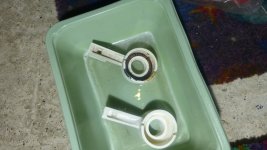
P1090152.JPG
 

Bods

Senior Member
vacBacker
Feedback
3 (100%)
Credits
4,353CR
Well not surprising the Tube base cap was bursting, it should be 250v not 200v

Monitor chassis looking cleaner and all caps replaced apart from the big one

P1090159.JPG

Not sure if I'd noticed this before but the scrap one I robbed parts from with different numbers is some clone of Hantarex labeled VI 2000

P1090161.JPG

Looking at an old thread and quoting Gunblades response to these chassis

"nasty things,don't even bother just stick a mtc9000 chassis on the tube
double check the deflection yoke readings but i think it will around 2 ohms and 12 ohms
pretty sure that chassis was 220vac so of course you will need a stepdown if its going back in a cab"

Guessing then it's some sort of Chinese/Korean copy as board layout is exact, lots of Daewoo caps on it and maybe why this happened to it in the Chase HQ in Skegness Arcade

Manual for CA&G 25" monitor (Hantarex 9110 Copy)
https://media.recreativas.org/manuales/vi-2500-2800-open-frame-colour-monitor-manual.pdf

P1090162.JPG
 

Flyback2021

Active member
vacBacker
Feedback
35 (100%)
Credits
1,689CR
I find others posting restoration or repairs on there machines does motivate you to get working on your own :) It's not a quick job stripping down control panels even just to clean the joysticks and buttons which I need to do on this, 3rd joystick is a bit loose and sticking, down intermittent working which is connector issue so I'm swapping that and jump button not working. I have some control panels I need to repair, will cut out some metal discs and weld them in to fill the holes

Been working on Monitor chassis, first MTC9000 I've seen with electrolytic cap replaced with these

View attachment 29266

Replaced with 4.7uf 50v

View attachment 29267

Resistor looks a mess so swapped with one off scrap board, messured fine though

View attachment 29268

There are alot of revisions of these MTC9000 boards, this one I'm fixing looks pretty much identical to the scrap one that came out Chase HQ with massive burn hole in circuit board, yet R155 is marked on this scrapper and on the one I'm fixing it's R126

View attachment 29269

Took out Transformer as it's difficult getting in to fit the new cap in left corner, also can then clean transformer and some of the pcb, heatsink metal as it's very dirty, changed half caps so far and one on Tube base isn't looking to happy
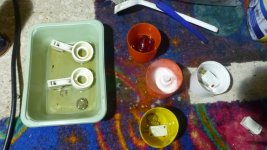
View attachment 29270
Well not surprising the Tube base cap was bursting, it should be 250v not 200v

Monitor chassis looking cleaner and all caps replaced apart from the big one

View attachment 29272

Not sure if I'd noticed this before but the scrap one I robbed parts from with different numbers is some clone of Hantarex labeled VI 2000

View attachment 29273

Looking at an old thread and quoting Gunblades response to these chassis

"nasty things,don't even bother just stick a mtc9000 chassis on the tube
double check the deflection yoke readings but i think it will around 2 ohms and 12 ohms
pretty sure that chassis was 220vac so of course you will need a stepdown if its going back in a cab"

Guessing then it's some sort of Chinese/Korean copy as board layout is exact, lots of Daewoo caps on it and maybe why this happened to it in the Chase HQ in Skegness Arcade

Manual for CA&G 25" monitor (Hantarex 9110 Copy)
https://media.recreativas.org/manuales/vi-2500-2800-open-frame-colour-monitor-manual.pdf

View attachment 29274
Crikey ! Never seen a hantarex copy before.
 

Bods

Senior Member
vacBacker
Feedback
3 (100%)
Credits
4,353CR
Don't know if I have any others, would have to check, look pretty much identical apart from different component numbers, could be a few small differences but haven't checked them fully

Time to get rid of this connector for Ralph's Joystick, its a bit battered with some broken pins and doesn't match anything else on the cab

P1090171.JPG

Thought I'd swap it for same Mate n Lok, the wires are colour matching anyway but I've reversed the pins so you can't plug it in the wrong one

P1090172.JPG

Now all Ralph's controls work, down and punch wasn't working with old connector

P1090173.JPG
 

Bods

Senior Member
vacBacker
Feedback
3 (100%)
Credits
4,353CR
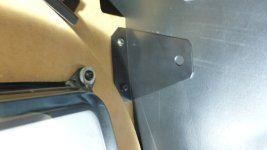
Went to fit the monitor Retaining brackets but they don't align with the holes in the side of the cab. The Goliaths you can adjust the Monitor angle and I thought these would be the same but seems not as only one position so I had a look at the other cab and took out the the brackets from that

P1090176.JPG

So the Centi ones are different being shorter, I assumed these came out this cab and I'd repainted with other parts but they must be from Goliath cab, not sure where the correct ones are unless it didn't have them when I got this cab from Andy, maybe It didn't even come with the monitor surround at all as I didn't get Control Panel or Monitor, should of took more photo's for my memories lol, not a problem if I don't have any spare brackets I can soon two or alter the others, pinched off the other cab for now

P1090178.JPG

Onto Joysticks/Buttons next, need a good clean

P1090186.JPG

The switches that have been replaced at somepoint have the tips worn down at an angle too

P1090188.JPG
 

Bods

Senior Member
vacBacker
Feedback
3 (100%)
Credits
4,353CR
Cleaned the control panel under the buttons

P1090197.JPG

P1090196.JPG

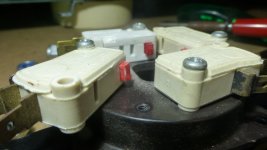
Thought I try soaking the Microswitches in engine degreaser, seems to work a treat, switches all working great after as I'd found a load of cherry switches out to replace these worn ones which didn't work very good before soaking in that

P1090205.JPG
 

Bods

Senior Member
vacBacker
Feedback
3 (100%)
Credits
4,353CR
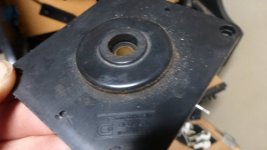
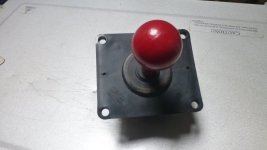
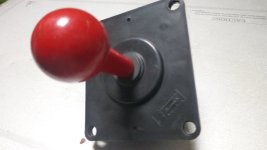
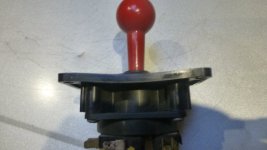
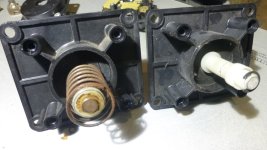
Thought I'd remove Joystick 3 (Ralph's) next to see why it's sticking, also had a look through my box of joysticks see if I had any the same incase it needed replacing and found I had one same coin controls stick, only issue it's bent like a banana and won't look right if fitted, it moved okay and wasn't loose like the original so I can at least use parts from it
P1090195.JPG

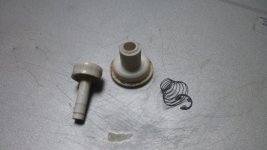
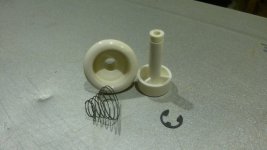
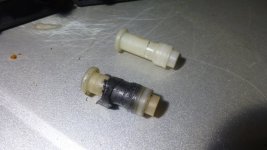
So I took apart Jotstick 3 and found some plonker had fitted a spring inside where it's not needed, wrapped insulation tape around the switch actuator plastic which was cause of it sticking and not working well, the plastic that pushes into rubber donut was more worn than the other causing more wobble in the stick so I'll swap rubber and all plastics over, peeled all the tape off and the plastic was fine, nothing broken so no idea why they put that on.

P1090208.JPG

P1090210.JPG

P1090212.JPG
 

Bods

Senior Member
vacBacker
Feedback
3 (100%)
Credits
4,353CR
P1090215.JPG

Plastic above pushes into Rubber Donut below, right one is more worn inside and rubber worn more too so with being replaced all 3 joysticks feel same

P1090216.JPG

Nice clean working cherry switches, polished up the contacts too

P1090218.JPG
 

Bods

Senior Member
vacBacker
Feedback
3 (100%)
Credits
4,353CR
Bit more done on the machine Friday, cleaned up the joystick shafts putting in drill and some t-cut

P1090228.JPG

P1090229.JPG

Then started cleaning up the board and plastic, replacing missing bolts, spacers and changing feet as nothing seemed right too me. could hardly seen through the perspex the audio boards bolt to

P1090231.JPG
 

Bods

Senior Member
vacBacker
Feedback
3 (100%)
Credits
4,353CR
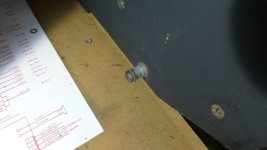
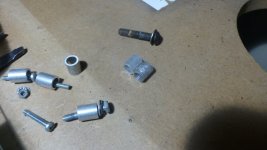
So there were some alloy spacers used for the audio amp and other bits, but with some missing you couldn't sort it without making some replacements then had a thought, are these the same ones used to hold bottom of control panel in and yep they are, quite often 1 or both of the bolts with these missing in cabs so I've saved them to replace ones I don't have, this cab only has one on right side so now have a few and there new where as originals are always chewed up

P1090232.JPG

P1090234.JPG

Had a look in my draws of feet and spacers, got some plastic ones I've used for fixing perspex to the main pcb with new feet, had to put some washers in too and some grey ones for audio amp, looks much neater than it did before

P1090237.JPG

This is how it was done originally it seems, the sounds good pcb had standard pcb feet due to where the holes in perspex align, the amp pcb holes align straight with the perspex so they used the alloy spacers and I could of used standard type feed spacers for main pcb/perspex but these fatter ones are more suitable

P1090238.JPG
 
Top