Pi2Jamma Display Corruption

John Bennett

Senior Member
vacBacker
Feedback
10 (100%)
Credits
5,332CR
Hmm. Well, power-wise, it’s
ATX -> JAMMA - > Pi2JAMMA -> Pi

So it’s as if the PI has pulled too much power, which isn’t the case.

The speaker is OK in the cab? I hadn’t appreciated that it’s a little power audio amp on the Pi2JAMMA (enough for an arcade speaker).

What did you do when you were getting the screenshots before to stop it smoking, or had it burnt out all it could by then?

All I can think is that there’s a bad connection somewhere or the audio amp/speaker is bad, but just early ideas.
 

sapporo46

User
Feedback
2 (100%)
Credits
70CR
Yes the speaker is OK. I only took those photos yesterday... when the first Pi was damaged it was approx 7 seconds before I could cut the power. Second time round about 2 seconds, and the display corruption wasn't as bad.

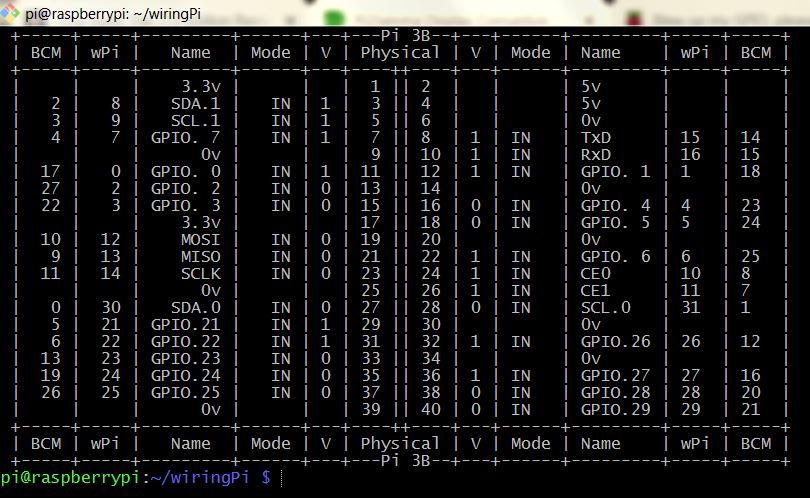
It still seems to me that somehow the Pi2JAMMA had driven 5V through some of the GPIO pins, but I found this post on the Raspberry Pi forums. The OP refers to WiringPi which can apparently check the GPIO pins.

I ran it on my Pi, expecting it to report faults. But no...
smiley5.gif


WiringPi_Output.JPG
 

John Bennett

Senior Member
vacBacker
Feedback
10 (100%)
Credits
5,332CR
Ah, I hadn’t realised it wasn’t a wide-range voltage input to the PI (strict 5V) and it seems you bypass protection if you power it via the GPIO header and not the USB.
So the above suggestion to change PSUs is good one.
All funny sort of things could happen if on-board regulators misbehave and there’s external circuitry.
 

sapporo46

User
Feedback
2 (100%)
Credits
70CR
But this problem first happened when everything was in the cab, connected to an arcade switching PSU.

Although as I said in my first post, it was at 5.5V - maybe feeding that through the GPIO was too much.

As for the ATX PSU, I'd used that setup for testing several times before and that never happened.
 
Top