Was thinking by the time i unzip the files there will be no space left on my 128gb sd card. Its advertised as 128gb. Bought the card for nothing
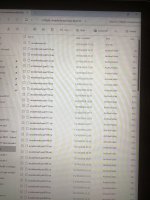
It might be wise to post a screen shot of what you've downloaded.
It sounds like you've downloaded the individual zip files onto your 128GB card, you don't want to do that.
Are you using a PC to download the files?
- You need to move the downloaded files onto another drive where you have at least 128GB plus whatever size the zipped files are, this will ensure you have enough space to unzip the archives.
- You'll then unzip the .zip files where they currently are (I'm not sure what the file setup you have but often unzipping one file will then unzip the lot if it's a split compressed archive - again, seeing what you have downloaded will help)
- I imagine this will then yield a single .img file or similar. When you run the imaging software you'll select the .img file and then select the 128GB drive as the target.