
You are using an out of date browser. It may not display this or other websites correctly.
You should upgrade or use an alternative browser.
You should upgrade or use an alternative browser.
Read Only Windows 7
- Thread starter chunksin
- Start date


Cool I have both of those
Nah I didn’t remove intel usb 3 package
In control panel ….
Do you mean in device manager?
disable the yellow flagged icons ?
Also I’m using FB roms .. so do I alter Executalbe . To include final burn .. D:mamemame64.exefinal burn ?
Nah I didn’t remove intel usb 3 package
In control panel ….
Do you mean in device manager?
disable the yellow flagged icons ?
Also I’m using FB roms .. so do I alter Executalbe . To include final burn .. D:mamemame64.exefinal burn ?
When I go to load a rom
Initialzing flashes on screen for 1 second then flicks straight back to
Game select screen
Initialzing flashes on screen for 1 second then flicks straight back to
Game select screen
To remove the package go to Control Panel and Programs, uninstall the Intel USB 3.0 package, reboot and install your model specific ones, the Intel Management Framework and Chipset drivers, reboot again and your USB ports should work
Everything works fine now
But outside of attract mode

Cool .. thanks a million
Im nearly back up and running.

 Retroman8392022-10-17 22:44:58
But outside of attract mode
Cool .. thanks a million
Im nearly back up and running.
Deleted usb3 in p files x86
For some reason game select screen now is two images split down the middle
Switch res is selecting 640x480i. Everytitle
I had 120 mode lines from vmm
Hmm ?
Switch res is selecting 640x480i. Everytitle
I had 120 mode lines from vmm
Hmm ?
I have intel management-engine components driver
But not frame work driver!
Dam
But not frame work driver!
Dam
I got beautiful
Res now
Switch res matching
I will re install everything
I need to get the driver you mentioned and start again
Thanks a lot for your help ..
Moving house boxes up my machines
And they where all exactly how I wanted them ( 3 small ff of your embedded groovy )
But since unpacking and re setting up
One of the Hard drives packed up ..
I don’t really know how I got myself into this mess with this 1
Have actually forgotten how and why must be getting late
Thanks for the help
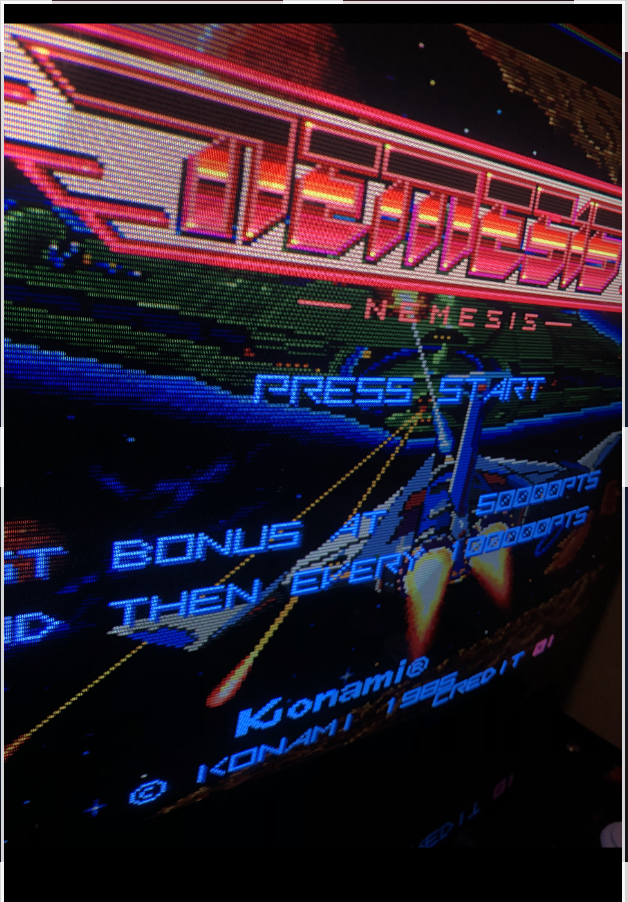
 Retroman8392022-10-17 23:38:19
Res now
Switch res matching
I will re install everything
I need to get the driver you mentioned and start again
Thanks a lot for your help ..
Moving house boxes up my machines
And they where all exactly how I wanted them ( 3 small ff of your embedded groovy )
But since unpacking and re setting up
One of the Hard drives packed up ..
I don’t really know how I got myself into this mess with this 1
Have actually forgotten how and why
must be getting late
All Sorted now thanks chunksin [:*:] Retroman8392022-10-19 00:51:45
Can anyone post a pic of
Screen with mame config in options
All configured how it should be,
As I deleted by accident .,
I was trying to add new emulator
And managed to delete the pre configured mame!
And I don’t know all the info.
I can do , Executable C: mamemame.64.exe
Rom paths etc…
But
Argument ?
I have configured it enough so I have
My roms No attract mode just games
List basic But when I select game to load
It takes me into mame original ?
Cheers for any help
Just a screen shot configured would be cool
Retroman8392022-10-25 23:08:56
Screen with mame config in options
All configured how it should be,
As I deleted by accident .,
I was trying to add new emulator
And managed to delete the pre configured mame!
And I don’t know all the info.
I can do , Executable C: mamemame.64.exe
Rom paths etc…
But
Argument ?
I have configured it enough so I have
My roms No attract mode just games
List basic But when I select game to load
It takes me into mame original ?
Cheers for any help
Just a screen shot configured would be cool
Retroman8392022-10-25 23:08:56
Unbelievable!
Button 12 wasn’t working on my keyboard!
That’s had me stumped for a week!
Why I couldn’t boot from usb!
Bloody hell can’t make this sh*t up!
Swapped it over for another keyboard
Ssd or ^
Usb. Down arrow ? Guess what
Yep down arrow not working …
Out with the ps2 type k board
Im Back in the game!
Usb
Button 12 wasn’t working on my keyboard!
That’s had me stumped for a week!
Why I couldn’t boot from usb!
Bloody hell can’t make this sh*t up!
Swapped it over for another keyboard
Ssd or ^
Usb. Down arrow ? Guess what
Yep down arrow not working …
Out with the ps2 type k board
Im Back in the game!
Usb
Attract mode
Emulator
Mame
Rom path c: roms
Generates roms ok
But don’t load game
Then I load mame 64.exe manually
From browsing , configure rom path inside mame non attract mode ..
Go back to attract mode and it loads ok from
Attract mode now ?
Is that right ?
Or should configuring mame through tab options whilst in attract mode actually
Configure mame in tandem ?
Retroman8392022-10-27 00:30:30
Emulator
Mame
Rom path c: roms
Generates roms ok
But don’t load game
Then I load mame 64.exe manually
From browsing , configure rom path inside mame non attract mode ..
Go back to attract mode and it loads ok from
Attract mode now ?
Is that right ?
Or should configuring mame through tab options whilst in attract mode actually
Configure mame in tandem ?
Retroman8392022-10-27 00:30:30
I've been playing around with the image over the last few weeks, getting it running retroarch emulation and experimenting with screen alignment on a CRT TV. Using an arcade monitor is great because you can simply adjust the image based on what game you are playing, on a consumer CRT it's a bit more tricky and you potentially need access to the service menu or even the adjustment pots in the back of the TV. In testing the image was too large vertically and shunted to the right on both a Sony and a Panasonic TV using the default settings.
An app provided with the CRT emudrivers called arcadeosd is used for changing the modelines used by your monitor when using switchres. I always thought you had to edit each and every modeline in use to get it centred and sized correctly then save it somehow but the actual process is much simpler and only requires you to get your monitor definition correct and all of the switchres calculations are done based on that. I now have a perfectly centred and sized image in both mame and retroarch which is awesome. I'll repeat the process on another PC from scratch and document it for anyone else who needs it.
An app provided with the CRT emudrivers called arcadeosd is used for changing the modelines used by your monitor when using switchres. I always thought you had to edit each and every modeline in use to get it centred and sized correctly then save it somehow but the actual process is much simpler and only requires you to get your monitor definition correct and all of the switchres calculations are done based on that. I now have a perfectly centred and sized image in both mame and retroarch which is awesome. I'll repeat the process on another PC from scratch and document it for anyone else who needs it.
One other thing, if you want to get Flycast or the Flycast retroarch core running on the Windows 7 image, you need to install a small update, grab the Windows 7 x64 version of this: https://www.catalog.update.microsoft.com/Search.aspx?q=KB4019990

Elektronix
Newbie
- Credits
- 11CR
Posting this here for future reference as I've just run into this issue & it took me a few hours to figure it out .
Read Only not working after cloning the hard drive
When cloning the hard drive a new "disk signature" is given to the drive to avoid conflicting with the original drive, this causes a problem with the EWF (Enhanced Write Filter) used to set Read-Only mode.
After cloning the drive & running the read-only script from within Attract Mode's utility menu it shows an error briefly on the screen before rebooting & read-only mode is not enabled.
"Failed getting protected volume configuration with error 1. incorrect function"
Fix
After cloning the drive check the new disk signature (It's best if you only have the Windows OS drive connected to avoid confusion)
1. Open a Command Prompt and enter (without quotation marks) "diskpart"
2. When that command completes, enter "list disk"
3. Enter "select disk 0" (make sure your Windows C: is listed as disk 0).
4. Finally, enter "uniqueid disk" to display the disk signature.
5. Right click anywhere inside the Command Prompt window and select Mark from the popup menu. Use the left mouse button to highlight the disk signature and then press Enter on the keyboard to copy it.
6. Open Regedit & navigate to :
HKEY_LOCAL_MACHINE\SYSTEM\CurrentControlSet\services\Ewf\Parameters\Protected\Volume0
7. Change the value of DiskSignature to the new disk signature you copied by pasting it in.
(Note : the value of DiskSignature before you paste in the new one is that of the original/old hard drive, this is what causes the issue)
Read-only mode should now work as intended. You can check to see if it's currently enabled or disabled by opening a command prompt window & entering
ewfmgr c:
Read Only not working after cloning the hard drive
When cloning the hard drive a new "disk signature" is given to the drive to avoid conflicting with the original drive, this causes a problem with the EWF (Enhanced Write Filter) used to set Read-Only mode.
After cloning the drive & running the read-only script from within Attract Mode's utility menu it shows an error briefly on the screen before rebooting & read-only mode is not enabled.
"Failed getting protected volume configuration with error 1. incorrect function"
Fix
After cloning the drive check the new disk signature (It's best if you only have the Windows OS drive connected to avoid confusion)
1. Open a Command Prompt and enter (without quotation marks) "diskpart"
2. When that command completes, enter "list disk"
3. Enter "select disk 0" (make sure your Windows C: is listed as disk 0).
4. Finally, enter "uniqueid disk" to display the disk signature.
5. Right click anywhere inside the Command Prompt window and select Mark from the popup menu. Use the left mouse button to highlight the disk signature and then press Enter on the keyboard to copy it.
6. Open Regedit & navigate to :
HKEY_LOCAL_MACHINE\SYSTEM\CurrentControlSet\services\Ewf\Parameters\Protected\Volume0
7. Change the value of DiskSignature to the new disk signature you copied by pasting it in.
(Note : the value of DiskSignature before you paste in the new one is that of the original/old hard drive, this is what causes the issue)
Read-only mode should now work as intended. You can check to see if it's currently enabled or disabled by opening a command prompt window & entering
ewfmgr c:
Last edited:
Elektronix
Newbie
- Credits
- 11CR
Edit: Never mind, all sorted now, scored a mint nos PVM for consoles, will keep the Jamma cab as arcade only
Last edited: