Twin Cobra (Bootleg)

Jacmar

Active member
Feedback
1 (100%)
Credits
528CR
Got 2 of these (bootleg) PCB's a little while ago and neither board set booted at all, just black screened. They are a 2 board set, with a long thin daughter board to replace the originals 3 T.T-2 Taito custom chips on the CPU board. Board set 1 I realised later is missing another mini daughter board to replace the originals T.TC-4 Taito Custom chip. Board set 2 doesn't have a daughter board for this, the MCU and ROMs are on the main CPU board. Realising I'd be unable to fix board set 1 without a replacement mini daughter board I switched attention to board set 2 (another TAB Austria Bootleg by the looks of it) ..... labelled each board, A, B, C
2 ABC.JPG

Getting nothing but a black screen when powering this up, but activity on the cpu, ram and roms so first quick thing I could try was switching out the top 'c' board with the top 'c' board from board set 1 just in case it's a top board issue. They are physically different in size but almost identical in terms of IC's and layout ...

c boards.jpg

So connected up this board set 1 'c' board with board set 2 and got a booting game !!

fl merge1.jpg

So RAM check ok ! But plenty of issues ... doubling of some text, some text missing, sprites missing, don't think the backgrounds are working 100% ....
Looking at attract mode on youtube and see I'm missing a ROM CHECK and SOUND CHECK on first boot .. they may be ok just can't see them due to the text issue ..
Removed all ROMs from main board (roms on this top 'c' board are soldered straight in :rolleyes:) checked contents and 3 unrecognised by romident. Burned 3 new roms to replace those 3 unrecognised and popped them in but no change ....Rest of the roms checked out fine for the set (twincobr) except one of the main program ROMS has a broken leg so I cant read it but seems to be working ok in the board .. maybe !?
Anyway, also noticed the DSP32010 chip on the main board is getting VERY hot. IS this normal? (not come across one before)
So I figure I'll try and get this set of boards working fully, as at least I can see something on the screen now (when set 2's top board connected still just getting blackscreen) and if I can make 1 working game from the 2 board sets then I'll be happy with that... then also if I have a working top board I should be able to fix the original top board for set 2 ... confusing I know🤯 from here I'll stop referring to board set 1 and 2 and treat this mix of boards (below) I'm working on as just one set! MAIN BOARD (with daughter board) & TOP BOARD .. tbc

MAIN BOARD (with daughter board attached, top board removed)
2 AB 2.jpg

TOP BOARD
1C.jpg
 

Jacmar

Active member
Feedback
1 (100%)
Credits
528CR
Top board has the 4 sprite roms, so assumed also the sprite ram and logic, so having a poke around this board and activity on the rams and roms seemed ok. Then found a LS08 @ location U3 which didn't seem right, inputs on pins 4 and 5 high, but output pin 6 low .. not right for an AND gate , sliced the chip and suspicion confirmed... removed and tested, failed
failed U3 LS08.jpg

This output signal provides the /SR input for 2x LS163's and the /MR input for 2x LS157's so quite important I guess. Anyway, new LS08 in a socket and ...

fl merge2.jpg

SPRITES! except with lines through... sometimes.... depending where they are on the screen... it's like there are bands of the screen where when the sprite goes into that band it gets white lines through it ...

At this point (not sure why) I moved completely away from the sprite problems and started thinking about the repeating text, because recently had a similar issue on another game and learnt about RAM addressing and how missing address signals can lead to repetition .. went hunting for character/text rams by bridging pins on rams on the main board (top board seems to be sprites only) and found 2x 2016 RAM chips assigned to text, bridging pins gave all sorts of repetitions of GAME OVER etc on the screen so switched to the logic probe and found pin 6 (A2) tied high... traced this signal to output pin 9 of a LS157 on the daughter board... and from here checked input pins 10 and 11 for their source ... pin 10 first and couldn't find a connection, traces don't look in the best of shape around here and sure enough no continuity between this pin and the LS669 a few chips above on pin 13 ... clipped on a jumper wire to remake the connection and check the result ...

fl text trace.jpg

fl merge3.jpg

fl merge4.jpg

No more repeating text (y) (will connect a proper repair wire to replace the clip on lead)
So still got some issues though ... lines through some sprites, text missing/messed up at the top of the screen (high score etc) , still not convinced the backgrounds are 100% either (think the aircraft carriers on water level are background tiles and as you can see only get half a carrier sometimes) Also, I've seen on videos of attract mode that when the helicopter moves down the screen on the title screen the words TWIN COBRA change colour from red-yellow to blue-grey, that's not happening here... so work still to do ...tbc
 

Jacmar

Active member
Feedback
1 (100%)
Credits
528CR
Found a LS174 near my previous fix on the long thin daughter board which is clearly not working as it should.....
fl text fix.jpg
slice 174.jpg
Removed the chip and was greeted by quite a mess
IMG_4570.JPG

Nothing actually wrong with the IC but a couple of broken traces - ground (p8) and D3 (p6) both not making their necessary connections (both traces broken just after the pin) so sorted them out and socketed the same chip back in , this fixed the remaining issues with the character/text layer ....

text fix1.jpg

Also now got the 'TWIN COBRA' text changing colour as the helicopter drops down through it. (y)

text fix2.jpg

Still got issues with lines through sprites and some background tiles wrong or missing, I think it's all to do with the background layer .. tbc ..
 

Jacmar

Active member
Feedback
1 (100%)
Credits
528CR
It's been a while since I looked at this. I did do a bit more on this back in June but didn't update at the time as it didn't really improve the issues.
Found a LS10 (under the daughter board) which gave some hope ...

LS10 slice .jpg

Multimeter showed pin 6 shorted to ground. Removed the LS10 (at H22) and popped in a socket and checked continuity and short to ground was still there. and the LS10 tested good on my tester.... this LS10's Pin 6 is connected to pin 19 of all 4 of a bank of LS299 shift registers (which all have pin 2 severed -factory job I believe) on the main board next to one of the connectors for the top board. These have data connections to EPROMS 13-16 which I think are the background eproms. The top one of these LS244's (at A19) was getting pretty hot so if one of these 244's was causing the short this would be the first one to remove, which I did, and replaced, and the short has gone ... but no improvement at all to the graphics issues. :( The original LS10 and the new LS244 now have healthy signals on their respective pins but it's made no difference...

I also removed the LS163 (at B1) next to the crystal oscillator as it looked well and truly knackered on the slice test but when I tested it in my tester it passed all tests, and when I put a replacement 163 in the socket the board would randomly freeze and crash, so put the original one back in and the freezing and crashing stopped.

Also fried a LS153 myself removing my logic probe leads while the board was powered up so replaced that. It was at that point I needed a break form this board !!!

Looking at it again now and I think the issue with the lines through sprites is a typical symptom of bad ram and all the sprite circuitry is on the smaller top board which has a lot of RAM on it - the one I'm currently using is from the other board set and while it has allowed me to fix a few issues already, if I'm going to start potentially significant work on the top board, I may as well do it on the one that matches the bottom board as if I do get this fully working, the matching board will screw to the bottom board, whereas the one I've been using is slightly smaller and the holes don't line up. Taking a long term view now basically ....
Currently the game doesn't boot at all with it's matching top board but I'm switching to it now....

2 C parts RAM.jpg

There are 3 areas of RAM on this board. There are signs of corrosion under the 6264 RAM's in the pink box so this is where I'll start... Aim here is just to get the game booting with this (matching) top board....
 
  • Like
Reactions: vsl

Jacmar

Active member
Feedback
1 (100%)
Credits
528CR
Removed the 4x 6264 ram and because chips de-solder from this pcb quite well I carried on and just removed ALL the ram.
Found a bunch of broken traces under a couple of the 4 banked 6264 's so repaired those on the solder side and put sockets in all ram locations.

traces and sockets.jpg

Went through replacing all the ram, one by one, but still no boot.
Something else on this board is preventing boot. (Game is not playing blind) It tries to boot, there are some toggling signals on some IC's which just get stuck after a second or so, when you would normally get the RAM/ROM boot test. But the boot freezes/crashes at this point.

Probed around looking for anything obvious and found some IC's with dodgy signals so replaced a LS08 @ H20, a LS08 @ F1, a LS175 @ E1, a LS74 @ E5 ... No joy.

So delving into the schematics for this top board and there are a couple of signals coming on from the main board through the connector called /OBJCS0 and /OBJCS1. Which feed inputs of an OR gate (LS32 @ H19) and form on the output a signal called /OBJCS which combines in another OR gate (LS32 @ F5) with another signal form the main board called CNTA46 to create a signal on the output called /OBJCSAB.
With the working top board attached, /OBJCS0, /OBJCS1 and CNTA46 all toggle. and therefore /OBJCS and /OBJCSAB also toggle.
With this (non working) top board attached, /OBJCS0 and CNTA46 toggle, but /OBJCS1 is stuck high so therefore /OBJCS and /OBJCSAB are stuck high.

/OBJCS signal also is the /CE signal (pin 19) of the 2x LS245 Buffers at E7 and E8 (connect data bus from main board to top board roms) - so they are not being enabled.
/OBJCSAB signal is the /WE for the 2x 6264 RAM's at D6 and D8 so they are not being written to.
So it seems a pretty good assumption the issue lies here somewhere .....

It's like something on this top board is pulling the /OBJCS1 line high when it should toggle .... normal behaviour for this signal (with the working top board attached) is that it starts stuck high on power up, then it starts to toggle after about 1-2 seconds. With this (not working) board attached it starts high on power up. blips once after 1-2 seconds, then stays high. So maybe the LS32 is faulty and pulling the line high. Removed and replaced said LS32 @ H19 which is the first and only IC that this signal goes to on the top board - no change.
BUT ... without a chip in the socket, the signal starts high but flips LOW after the 1-2 seconds...

Replaced the two Buffers at E7 and E8 thinking maybe they are back feeding a stuck line, but they are also OK and not at fault....

Also now noticed that the bRD signal coming from a LS04 @ C4 sometimes gets stuck after that first 1-2 seconds of start up .... sometimes it does sometimes it doesn't.... but it doesn't seem to matter either way as the game won't boot.
Typing this now I realise I haven't replaced this LS04 @ C4 which does also have CNTA46 coming it it's input and CNT46 is also an input to the LS32 @ F5 which also has /OBJCS coming in..... could this be it ......
 
Last edited:

Jacmar

Active member
Feedback
1 (100%)
Credits
528CR
Swapped the LS32 @ F5 - No change 😩😩

That pretty much rules out something downstream on the top board pulling the /OBJCS1 line high. Now no matter which IC's downstream are removed that line is high on power up and then blips and stays high .... something else is faulty and the main board is not getting a signal from the top board after power up to trigger the /OBJCS1 to toggle ...
 
Last edited:

Jacmar

Active member
Feedback
1 (100%)
Credits
528CR
Struggled with this board since the last update:
spent many an hour here and there trying to get this to boot .... I spent so long chasing the CBTA46 and OBJCS1 signals around I won't bore anyone with what that entailed ... so to cut along story short ...
Found a couple of bad TTL chips - a LS175 @ E2 and a LS138 @ E4 ... both had just one failed output ...

bad 175 138.jpg

Replaced both of these yet still the game wouldn't boot ..

Replaced a bank of four LS166's near the edge connector (H13, H14, H15 & H16) - all 4 failed slice on the output pin - like this one below ...

slice 166.jpg

Was skeptical this was gonna be the issue as unlikely all 4 chips would be broken/faulty but changed them out and sure enough it made no difference, no boot.
Added filter caps near these chips (and in other places on the board) as the power pins on the LS166's are noisy but again no noticeable difference made ...

Replaced a couple more TTL's that were suspicious with still no progress ..
Still missing a 'handshake' signal from this top pcb to the main pcb to get the game to boot.

Eventually (and I mean eventually!!) found a missing input signal on a LS174 pin4 @ E9 ... according to the schematics it's called RAMD2 should come from the 6116 RAM @ D8. Then it should go through a couple more multiplexers and become an address signal for the 4x 6264 rams on the edge of the pcb ...

missing RAMD2.jpg

The signal was present on the rams output pin but not the LS174 input pin so bridged the pins with a jumper wire to see if this was the missing signal not getting the correct signal back to the main board and it was, I was so happy to see this .....

boot.jpg

Still got issues obviously but at least now I can see them !! :D tbc
 

Funhouse71

Active member
vacBacker
Feedback
6 (100%)
Credits
971CR
Strange you mention about chips near crystals I had the same issue recently where replacing any chip near the crystal the board was extremely fussy about the make of chip used. After soldering many chips I got fed up an ended up using a socket temporarily until I found a TTL out of my chip stash that the board was happy with! :unsure:

Good write up so far, hopefully you will get there in the end! (y)
 

Jacmar

Active member
Feedback
1 (100%)
Credits
528CR
Strange you mention about chips near crystals I had the same issue recently where replacing any chip near the crystal the board was extremely fussy about the make of chip used. After soldering many chips I got fed up an ended up using a socket temporarily until I found a TTL out of my chip stash that the board was happy with! :unsure:

Good write up so far, hopefully you will get there in the end! (y)
Must be different speed/timings from different manufacturers and that's crucial on some clock circuitry. that's all I can think of anyway!
I'm determined to get this fully fixed, just struggling for time on it at the moment....
 

Jacmar

Active member
Feedback
1 (100%)
Credits
528CR
OK so still got issues with this top sprite board :rolleyes: .. looking at the screen you can see that there is a gap/band or two where sprites are not being drawn .....

fl sprites gap.jpg

Suspecting an address issue started checking address signals are getting to ROMs and RAMs on this board and sure enough there was another missing signal, this time a signal called RAAD6 coming from pin 9 of a LS157 @ C10 and going into pin 4 of the bank of 6264 RAMs @ C11-17 ... Signal present on the 157 but not the RAM ...

fl missing RAAD6.jpg

On with a jumper lead and .....

fl sprites good.jpg

Sprites restored 100% 👊

With A6 missing, it did actually make sense to see a band about 64 scanlines thick.
Repaired the broken track (tiny break) on the underside of the board, along with the previous one preventing boot, with tiny bit of wire.
At this point I'm confident the top board is now 100% working and the only issue(s) left are with the background layer ...... tbc
 

Jacmar

Active member
Feedback
1 (100%)
Credits
528CR
' The Background Layer' actually appears to be made up of 2 different layers - both FG tiles and BG tiles (Assuming that's foreground and background) and I have marked the FG tile circuitry (ROMS, RAMS, Addressing) in red on the following picture, the BG tile circuitry is marked in blue ...

fl BG and FG tiles circuitry.jpg

One of the graphics issues remaining (during attract mode gameplay demo) is the lack of half an Aircraft Carrier on the sea scene, and what looks like a section of a grey roof (?) (on the right hand side) on an angle on the road (?) scene ...

fl fg tiles wrong.jpg

I'm guess this would be a FG tile issue and an addressing issue as stuff is either missing or coming up in the wrong place, so I probe around the addressing circuitry (this is on the long thin daughter board labelled 'boardc_top' in the schematics)
Found a LS669 which outputs a signal called CNT4 which goes to the LS157 at the end of the address circuitry, and indeed it did ... but what was odd about this IC was that it's pins 7 and 10 didn't carry the same signal, which they should, see here from the schematics ...

fl slice 669 schem.jpg

So on went the trusty jumper wire and ......

fl fg tiles fixed.jpg

A full aircraft carrier and no rogue section of roof where it shouldn't be (y)
Nearly there now, just one more problem (I think) with this game and at the minute I suspect it's in the BG tile circuitry... tbc
 

Jacmar

Active member
Feedback
1 (100%)
Credits
528CR
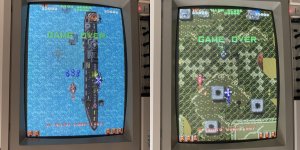
Ok .... last (hopefully) issue ... comparing my pcb's picture (on the right) to a screenshot of the attract mode on youtube (on the left).. did my best to get the same moment ..... it looks like it's a problem definitely confined to the background tiles, the content looks right just the wrong colours .. sprites, FG tiles and text colours are correct ..

fl bg tiles wrong colours.jpg

In this case it must be a issue with data signals AFTER the BG tile roms but BEFORE those signals then join with sprite, foreground and text layer as their colours are ok .. so this also ruled out the palette rams. So back into the schematics (memories page) and started probing the IC's receiving data from the BG tile roms and it didnt take too long to find a problem in the circuitry...

fl bg tile schem.jpg

The 4 Roms send their outputs to a bank of 4x LS299 shift registers A12, A13, A14 and A15 but I jumped ahead and scoped the inputs on the LS157 @ B14 first checking if it was receiving the 8 outputs from the 4x LS299's. Signals on Pins 10 and 11 (QD0 & QD7) were stuck low and as a result the output on Pin 9 (GFXD2) was also stuck low... All other signals seemed present and I sliced the chip to make sure and it passed no problem. So I worked back to the the LS299 @ A14 as that's where the QD0 and QD7 signals should come from and they were also stuck low on the outputs of the LS299 (pins 8 and 17) other signals seemed ok (not stuck) on the 299 but I sliced it to make sure and it was not good .... as you can see the outputs are stuck low but the data in and out is all messed up too ...

fl bg tile colour slices.jpg

Piggybacked a replacement 299 on the suspect and it did make some changes to colours, looked better in parts but not perfect, but enough to be pretty confident this was definitely the problem. So out with the bad LS299 @ A14 and in with a replacement .... and ...

fl fixed!.jpg

FIXED ;)
It's been a loooong road this one but got there in the end ! Graphics are 100% fixed now and sound seems fine. All that's left to do is get it in my cabinet and check all the controls are working and give it a good play !!!
 

patzik

Active member
Feedback
1 (100%)
Credits
322CR
Nice repair, great to have a victory after spending so much time.
I have the same pcb, and it freezes instantly at boot. Have spend quite some time on it but having it freeze right at start makes it difficult to troubleshoot since there is not much activity and nothing on the screen. Not too familiar with the 68000 either. One day….
 
Top