Defender Resets

tb lilley

5 Star
vacBacker
Feedback
2 (100%)
Credits
1,686CR
petercasino said:
None of the LEDs lit during or after the ram test. The next test ran and led 3 blinked twice. At what point should the LEDs light during the ram test?

LED 3 blinking twice means it's skipped RAM diagnostic and gone straight to CMOS test (which has passed). Pretty much at the end of any further advice I can offer.

This is a long shot ..... try running the cab in cocktail mode, then start a 2 player game. See what happens when it's player 2's turn.

You need to remove a jumper on the I/O board (controls) to switch to cocktail mode. See: link
 

petercasino

Active member
vacBacker
Feedback
8 (100%)
Credits
212CR
Ok, now I know what I'm doing with the tests…

It passes the ROM, RAM and CMOS tests fine. The colour tests look ok too.

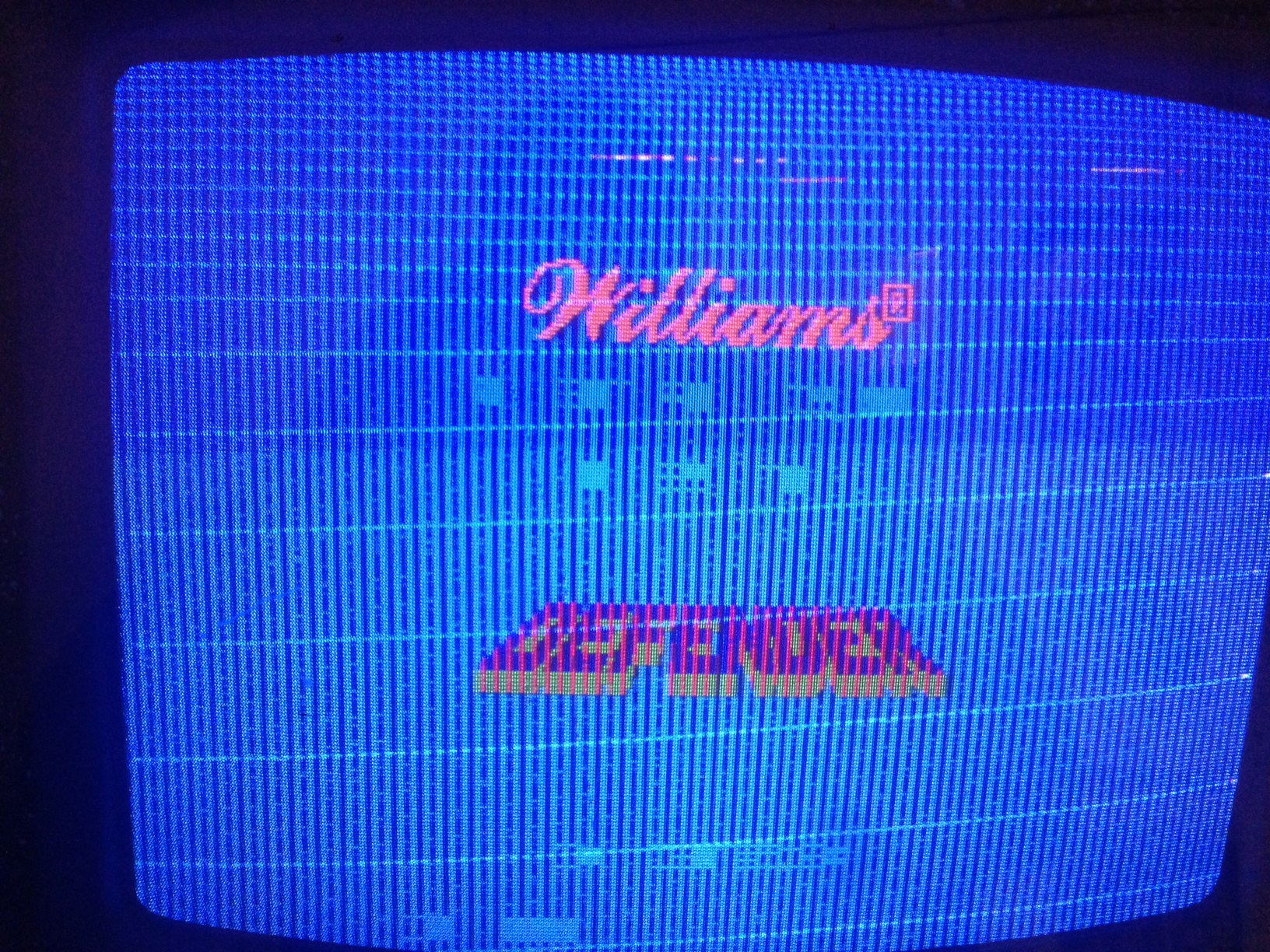
This is how the game looks when it starts:

https://www.dropbox.com/s/2ikvkyiw3q0nx24/IMG_1834.JPG?dl=0

This is the rug test, I think the jail bars are showing on that:

https://www.dropbox.com/s/h8gd4gq5xlqlx1g/IMG_1836.JPG?dl=0

Will try the cocktail mode…

Thanks again
 

tb lilley

5 Star
vacBacker
Feedback
2 (100%)
Credits
1,686CR
Arghh!

:)

Ok. Still possible to force the screen to flip.

In this image:

bb40f9357a8149725e8f284d84cabd8c_zps388141db.jpg


The Video Decoder chips are highlighted. You may only have one, in which case you're out of luck as that type of board doesn't support cocktail mode. If your board does have the 2 decoder chips, take a jumper from +5 volts and apply to pin 23 on the decoder chip (pin 23 = second from top right). Either chip will do.

This might all seem a bit pointless, but Defender uses separate video registers for a standard 1 player game, and a flipped screen when in cocktail mode. So if the game runs fine in flip screen mode that would narrow things down considerably.
 

philmurr

Active member
vacBacker
Feedback
48 (100%)
Credits
2,374CR
It's not easy to suggest something next unless you can do some real troubleshooting.

I'm guessing you don't have a spare working ROM board that you could try to definitely point the fault at the CPU board ?

I'm still not sure why the game is throwing up the "LED's on" error after playing it for a while, but I do think the screen drawing circuit is suspect (as TBLilley suggested to prove by flipping the screen). It looks like the counting (address generator) is working properly so the next step is to check the video shift registers.

What test equipment do you have ?
 

Judder

Active member
Feedback
2 (100%)
Credits
1,009CR
petercasino said:
Unfortunately I don't have a spare ROM board.

In terms of test equipment, I've got a multimeter and a logic probe.

If you are happy to pay the costs of shipping, I'm more than happy to lend you a working ROM and CPU board to help diagnose your problems (*or you can ship me yours and I can test it on my test rig)

I know how frustrating it can be to diagnose these boards if you don't have a known working set!

Here's details of my test rig FYI and I used an ATX connector set to allow a switch PSU and the original PSU to be interchanged

http://www.thedefenderproject.com/?p=329

Alex

Judder2014-12-04 12:09:16
 

petercasino

Active member
vacBacker
Feedback
8 (100%)
Credits
212CR
That sounds great, thank you.

I've got a working switched mode power supply so I'll try hooking that up this weekend. If that doesn't make any difference then maybe I can send the boards to you next week?

Mike
 

Judder

Active member
Feedback
2 (100%)
Credits
1,009CR
No probs

Happy to help out and if you still have no luck, PM me and we can get them tested with some working boards for you

One thing to try is to try moving the RAM in banks (lines)

If it's bad RAM this should show different errors as the bad RAM moves to a different position.

It is low power or a 74x chip failing issue then this will make no difference
 

petercasino

Active member
vacBacker
Feedback
8 (100%)
Credits
212CR
Ok, Alex has very kindly tested my boards in his machine. The ROM board is working fine which also means the ribbon cable is ok. The RAM is ok as the board passes all of the self tests and the game starts. So everything is pointing at a problem with the CPU board. Alex suspects that it's something to do with the video decoder circuitry. Which chips on the CPU board should we be focussing our attention on? It's the early series version shown below:

D8356.jpg
 

Equites

Chief Sheesher®
vacBacker
Feedback
35 (100%)
Credits
3,329CR
petercasino said:
Thanks.?

Is it best to just replace them or is there a way to test them?

74165 shift registers he means, it's past his bedtime so lets not be harsh.

You 'may' get some success piggybacking, otherwise, do you have a logic probe?Equites2014-12-09 23:37:47
 

Judder

Active member
Feedback
2 (100%)
Credits
1,009CR
tb lilley said:
Video shift registers - a bank of four 76415s found at 3I 4I 5I 6I.

See page 23: link

Hey TB - thanks for helping out

74165s on page 25 of the PDF (23 of the manual) ?

If so I don't have any of those to piggy back test so if anyone has a spare one I can help Mike with his diagnostics or a few I can pick up for extra tests that would be great...

You had me super stumped there for a moment
smiley4.gif
 
Top