Fixing an Alcon/Slap Fight PCB

Judder

Active member
Feedback
2 (100%)
Credits
992CR
Mitchell Gant said:
Do you have access to an EPROM programmer and UV eraser? If so I'm working my way to making a test EPROM that could give a better idea of faults than the built in game test. myPinballs has been helping me test the test Thumbs Up

Definitely and yes if I can share that too that would be perfect!

More than happy to help test the test too!!
smiley32.gif


Mitchell Gant said:
I think socketing RAMs like this is always a good idea, as long as you are confident you can do it without damaging the PCB and causing more faults.

Thanks, I'll have a look - I recently got a SMD Hot Air Gun reworking station which I'm yet to try but might be suitable for this - note taken about being very careful...

myPinballs said:
It would be easier to quote ram and chip as per the board position if possible :) , as this is what the schematics use and how i and Mitchell have been identifying things. The rom names from mame are weird!

Not a problem - the colour proms are (and the weird order is also labelled on the board under the sockets)

ROM 20 - 12M

ROM 19 - 12P

ROM 21 - 12R

I'll talk through any other investigations using those 99X references too to make it easier :)

Judder2018-01-22 14:14:53
 

myPinballs

Active member
Feedback
16 (100%)
Credits
668CR
I've been on quite a journey with my board since the last update.

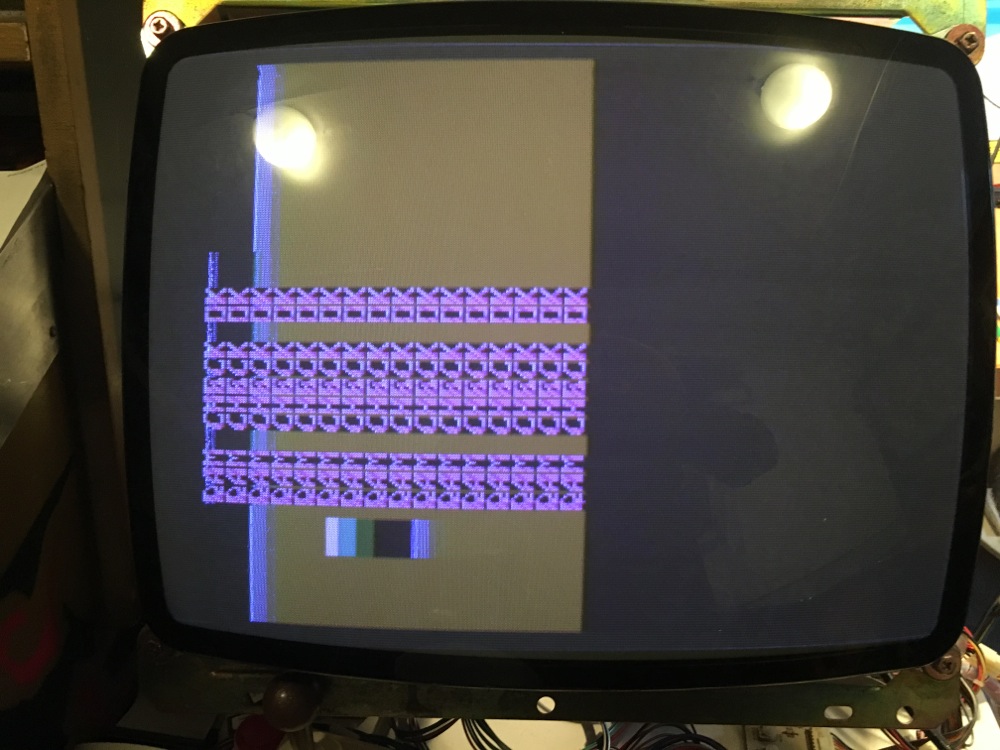
So my board's video issue is now solved and i can now also (with the std game roms) get passed the zero screen and be presented with a text screen message, so i'm pretty happy right now! No more scratching around trying to rsolve the video sync issue or using the screen flip option to see what's going on.

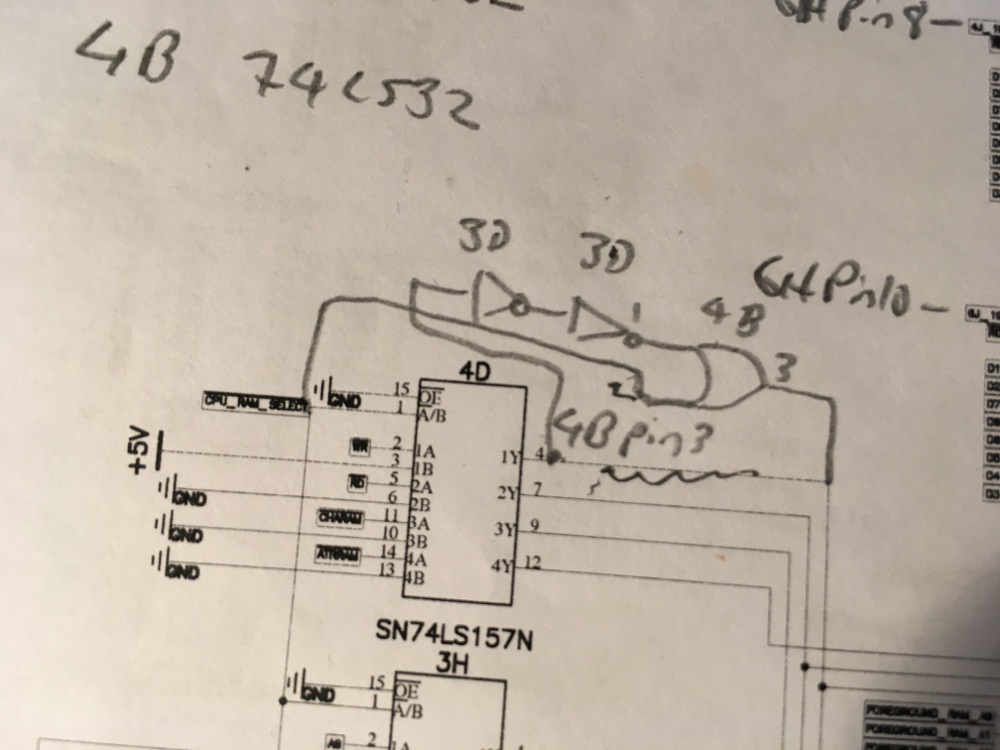
Both issues of no visable image in std mode and also no text or characters on screen were both related to the same issue. What i worked out after hours and hours of debug is that there is another difference on my board to the schematics. Yes, another modification/slap right change is needed. I found that there was no write enable access to the foreground ram chips and when i traced it back i found some inverter gates and an or gate in the logic. Seems that the write enable line is buffered (possibly for timing needs) and as such looks like this.

IMG_0791.jpg


I can draw this up better if you cant decipher the change. The chip at 3D is also used in some logic for the screen flipping. (shown at the bottom of the schematic page)

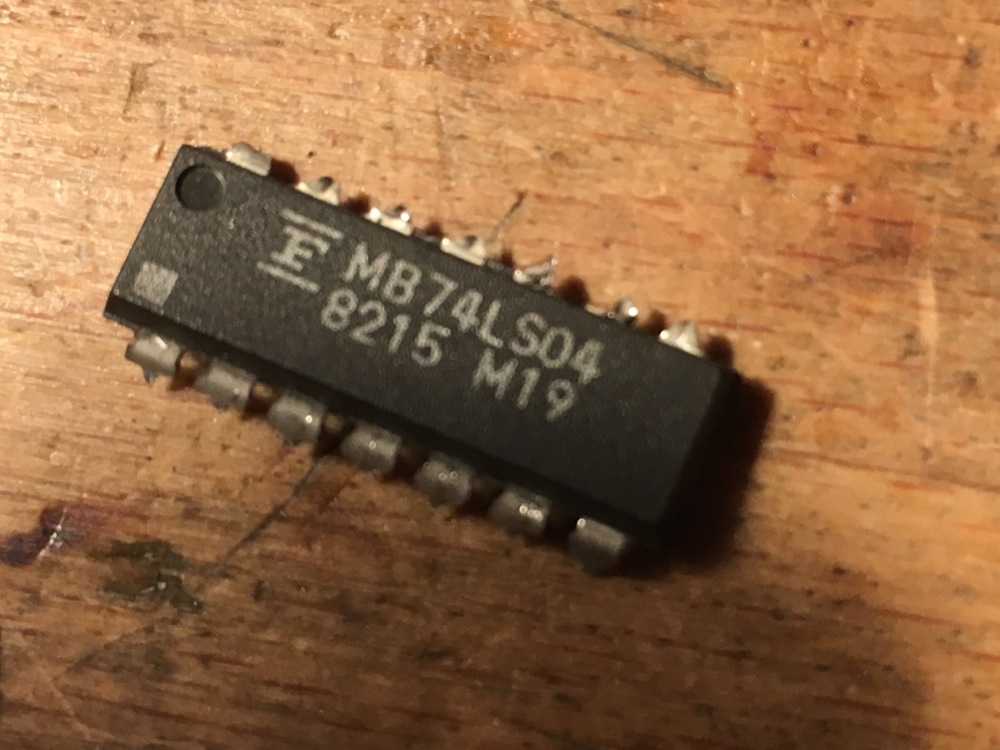
I also found that this inverter chips was a Fujitu brand and i've had lots of issues with these chips dyeing over time (in many other boards). So much so that it is a known idea to just shot gun all Fujitu ics when you have a bust board!

IMG_0789.jpg


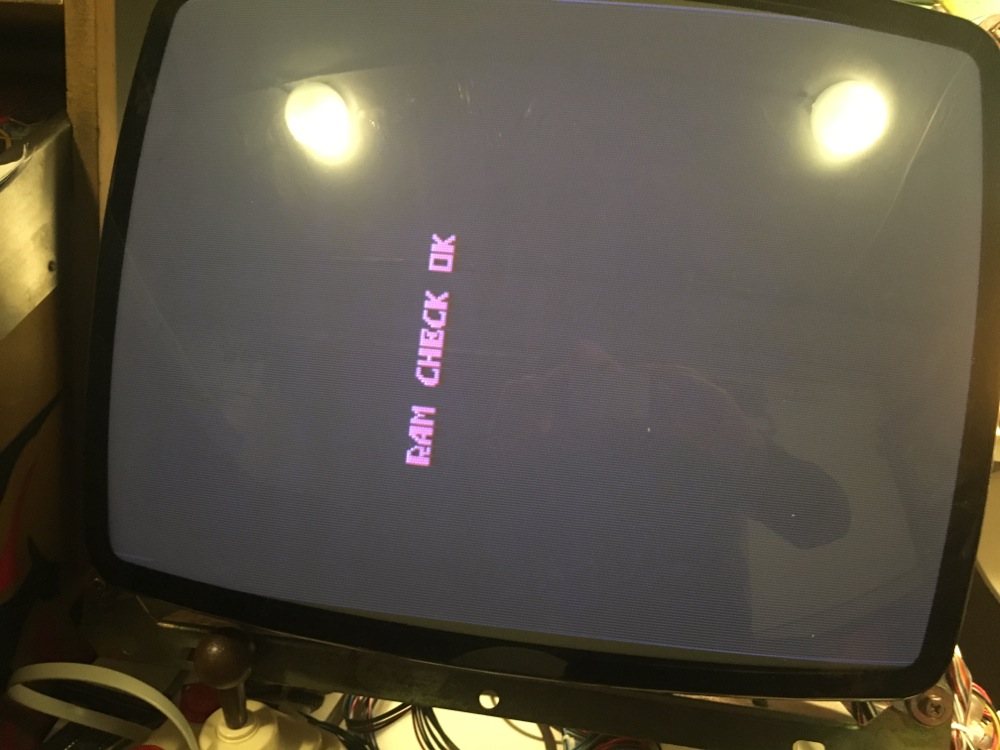
Anyway, with regular roms i now reliably at power on get to this:

IMG_0790.jpg


myPinballs2018-01-25 14:35:49
 

myPinballs

Active member
Feedback
16 (100%)
Credits
668CR
More updates. I solved my repeating text on screen issues. There was a broken trace on the board for the enable on 3H. Was hard to spot as traces on these boards aren't great quality. What are the other boards quality like? Some bootlegs i've had before are actually pretty good quality but not this one!

Now have this with regular game roms

IMG_0795.jpg


I'm now at the point of trying to work out why the board is stopping at the ram check ok message and not reporting bad roms or rom check ok message.
 

Mitchell Gant

Active member
vacBacker
Feedback
2 (100%)
Credits
884CR
Ahh, that's excellent progress there. Many thanks for spotting the extra gates in the write signal, no wonder I'm seeing so many problems getting test software to try to run on Tiger Heli when there are yet more hardware differences from Slap Fight.

That extra circuit looks quite crude and asynchronous, using the two inverters at 3D back to back to form a delay. Certainly something that could be very sensitive to timing if it were to be replaced by a more modern 74HCT device, or possibly even a same model chip from different manufacturers.

I'll check my own Alcon PCB later and also double check Tiger Heli to see if it's missing or not there too.

PCB quality seems OK on my set, but I'll have a closer look now you've mentioned it. I have a single Alcon (Slap Fight) PCB and about 4 or 5 Tiger Helis in various states.

Multiplexer enable fault at 3H would certainly explain the repeating images!

I'll try and look at what could cause the test to halt after RAM CHECK OK if I get chance later.
 

myPinballs

Active member
Feedback
16 (100%)
Credits
668CR
Quick update on my board repair. I've now solved all the issues with it :) and played my first games a days or so ago. Awesome game.

I had a right journey with it!! Multiple issues on pretty much every section. In summary after getting passed the test screen i had to sort out:

No background tiles

Messed up background tile positioning

Messed up sprite drawing (block patterns)

Nasty sound hum

No controls!

Here are some quick vids of the board running :) Very happy

https://www.instagram.com/p/BfUIIumnYA7/?taken-by=mypinballs

https://www.instagram.com/p/BfYr_BmHOzP/?taken-by=mypinballs

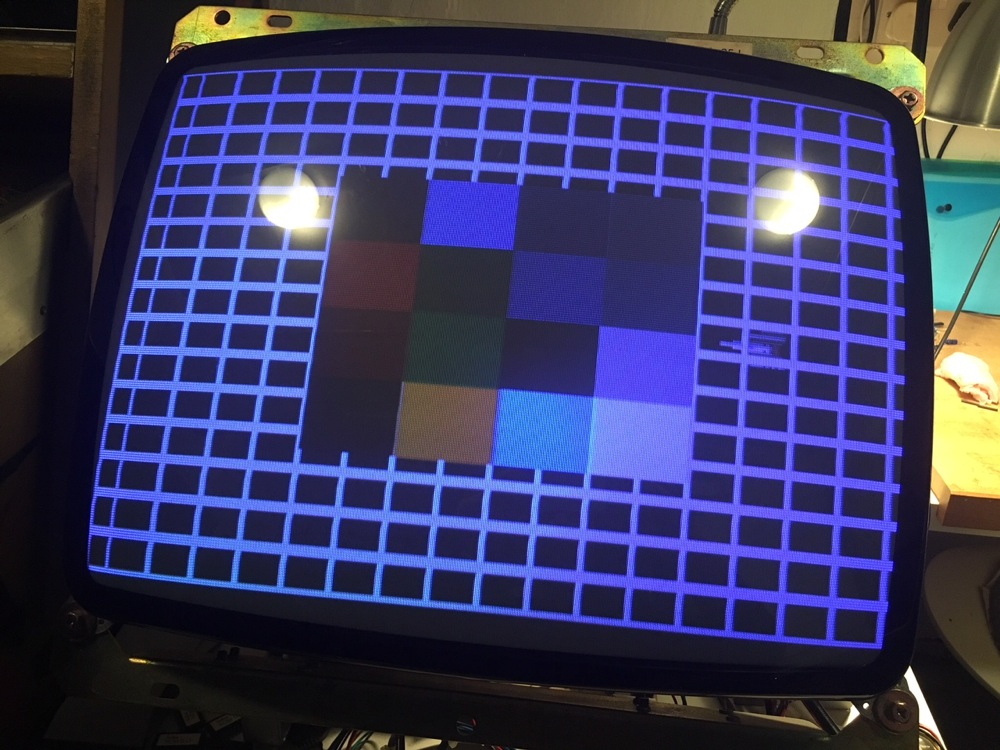
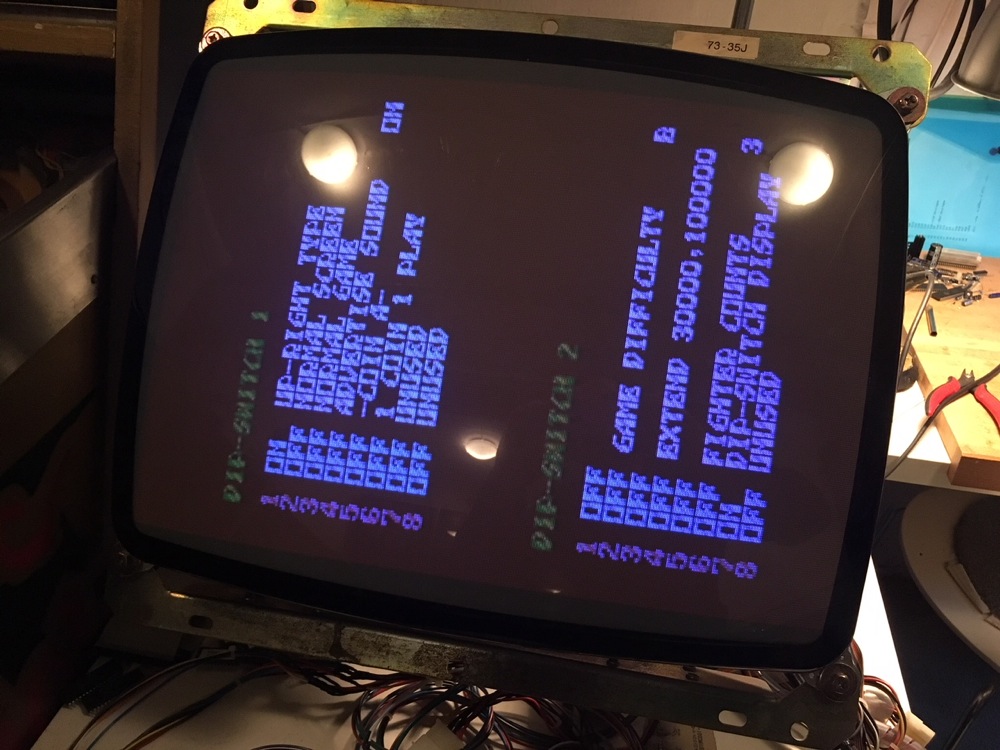
Also found some handy test menus in the dip switch settings

screen test

IMG_0489.jpg


Live updating dip switch page

IMG_0498.jpg
 

myPinballs

Active member
Feedback
16 (100%)
Credits
668CR
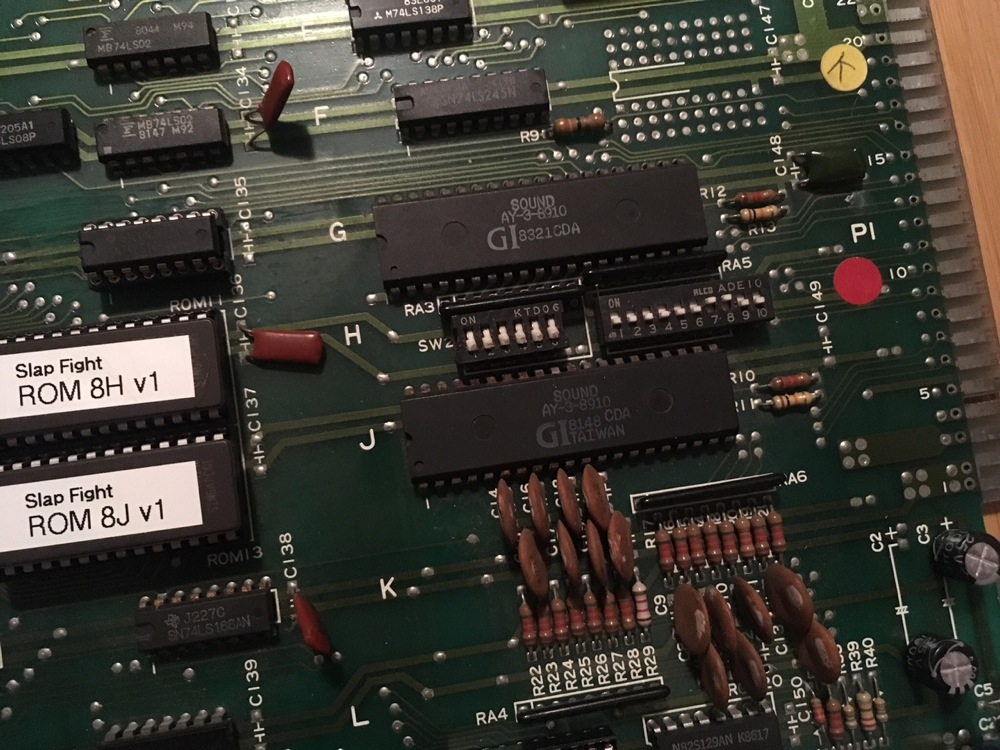
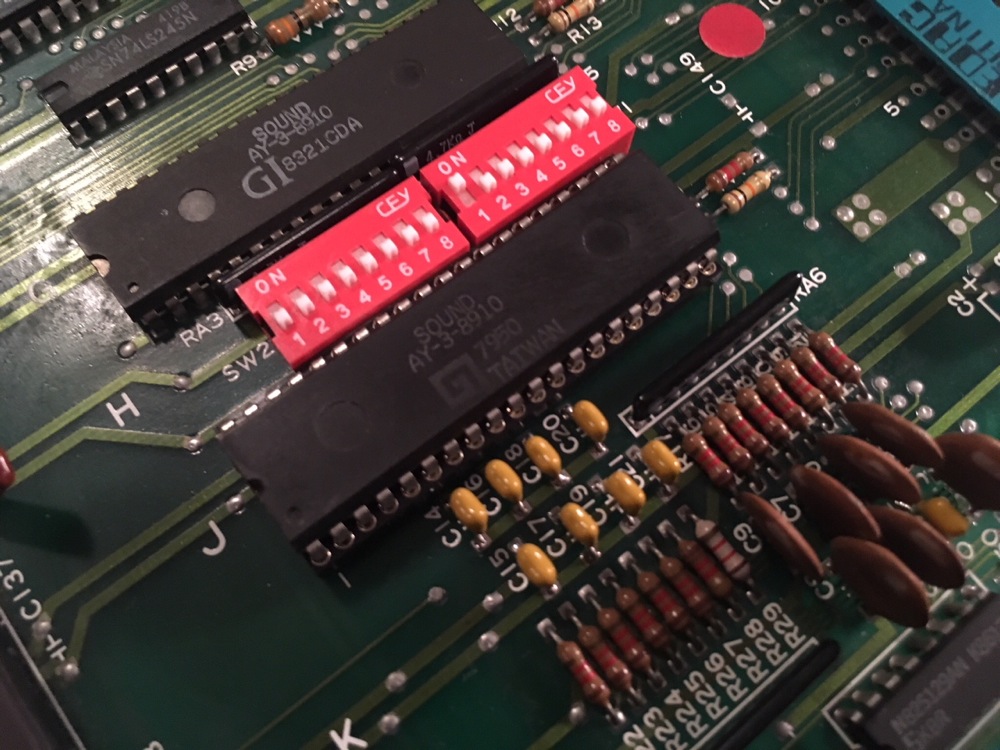
I did some work on the dip switch area and the control switch line caps whilst is fixing some of the faults related to the AY-3-8910 sound generator ic at 11J on the sound/sprite board.

The original boaters had installed nasty dip switches that were too short and too long! Also the caps had all seen better days, so i replaced with MLCC instead of nasty cheap ceramic.

before

IMG_0488.jpg


after

IMG_0497.jpg


That brings my repair for this board to a close. On to the next:) I am continuing to help Neil and Alex out and also hoping to work with them to create a high score save solution to for this board set :)
 

Judder

Active member
Feedback
2 (100%)
Credits
992CR
I thought everyone might enjoy a few updates from my board testing and the new Test ROM that Neil has been working on

My board set seems to have it's problems with the top 'AUDIO' board - the one with the external connector on it for reference

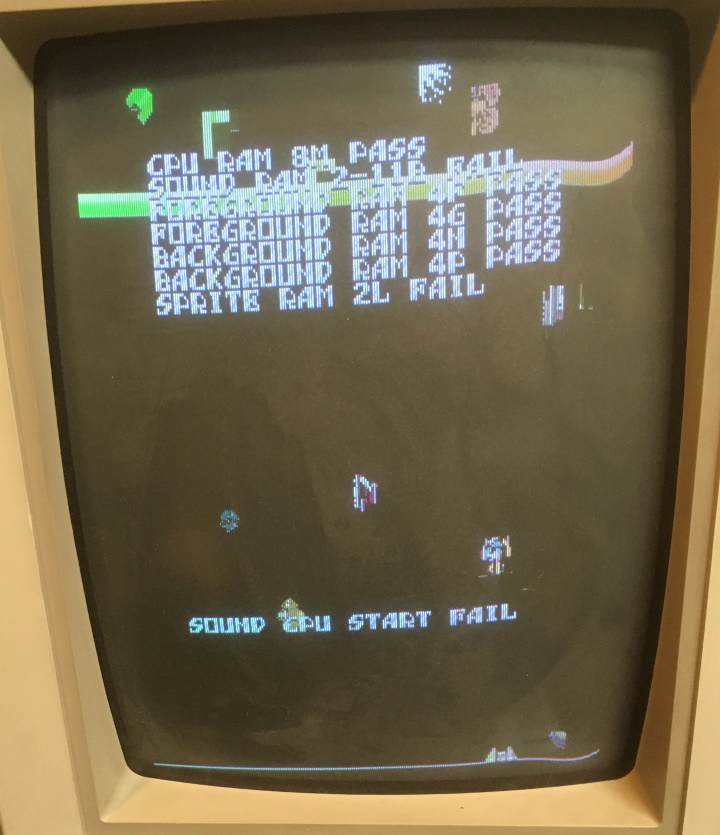
Neil's Test ROM is clever enough to talk to all the sections of the RAM from the bottom 'CPU' board and identified that it was having problems trying to talk to the Audio RAM that is shared with the second CPU on the top 'AUDIO' board

The way to get the test to function is to dis-connect the board connector nearest the top 'AUDIO' Z80 and then the test can continue with a forced FAIL

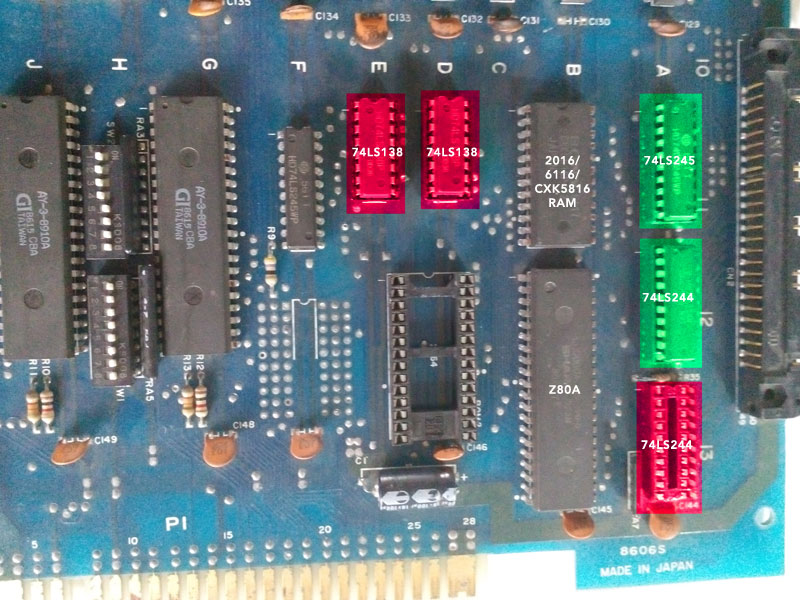
Testing the Fujitsu chips on the top board, it turns out that the pair of 74LS138s 3-8 line decoders and one of the 74LS244s that do the memory addressing are failing so my next step is to finish replacing those and see if we get the test ROM to talk to that area of the Audio RAM as well

[and because everyone likes pictures
smiley20.gif
]

SlapFightAudioBoardTTLProblems.jpg


Interestingly the integrated boot test on the actual ROMs hangs at this point too, as it can't return from the RAM check, even though the first reported back result is a ROM test!

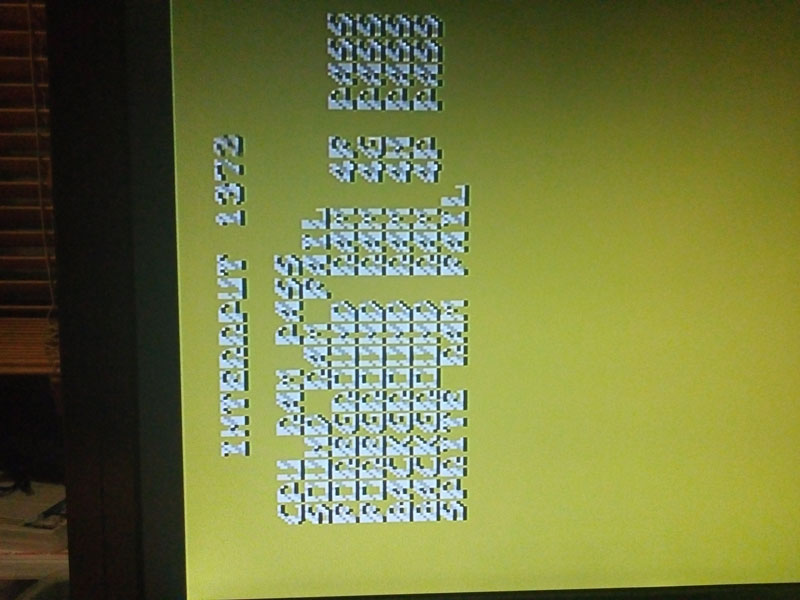
Here's the output from Neil's new Test ROM (you can change the colours to make it more readable by removing / adding the 3 colour proms on the top 'AUDIO' board

SlapFightTestRom4_2Low.jpg


SlapFightTestRom4_1Low.jpg


I'm sure Neil will be along soon with a better explanation of how his clever test ROM works (or will write a technical paper on it judging by the length of the emails Jim, Neil and I have been sending each other!)

More updates as I get a chance to finish the testing....
 

myPinballs

Active member
Feedback
16 (100%)
Credits
668CR
dankcomputing said:
Is this test ROM available anywhere? Got an Alcon that's stuck at RAM TEST OK with a bunch of sprite garbage on the screen.

Not thought about this boardset for awhile but it was good fun getting mine back and working. I will see if i can dig out any notes i made regarding the thing hanging at RAM TEST OK. I know there were lots of emails back and forth with Neil on all sorts of things with this hardware and the test roms

myPinballs2021-10-21 12:49:26
 

dankcomputing

Newbie
Credits
23CR
Thanks for posting the test ROM! It's giving me this screen right now:

alcontestrom.jpg


It's a lot more helpful than just dying at RAM TEST OK, that's for sure.

The SPRITE RAM 2L FAIL message is interesting because that chip is most definitely good. I suppose if this ever gets ingame again we'll know what's up right away.

myPinballs said:
dankcomputing said:
Is this test ROM available
anywhere? Got an Alcon that's stuck at RAM TEST OK with a bunch of
sprite garbage on the screen.

Not thought about this boardset for awhile but it
was good fun getting mine back and working. I will see if i can dig out
any notes i made regarding the thing hanging at RAM TEST OK. I know
there were lots of emails back and forth with Neil on all sorts of
things with this hardware and the test roms

If you could, that'd be wonderful. When I first got this board it was dying at a RAM error, but since I didn't know that much about fixing this stuff at the time I changed out the sprite RAM first before realizing where the CPU RAM was. It then booted, but I didn't realize I'd messed up a trace when desoldering the sprite ROMs and was having graphic glitches. I must've changed dozens of chips before realizing that I'd messed the trace up. I got it fully working after finding the bad trace. It was working for years until I turned it on again a couple days ago and it's developed this error out of the blue.

dankcomputing2021-10-22 05:40:00
 

dankcomputing

Newbie
Credits
23CR
I finally got it to boot. Dumb mistake on my part - I didn't quite have the voltage high enough. I thought it was high enough since my Tiger-Heli was booting (and it's almost the exact same board) but there's some scorching on the 5v line on my Alcon that's not on any other board, so that dragged it down just far enough to cause problems.
 
Top