
You are using an out of date browser. It may not display this or other websites correctly.
You should upgrade or use an alternative browser.
You should upgrade or use an alternative browser.
Midway Space Invaders Motherboard
- Thread starter funhouse
- Start date


Lurch666 said:eBay item number:
262810515780
Thanks - will get some.
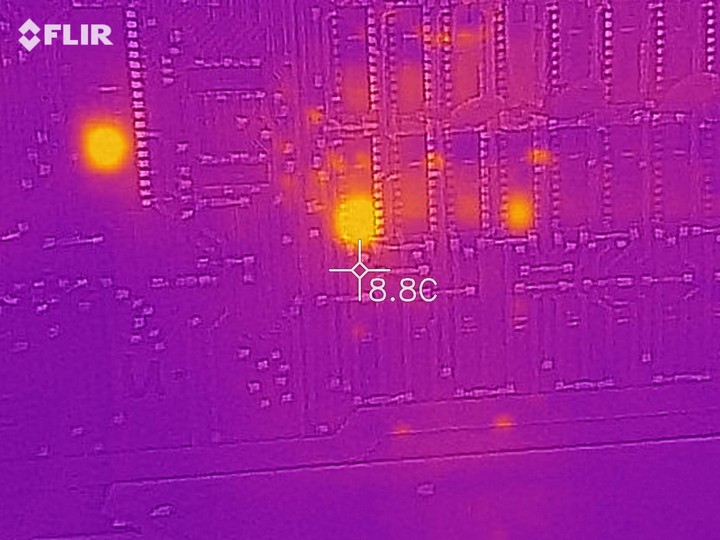
I took a closer photo of that RAM and it is the hottest:
funhouse2019-05-06 11:22:12
Good idea thanks - will make one.
I've taken the faulty ram out now - do you think it will still boot okay?
Edit: The RAM is out, the tantalum is replaced but it does the same PSU flicker as before.
Grey and cold bank holiday weekend and slow progress

funhouse2019-05-06 20:46:48
I've taken the faulty ram out now - do you think it will still boot okay?
Edit: The RAM is out, the tantalum is replaced but it does the same PSU flicker as before.
Grey and cold bank holiday weekend and slow progress
funhouse2019-05-06 20:46:48
Made the composite cable and connected it up. No joy and had assumed the missing RAM would stop it anyway.
Then I remembered that I have a Braze multi-game for it. Installed that and rebooted. Some success! The composite-connected TV screen flashes and I hear five beeps. Apparently that implies faulty RAM at G12. I have already removed H8 so there are at least 2 bad RAM chips.
Now have to wait for some RAM but very hopeful so far!!
Then I remembered that I have a Braze multi-game for it. Installed that and rebooted. Some success! The composite-connected TV screen flashes and I hear five beeps. Apparently that implies faulty RAM at G12. I have already removed H8 so there are at least 2 bad RAM chips.
Now have to wait for some RAM but very hopeful so far!!

The Braze tests require the first 2 working RAM chips to be working ( I can't remember the exact two until I get home to see my notes).
Usually in this sort of scenario it's better to fault find without the Braze addon.
Use a scope or logic probe on the sync output.
The motherboard is a very basic design. As long as you have a clock pulse, and working CPU you should see something on the screen unless the output circuitry has died.
Check clock and sync.
Usually in this sort of scenario it's better to fault find without the Braze addon.
Use a scope or logic probe on the sync output.
The motherboard is a very basic design. As long as you have a clock pulse, and working CPU you should see something on the screen unless the output circuitry has died.
Check clock and sync.
Thanks for the tip RaveN - I will get the oscilloscope out soon.
In the meantime I've replaced and socketed the two sets of RAM. (I am learning the delicate art of track soldering too which is a view into the micro-world!)
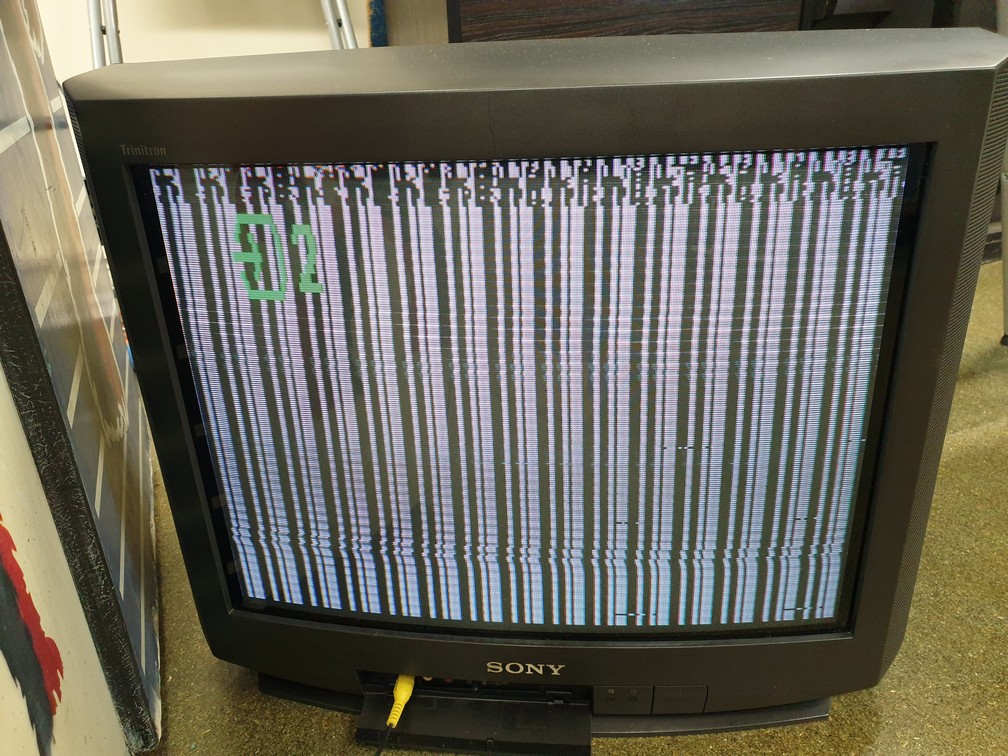
Anyway, plugged it all back in (without the Braze) and I get a picture!:
In the meantime I've replaced and socketed the two sets of RAM. (I am learning the delicate art of track soldering too which is a view into the micro-world!)
Anyway, plugged it all back in (without the Braze) and I get a picture!:
I agree, it's starting to look good.
Like Lurch666 suggested, you could try the Braze kit, or you could follow the midway testing procedure to identify which RAMs are causing the issue at the top of the screen.
Taken from brentradio.com:
Like Lurch666 suggested, you could try the Braze kit, or you could follow the midway testing procedure to identify which RAMs are causing the issue at the top of the screen.
Taken from brentradio.com:
Code:
TESTING RAM
	+---------------------------------------------------------------------------.

	To fix Space Invaders family of game boards, first remove ALL the game
	ROMs, then turn the game on. You should see a repeating pattern of a thin
	and fat lines across the screen. Next close the Slam switch for a moment,
	this pattern should change, but still be solid lines (thin or fat doesn't
	matter, but they repeat). Now if any lines are flickering, or there are
	dots on the screen that are sometimes covered by lines but reappear when
	you "Slam" the switch, then you defiantly have RAM problems. Next, try
	momentarily shorting pin #7 of each RAM chip to ground until you find the
	one(pair) that when shorted either make solid the flickering line or cover
	the dots. Now you just have two suspects to replace. Sub one at a time,
	then alternate. It is only one of the two Ram chips that share the pin #7
output that should be bad.Thanks guys.
I tried the Braze and it beeped 4 for G11 so I replaced that but unfortunately it still beeps 4. I swapped some ram around in the sockets thinking the RAM was bad but it still beeps 4.
I'll have a go of that way to test it next RaveN.
I tried the Braze and it beeped 4 for G11 so I replaced that but unfortunately it still beeps 4. I swapped some ram around in the sockets thinking the RAM was bad but it still beeps 4.
I'll have a go of that way to test it next RaveN.
Tried the Midway Test Procedures as above. Both images are clean so it seems that my RAM is okay but the board won't go into a RAM test. There are supposedly several tests to do with ICs and tracks next, and I see sadly that I need to learn how to use my oscilloscope.
Channel X set at DC and onto the IC pin and Channel Y set at Ground to a Ground point. Then play with the div settings. Is that about right ?
Edit. For a bench test harness I've just seen Judder's excellent article https://www.thedefenderproject.com/other-arcade-games/space-invaders/building-a-midway-space-invaders-deluxe-test-harness/
funhouse2019-05-17 17:03:50
Channel X set at DC and onto the IC pin and Channel Y set at Ground to a Ground point. Then play with the div settings. Is that about right ?
Edit. For a bench test harness I've just seen Judder's excellent article https://www.thedefenderproject.com/other-arcade-games/space-invaders/building-a-midway-space-invaders-deluxe-test-harness/
funhouse2019-05-17 17:03:50

Purity said:Have you tried the test rom to see what issues it flags up?
No, but good idea thanks - will look into how to write one.
Looks like your board is strapped for 9316 roms.
these are old roms that you probably won't be able to burn unless you have an old eprom burner.
If you want to run a test rom you would need to restrap for more modern 2716 roms but then your 9316 original roms won't work so you would have to burn new space invader roms on 2716 if you arn't too bothered about keeping it original.
these are old roms that you probably won't be able to burn unless you have an old eprom burner.
If you want to run a test rom you would need to restrap for more modern 2716 roms but then your 9316 original roms won't work so you would have to burn new space invader roms on 2716 if you arn't too bothered about keeping it original.
I may be completely wrong but on the Brentradio page it says I can burn a dual image 2732 and put it as-is on a board setup for 9316:
"If the game is currently strapped for the 9316's or 2716's (not TMS2716),
a 2732 is just a drop in (as long as the 2732's have a dual image of the
program data)."
http://www.brentradio.com/images/SpaceInvaders/midway_8080_tech.txt
funhouse2019-05-17 23:15:49
"If the game is currently strapped for the 9316's or 2716's (not TMS2716),
a 2732 is just a drop in (as long as the 2732's have a dual image of the
program data)."
http://www.brentradio.com/images/SpaceInvaders/midway_8080_tech.txt
funhouse2019-05-17 23:15:49
Managed to get that new Modified Space Invaders Test Rom in
http://www.outerworldarcade.com/arcade/space_invaders/space_invaders_test_rom.html
and booted. I get some vertical closely spaced lines, some blocks and then this screen:
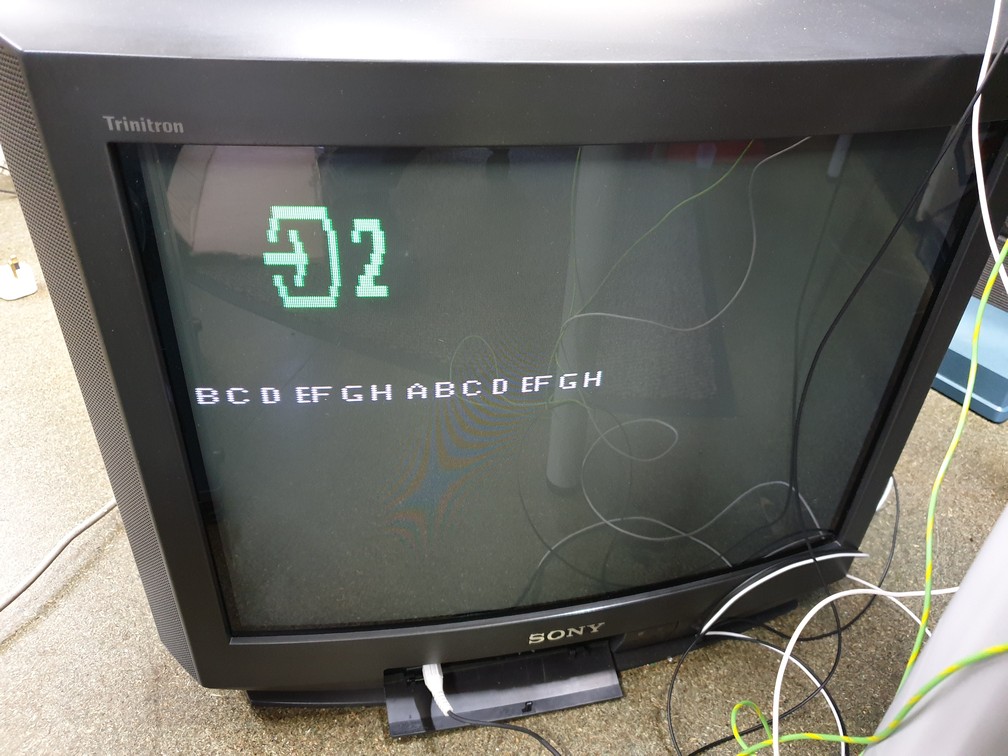
I re-read the instructions but don't see any reference to this sort of error code

http://www.outerworldarcade.com/arcade/space_invaders/space_invaders_test_rom.html
and booted. I get some vertical closely spaced lines, some blocks and then this screen:
I re-read the instructions but don't see any reference to this sort of error code
I believe it's showing all the ram errors at the same time.
This looks to me like the one of the signals coming from C5 (3245) is missing.
What's happening is one row of rams is not getting selected so try checking the signal at pin 17 of each ram chip and you will possibly find one set of rams with no signal.
Check to see if the signal is coming from C5 (pins 2 and 7).
If you are missing a signal then changing C5 should do the trick if this is so.
This looks to me like the one of the signals coming from C5 (3245) is missing.
What's happening is one row of rams is not getting selected so try checking the signal at pin 17 of each ram chip and you will possibly find one set of rams with no signal.
Check to see if the signal is coming from C5 (pins 2 and 7).
If you are missing a signal then changing C5 should do the trick if this is so.