Read Only Windows 7

ShinraArcade

Active member
Feedback
17 (100%)
Credits
19CR
Interesting read, will give it a go if the HLSL scanlines cause issues..
Thanks for the tips re HLSL I just copied somebody else's from the internet and think I will dial them back a bit when I get the hang of what all the options do.

It's just occurred to me that a lot of games didn't work right on my 3ghz C2D system because I had HLSL on from the start as I used somebody else's build. There was a really neat set of effects for vector games though which I'd like to get back.

I know how to set for MAME and per game but how do you set per screen type? Also is it possible to set per resolution?

I think I might start a new thread, I'm a bit conscious that I'm ruining Chunksins thread!
ShinraArcade2020-05-27 21:51:41
 

ShinraArcade

Active member
Feedback
17 (100%)
Credits
19CR
tronbaby said:
I think it's been said, but I can verify too - you just need an ATI videocard for CRTs, if you're using an LCD, the GTX cards give noticably better performance, and they're quite cheap too.
The GTX 750 should play all MAME stuff without a glitch, as well as Demul, Teknoparrot and other latest emulators, as long as your CPU is decent too.

Thanks, I just happen to have around 10 spare old ATI cards lying around also found a couple of 6450s this morning which I didn't even know I had. Might have to marry them up with all the old Optiplex machines I've got lying around and get rid of them. the one spare NVidia card I had was a 750Ti which is holding up quite well just got a little bit of slowdown in Do DonPachi on an I5 4590 but after Cools pointed out I guess this is probably due to heavy HLSL settings.

Hmmmm Teknoparrot that's for the newer stuff isn't it? Might have to pick your brains about that at a later date if you don't mind..
 

chunksin

Active member
vacBacker
Feedback
21 (100%)
Credits
733CR
Quick tip for anyone experiencing a random issue where there is a DOS command window in front of Attract Mode when exiting a game and blocking the menu, go into the menu using Tab, go to Emulators-MAME and change the 'Non-Blocking Wait Mode' setting from 0 to 1

Thanks to Escape-to-88!
 

Retro77

User
Credits
22CR
Hi all,

Could someone explain the installer script flags and how to change them please?

I would like to continue using the installer but am stuck on the first stage. I am using a legacy card so this part is manual. The PC is now on the arcade cab. My ROMs are setup. Attract mode is configured and loading ROMs with correct resolutions but I can't seem to push the installer to the next step.

For example, if I try and use the attract mode utilities (e.g. Randomiser), the PC reboots and the installer greets me with step 1 again (as I haven't yet installed Atom-15, I have to quickly unplug the VGA lead). I am guessing this is because the Attract mode utilities are much further along in the script and can't completed until the previous steps have been completed.

Hope that makes sense

Cheers
 

chunksin

Active member
vacBacker
Feedback
21 (100%)
Credits
733CR
Manual overrides, you can create these to jump past the installer steps:

Step 1: looks for a folder "C:program FilesAMD"
Step 2: looks for "D:Scripts15k.txt"

Step 3: looks for this file "D:Installers and InstructionsCRT EmuDrivercrt_tools_2.0_beta_15modeline.txt"

Once they are all in place it will enter the final config and hide Windows

Chunksin2020-06-03 20:55:59
 

Retro77

User
Credits
22CR
That did it. Thank you for this build Chunksin. It runs brilliantly now.

Not wanting to sound like Columbo but I have one more question. If I wanted to roll back to making windows visible again (i.e. undo sheller). Is there a way to do that or would you recommend a fresh install?

Thanks again
 

ShinraArcade

Active member
Feedback
17 (100%)
Credits
19CR
No problem, Chunksin's done an amazing job with this. I'm not even using it to it's full potential as I'm using LCDs for the time being but it's great having the setup Wizard with all of the added features regardless.
 

Retro77

User
Credits
22CR
I have another question.

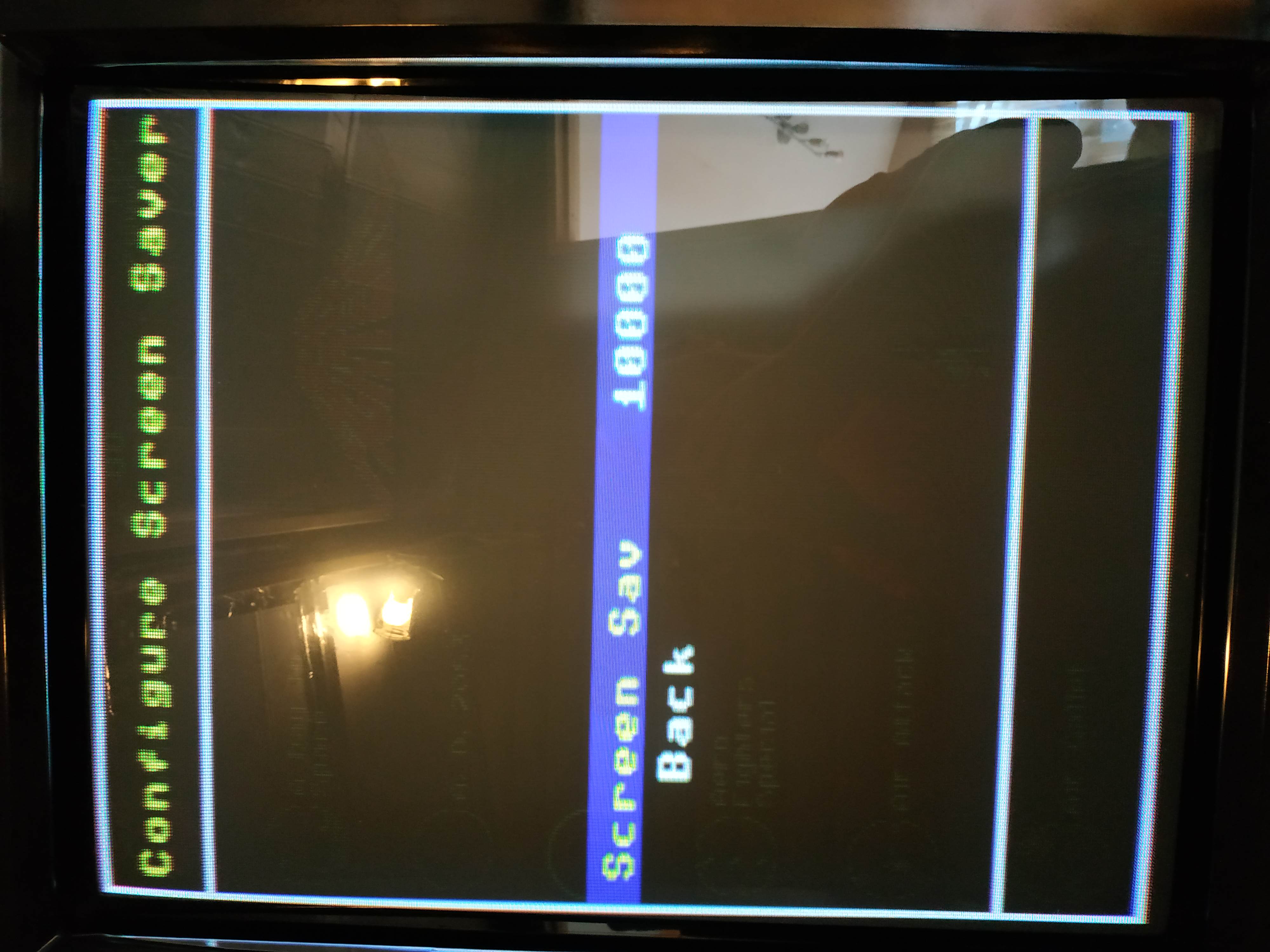
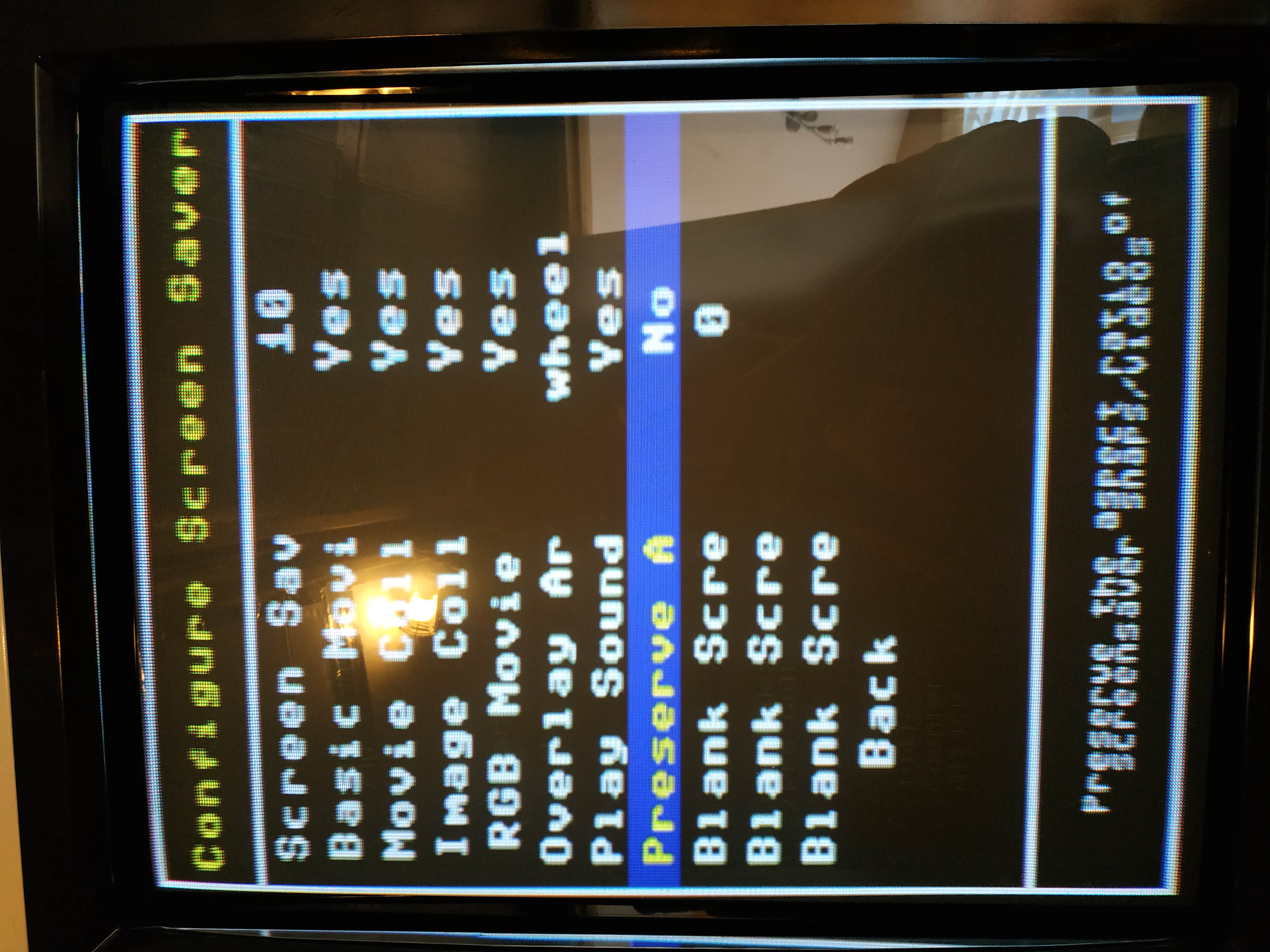
If I load attract mode via the .exe file (windows enabled). The screen saver works (shows videos etc) but if I load it via the .vbs file the only option available on the screen saver tab of attract mode is the timeout and nothing is displayed (black screen). I think the .vbs file is what is launched when shelled as well

Does anyone know how to fix this?

I have compared the cfg files of the original(in root folder) to the rotate90 cfg which I am using. The rotate90 cfg doesn't have any screen saver options like the original. I have attempted to add them but it didn't work.

IMG_20200605_175126.jpg
IMG_20200605_175110.jpg
Retro772020-06-05 18:39:42
 

Retroman839

Senior Member
vacBacker
Feedback
13 (100%)
Credits
7,638CR
need help
unable to copy roms from usb?
tried 3 different sticks
and a usb drive
i have generated list fine
and has screen snaps
and i see light on my usb drive flash each time i try to run a rom?
either white screens or returns to game select screen

how do i return to windows mode?Retroman8392020-06-06 18:26:47
 

Retro77

User
Credits
22CR
Hi all,

I have fixed the screensaver issue. Now this could just be my install.

In order for screensaver to work, in AttractMode there is a folder called screensaver with a file within called screensaver.nut.

The file wasn't in the screensaver folder for both rotate90 or 270. So I just copied it over and it worked straight away.

This machine now works far better than one I built a couple of years ago. It will have to be changed to this. Thanks so much for this, Chunksin.Retro772020-06-06 20:25:08
 

tronbaby

Active member
Feedback
8 (100%)
Credits
62CR
I’ve got a strange thing happening hopefully someone can help with.
I reinstalled my system with the latest image. I’m using with a Blast City cab, so need to get CRTemu driver installed for the CRT. I’m using a Radeon HD5450 and a j-pac.
When I reinstall, I can only get a picture using the onboard graphics and not the Radeon card. I actually have to remove the card for the onboard to work.
After I’ve installed, if I plug in the card, I can actually get an image on the CRT, but only before I install the display driver in the process. If I continue and install the CRTemu display driver, after that I can no longer get a proper display on the CRT.
It seems like something strange is going on with the graphics card. I have another that I’ve tried from another Groovy mane setup and that too won’t display.
Any ideas anyone?
 

tronbaby

Active member
Feedback
8 (100%)
Credits
62CR
It’s auto switching so I thought it would just handle it.
Do you reckon I should run a 15khz game first to switch it to 15khz and then try the PC?
I’ll give it a go
 
Top